Editing Your ResaleWallet Profile Information
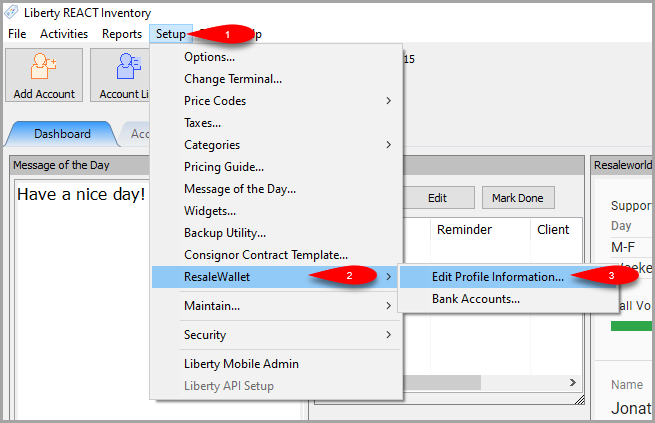
- Click on Setup > Resale Wallet > Edit Profile Information…
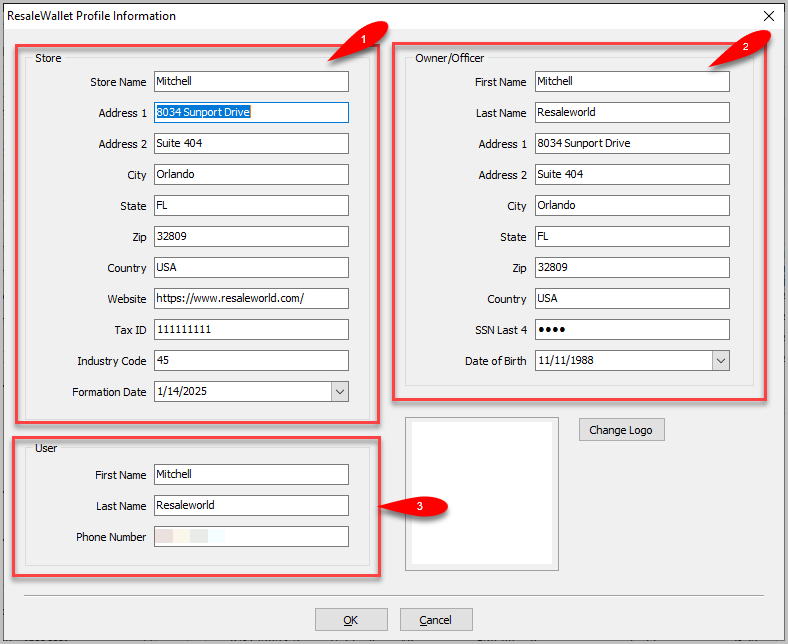
- Fill in the Store section, the Owner/Officer section and then the User section.
Anything that is pre-filled can remain the same apart from the store name if you need to change it.
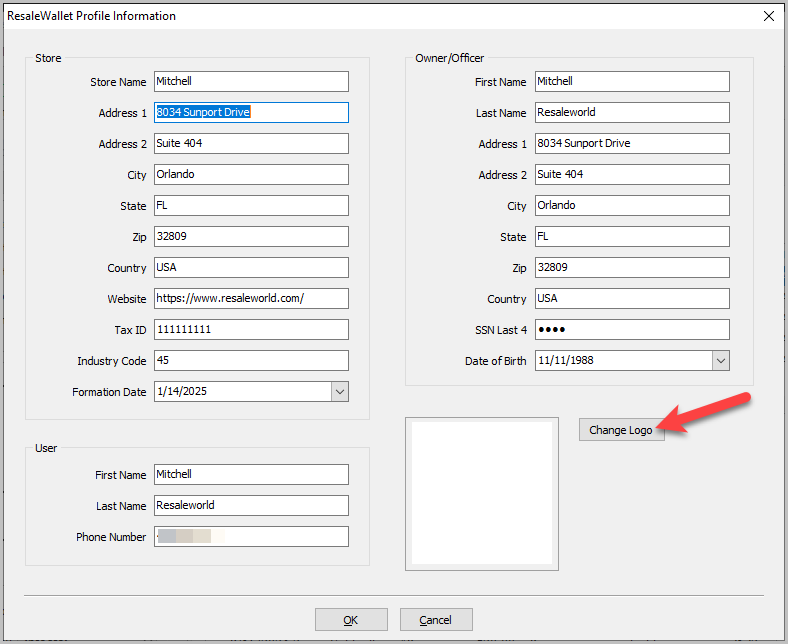
- You can change the logo to your store logo by clicking Change Logo.
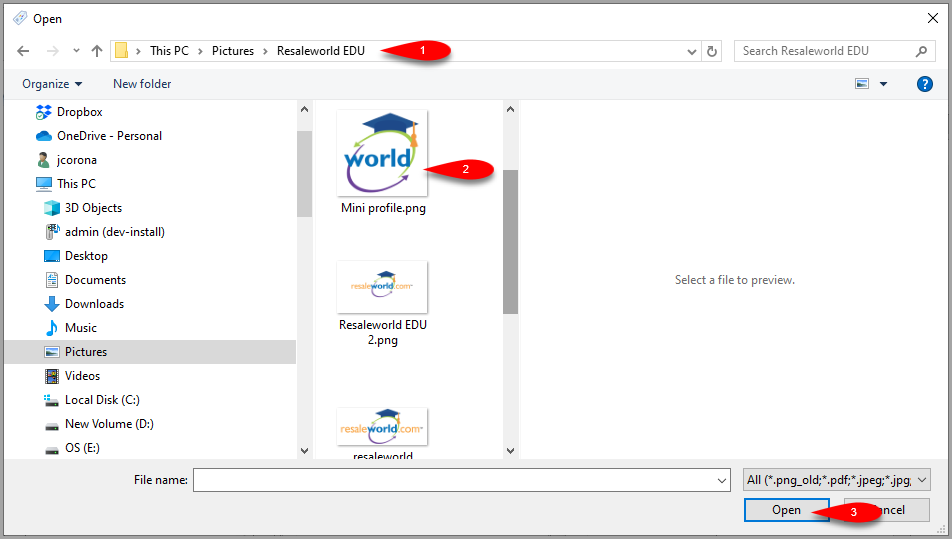
- Search for your Store Logo, select it and then click the Open button.
- You should now see your store logo in the Logo Preview area.


Click the OK button when you are done.

Next Article In Section
Click the following link to move to the next article in this section:
Setting Up Your Bank Account
Related Topics
Editing Your ResaleWallet Profile Information ResaleWallet ACH Payouts Overview Setting Up ResaleWallet Setting Up Your Bank Account Setting Up A Liberty Account For ACH Payouts How To Do A Signature Capture For ACH Payouts Creating A Single ACH Payout Mass Account ACH Payouts Reversing A ResaleWallet ACH Payout In Liberty Viewing ResaleWallet Payout Status In Liberty ResaleWallet Payments Dashboard