Creating New and Maintaining Existing Accounts
For each person or business that provides merchandise to the store you need to create an account. Once the account is created you may begin adding inventory to that account. If you also like to keep records of consumers (people or companies who purchase items), add them as an account as well.
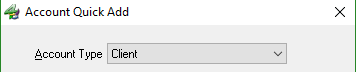
The Account Type field in the Account Detail window designates accounts in one of three ways:
- Client. Use to create accounts for clients who:
- Consign merchandise
- From whom merchandise is purchased outright and
- Are consumers (i.e. customers or buyers).
Note: Client accounts containing now inventory are considered to be customer accounts
- Retail Vendor. Use to create an account for business from which merchandise is purchased for retail sales.

- Store Account. Use to create accounts for merchandise purchased by the store, such as from liquidators, garage sales, owners’ and/or employees’ personal belongings, etc.



Tip: When working with accounts press <Alt> key and the number preceding the name of the tab. For instance <Alt> <1> for the Account Tab, <Alt> <2> for the inventory tab, etc.
Next Article In Section
Click the following link to move to the next article in this section:
Customize the Account Detail Window
Related Topics
Creating New and Maintaining Existing Accounts Add Notes to an Account Add Multiple Addresses and Phone numbers Apply Group Deductions Bulk Change Default Price Code Using the Client Import and Export Utility Customize the Account Detail Window Deactivating an Account Delete a Client's Data From Consignor Login Edit Account Information Editing Reminders on an Account