Paying Out A Single Client With ResaleWallet
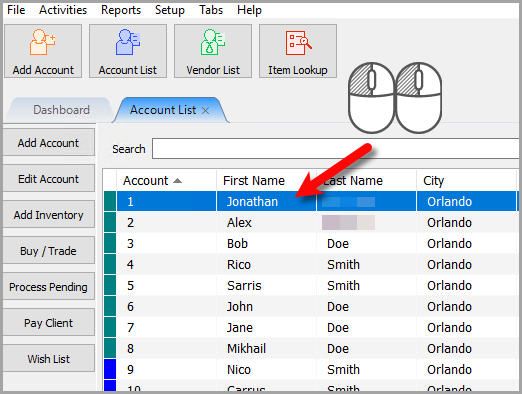
- Open any account you wish to payout with ResaleWallet
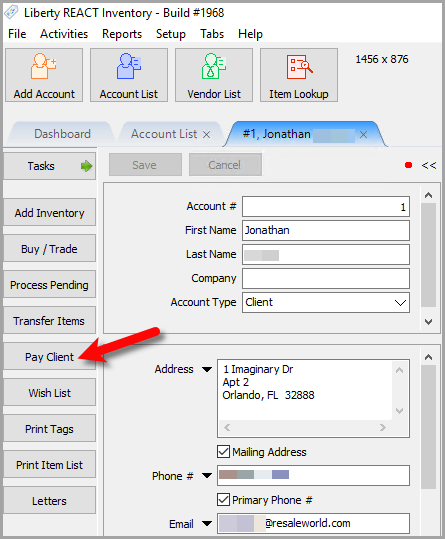
- Click the Pay Client button
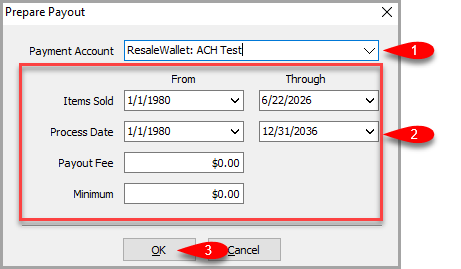
- Make sure that the Payment Account is set to your ResaleWallet payment account.
Fill in the Items Sold date range, whether you want to add an additional Payout Fee
Fill in the Minimum payout amount you wish to payout and then click the OK button.
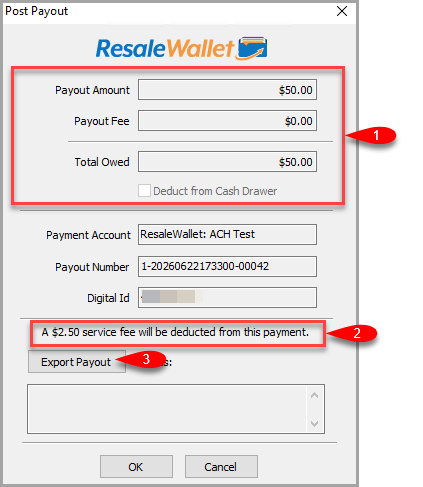
Note: All payouts will automatically have a $2.50 platform fee applied to them when the client receives their ACH Payout. - Confirm the amounts for Payout Amount, Payout Fee and Total Owed are correct.
Note the disclaimer indicating that A $2.50 service fee will be deducted from this payment.
Click the Export Payout button.
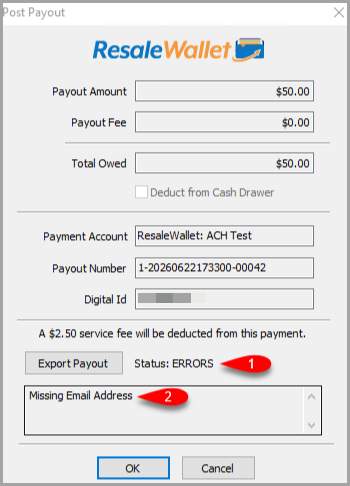
- If there are any issues you will see an Error for status along with what the issue is. In this example, we see that we are missing the Digital Payout ID / Email Address. You can cancel out of the payout, add the Digital Payout Email Address and then retry the payout.
- When the payout is sent successfully, you will get a dialog box asking if you would like to send them a separate email of the items the client is receiving an ACH digital payout for.
You can click OK to send it or Cancel if you do not want to send them an itemized payout detail email.
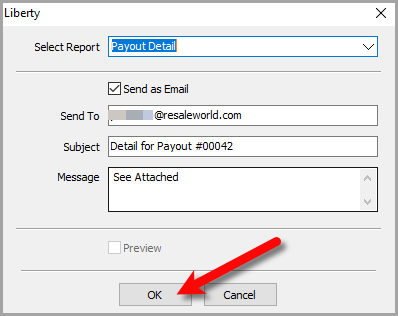
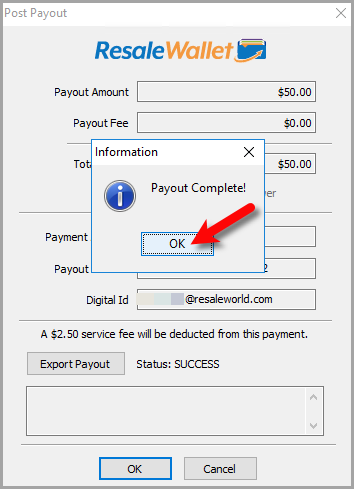
Note: You must have Liberty Inventory Module setup to email out. - Once finished, you will see a Payout Complete message.
You can click OK when done.


ResaleWallet Processing Time
ResaleWallet processes payments at 5:00 PM Eastern, which is 4:00 PM Central. Payments entered on Saturday or Sunday are processed at 5:00 PM Eastern on Monday. West Coast stores should submit payments in the morning so they are entered before the daily processing time.
Next Article In Section
Click the following link to move to the next article in this section:
Mass Payouts With ResaleWallet
Related Topics
ResaleWallet Store Guide Overview How To Set Up And Pay Consignors With ResaleWallet Set Up Your Business Entity Add a Bank Account Required Consignor Fields Paying Out A Single Client With ResaleWallet Mass Payouts With ResaleWallet Checking The Status of an ACH Payout What Consignors Receive ResaleWallet Dashboard Store Troubleshooting Payment Limits