Transaction Detail Report
Displays all transactions including sales, charges, fees, credits, etc. related to each Account.

When to Use
Run this report to show a full transaction history for an account or to find specific types of transactions. Unlike the other Payout reports, the Transaction Detail report includes both open and closed transactions.
How To Get To This Report
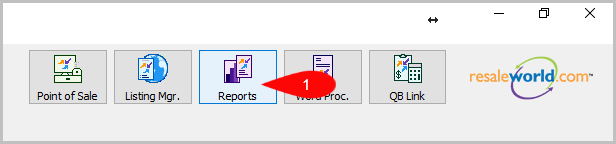
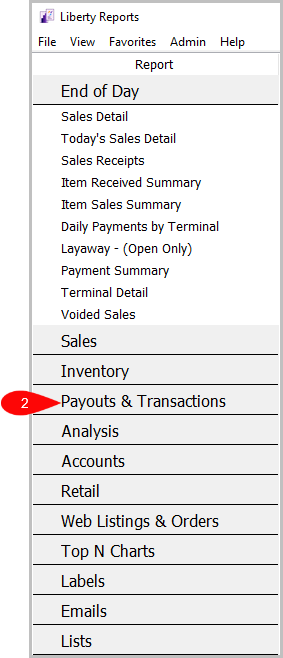
Reports > Payouts & Transactions > Transaction Detail
- Click on Reports.
- Click on Payouts & Transactions.
- Click on Transaction Detail.


How To Add Criteria
1. Click on the Add More Criteria button.

2. Select the criteria you want and click OK.

Criteria Choices
- Account Number
- Account Type
- Active Account
- Filter Code
- Held Transaction?
- Last Name
- Open transactions
- Payout Date
- QB Exported?
- Transaction Date
- Transaction Type
Next Section Navigation Link
Click the following link to see a list of articles for the next section:
Analysis Reports
Related Topics
Transaction Detail Report Selecting the Right Report Account Payable - By Account Report Account Payable - By Last Name Check/Payout Detail Report Check/Payout Detail - Extended Report Credit Card Fees Report Satisfied Obligations Report Account Comments Report Account Export by Purchases Report Account Export by Sales report