How To Input Same day Trade Line Items
When doing a trade on the same day you can make it so the store credit comes up as a line item so taxes aren’t applied.
Setting Up Same Day Trades As Line Items
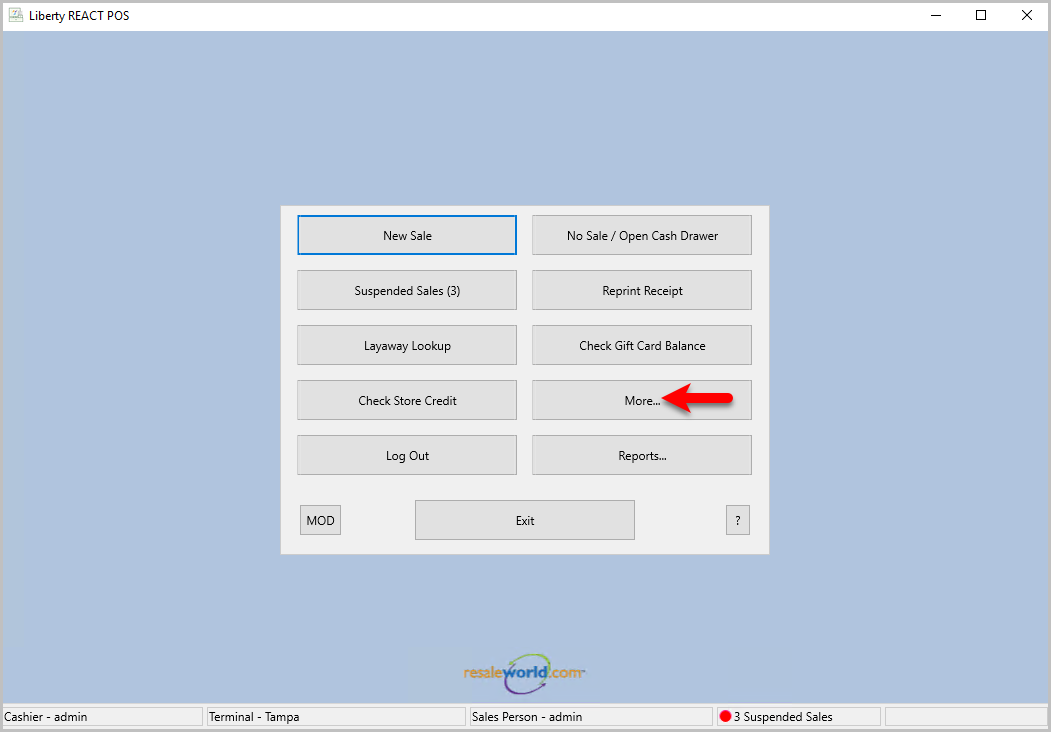
- Start by opening the POS and click the More… button
- Click on the Fee Types… button to open the Maintain Fee Types dialog box
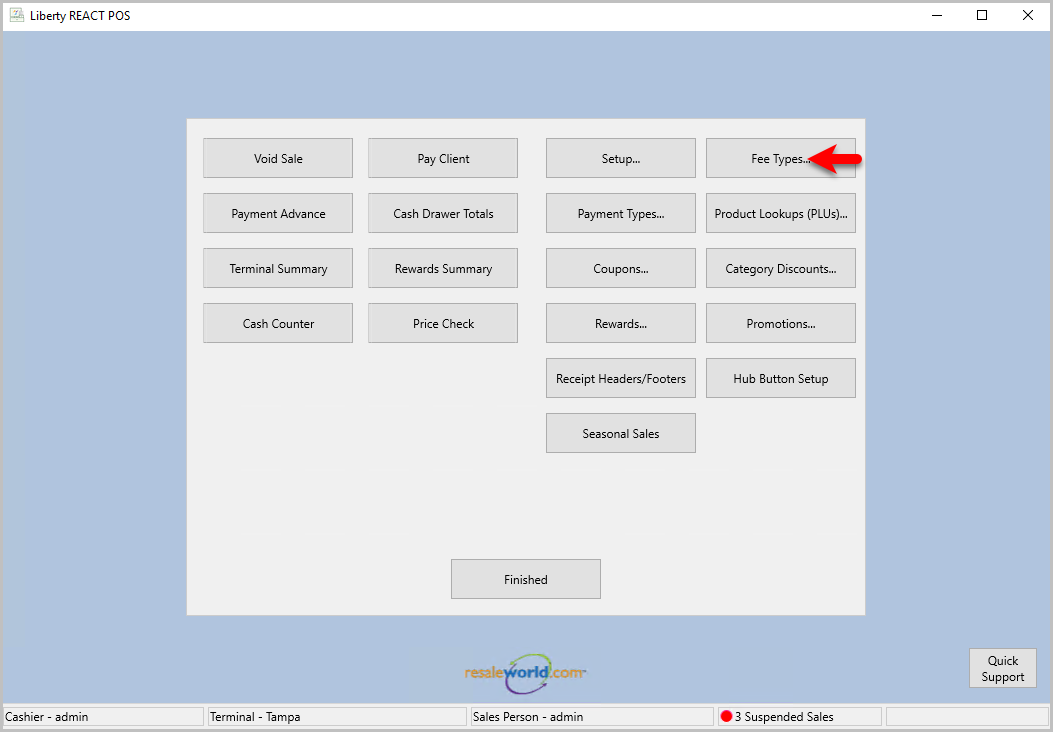
Note: This button may be in a different location depending on your personal settings. - Click on the Add button to open the Maintain Fee Type dialog box

- You will need to fill in a Description, set the Tax Type to either a non-taxable tax type, or leave it blank, leave the Amount Kind as Variable Amount, and make sure Active is checked. Then click the Save button
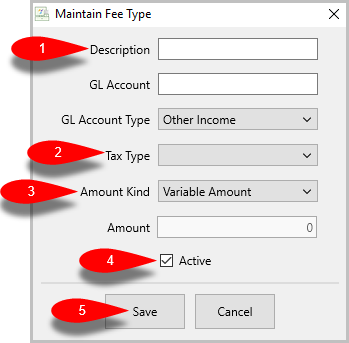
Note: GL Account and GL Account Type are used for Quickbooks Link. You may need to contact your accountant for what these should be. - Click the OK button to close the window out

- Click the Setup… button to open the Setup dialog box
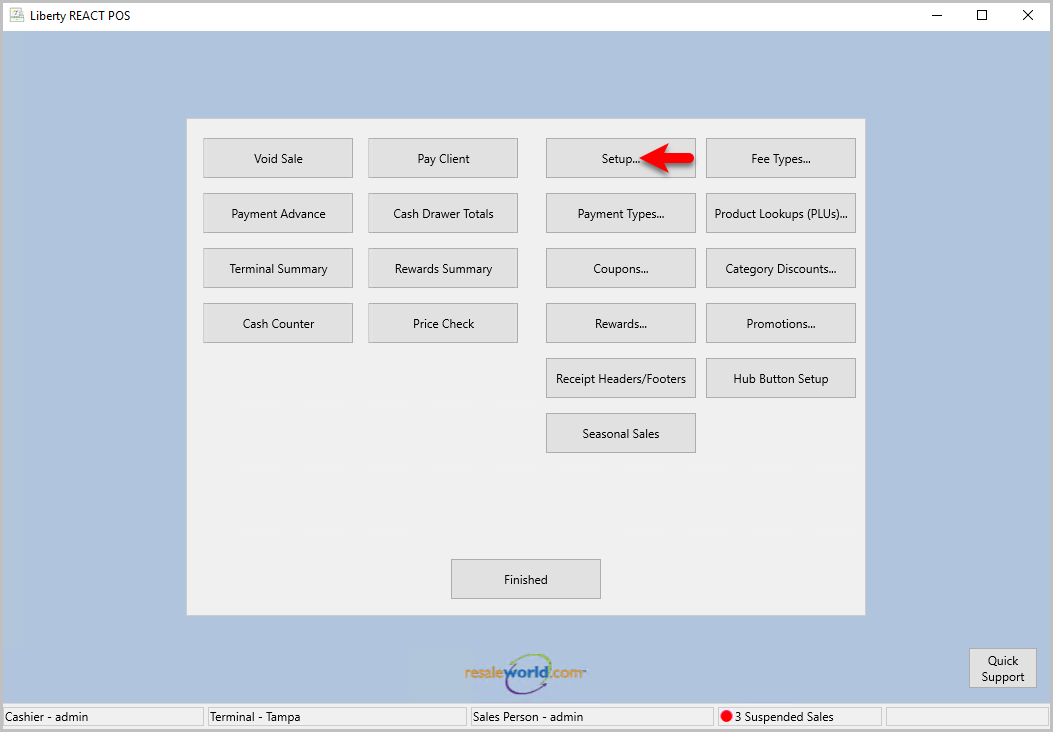
- Select Store Credit on the left, then click the the Use Same Day Trade Amount as drop down menu, and select the fee you created in Step 5 then click the OK button
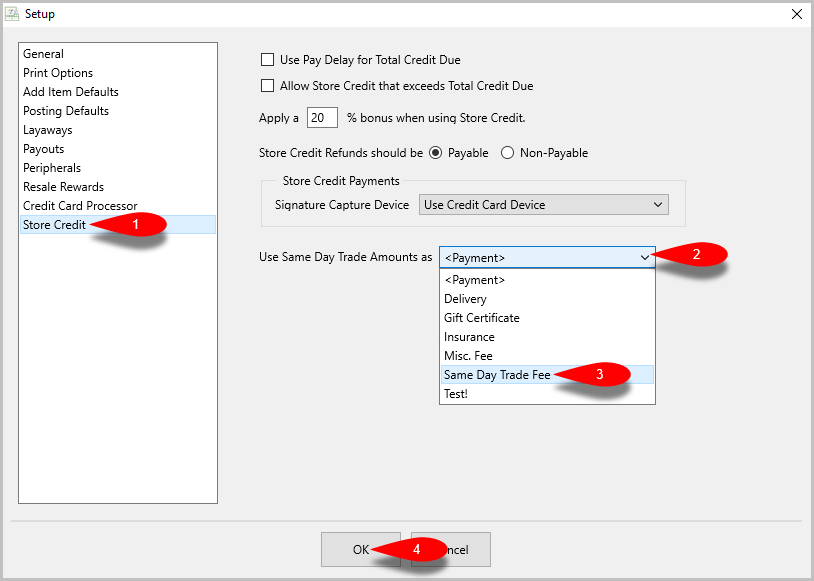
Note: If you do not see your fee here, you may need to relaunch the POS. - Now when you select Store Credit using an account that accepted a Trade offer earlier that day, it will show up as a Line Item while leaving the Payment section blank.


Next Article In Section
Click the following link to move to the next article in this section:
How Trade Items appear in the Transactions tab
Related Topics
How To Input Same day Trade Line Items How Trade Items appear in the Transactions tab Process Trade Items Trade Items Overview Trade Item Entry Process Using the Wishlist Wishlist Cross-Reference report Looking for Wishlist Matches While Adding Items Wishlist Overview Find an Item from within an Account Finding Items with a Status of Needs Info