Changing The Account Used For the Fulfillment Of An Item
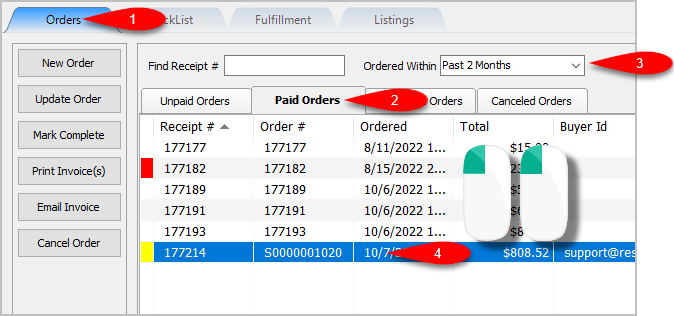
- Open the Listing Manager and navigate to the Orders tab. Most of the orders you will be working with will be under the Paid Orders sub tab but you can access fulfillment from any sub tab. Change the date range under the Ordered Within drop down to select the period of time you wish to work with. Then Double-Click on the order you want to Fulfill.
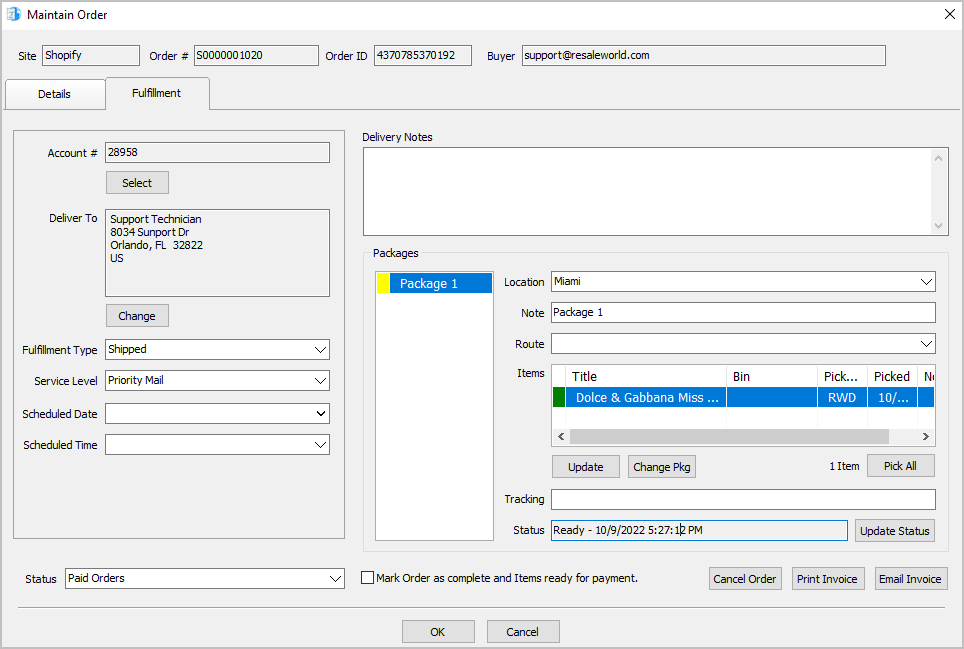
- You will now have access to the Fulfillment sub-tab of an order.
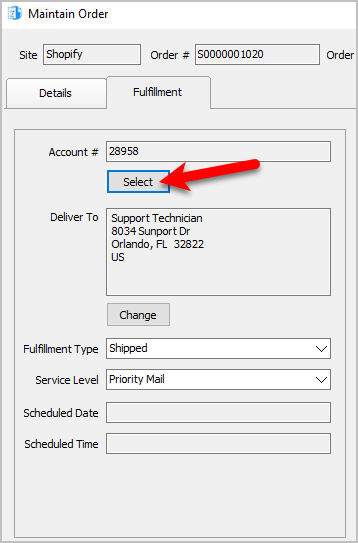
- Click the Select button underneath the Account field.
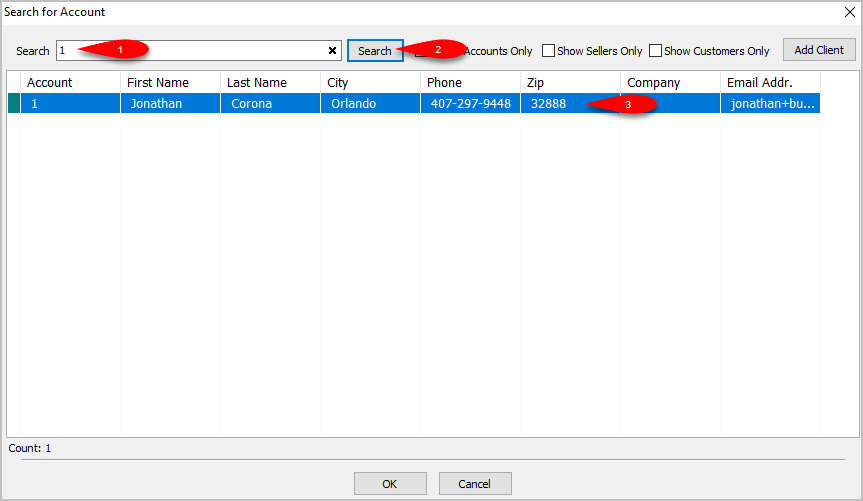
- You can then use the simple search field to find the account you want to use the fulfillment details from. Click the Search button and then double click on the account you want to use.
You can also use the Add Client button if you would like to add a client from this screen.
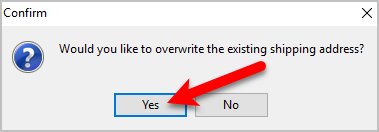
- You will be asked if you would like to overwrite the existing shipping address? Click the Yes button if you would like to do so.
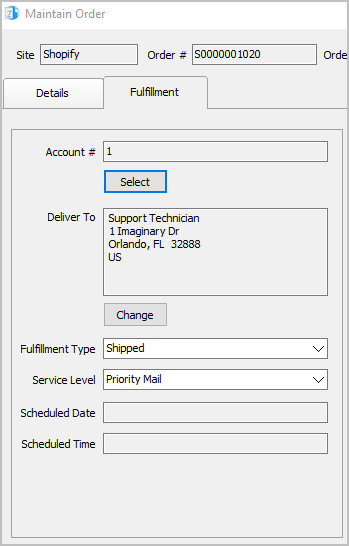
- The Account # and Deliver To address will reflect the changes you made.


Next Article In Section
Click the following link to move to the next article in this section:
Changing the Shipping Address Of An Order To Be Fulfilled
Related Topics
Changing The Account Used For the Fulfillment Of An Item Fulfillment From The Order Tab Overview Getting To The Fulfillment Sub-Tab From An Order Changing the Shipping Address Of An Order To Be Fulfilled Changing the Fulfillment Type and Schedule Details Of An Order Adding Delivery Notes To An Order Changing The Fulfillment Location Of An Order Dealing With More Than One Package For The Fulfillment Of An Order Changing The Delivery Route Of An Order Changing The Picked Status Of An Item Within Fulfillment Sub-Tab Adding The Tracking Number to Packages Within The Fulfillment Sub-Tab