Cancel A Layaway
A Cancel Layaway feature has been added. This feature allows for a simple, streamlined approach to cancel an open layaway. When enabled, Cancel Layaways removes the item(s) from the layaway, then either forfeits the entire deposit or refunds the deposit as non-payable store credit, then removes the layaway.
Note: Cancel Layaways should only be used when the deposit is forfeit or to be added to the client's account as Non-Payable credit. If the money is to be refunded then do not use this routine.
How To Setup Cancel Layaways
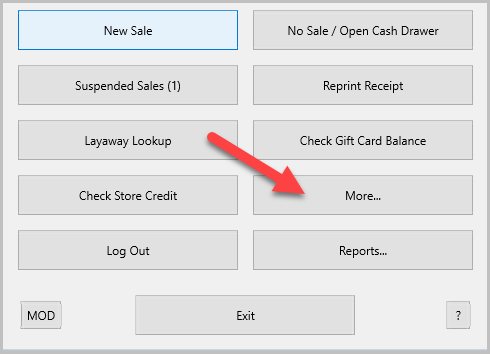
- From the POS Hub select the More button.
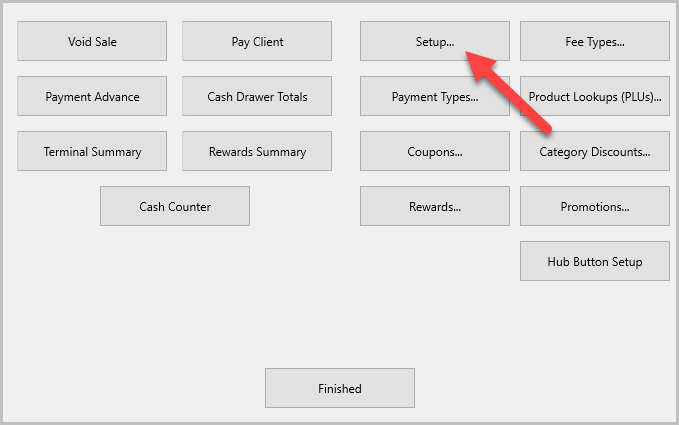
- In the Options window select Setup.
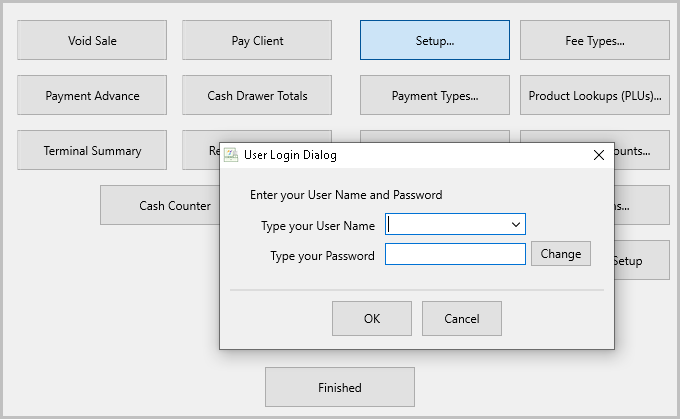
- If prompted login.
- In the Setup window in the pane on the left select Layaways.
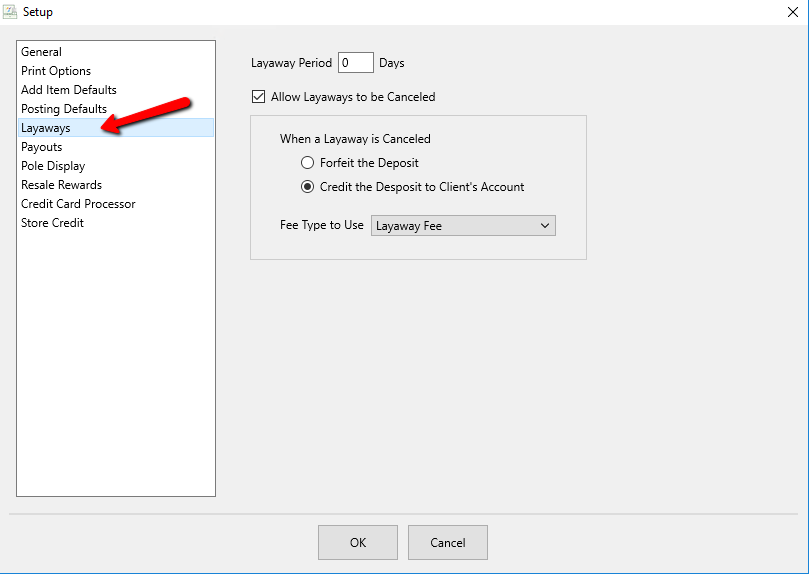
- Layaway Period - Allows you to set how many days a layaway can be active for. This date will only appear on layaway receipts as a reminder for the customer and has no other function.
- Allow Layaways to be Canceled - This box must be checked in order to activate this feature. Once checked the options below must be configured, as described below.
- Forfeit the Deposit - When selected the money on deposit is forfeited and the store keeps it, no credit is given and no money is returned to the customer.
- Credit the Deposit to Client's Account - When selected the deposit is added to the customer's account as Non-Payable credit. This money can only be used in the Point-of-Sale to purchase items or pay fees. This money will not be payable on a payout.
- Fee Type to Use - A Fee Type must be selected in order to complete the set up. The drop-down menu will display any Fee Types added to the Liberty software. The Fee Type will replace the item(s) on the sale. This fee is equal to the deposit amount when Cancel Layaways is set up. We recommend a forfeit layaway fee be created as shown in the example. See Set Up Fee Types.
- Click OK to complete the action.


Canceling A Layaway
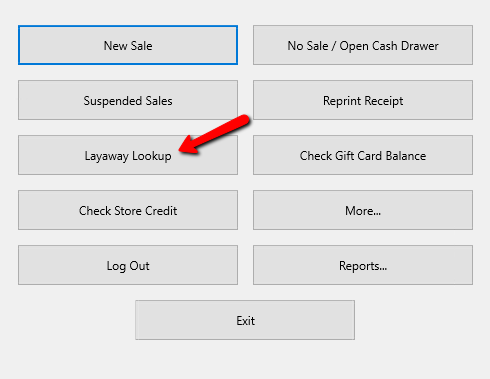
- From the POS Hub select the Layaway Lookup button.
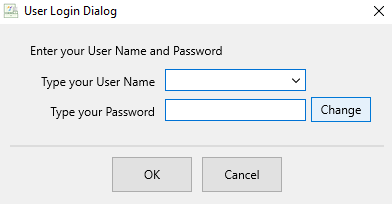
Login if required.
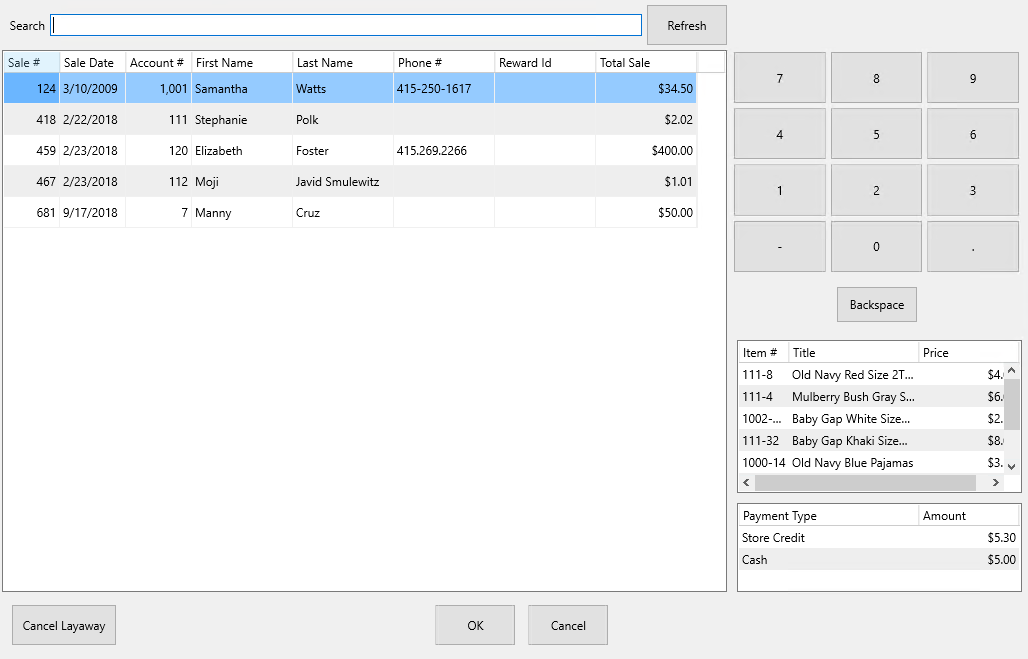
- The Layaway Lookup dialog box appears.
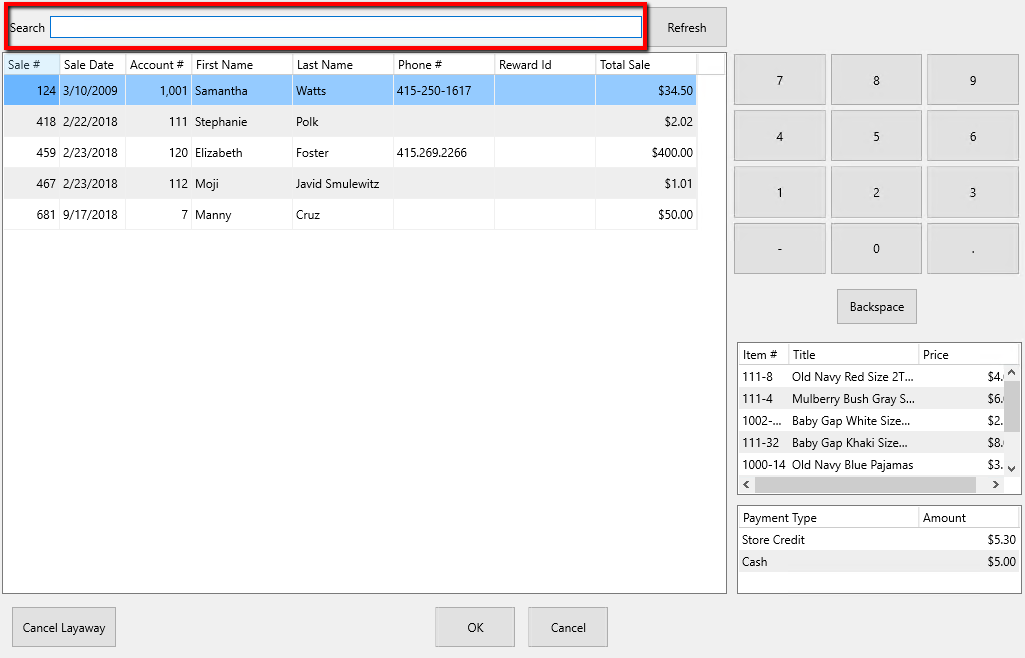
- You can use the Search field to lookup a layaway by any of the following options: Sale #, Sale Date, Account #, First Name, Last Name, Phone #, Reward Id, Total Sale.
- On the bottom-right hand side, you can see a Preview of the content from the layaway selected.
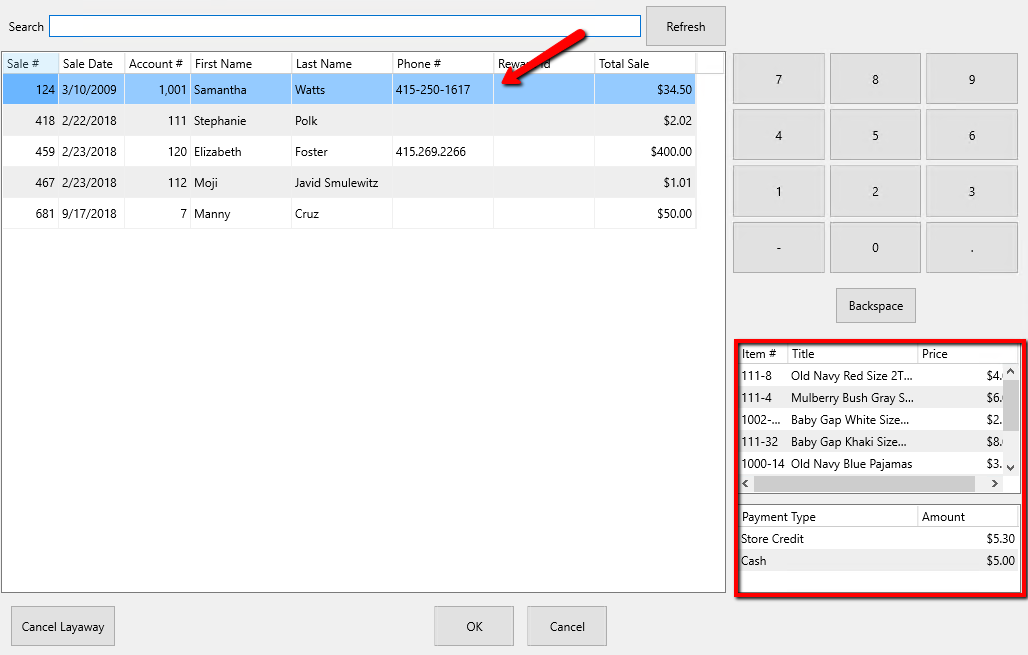
- Select the Cancel Layaway button once you have selected the layaway you want to cancel.
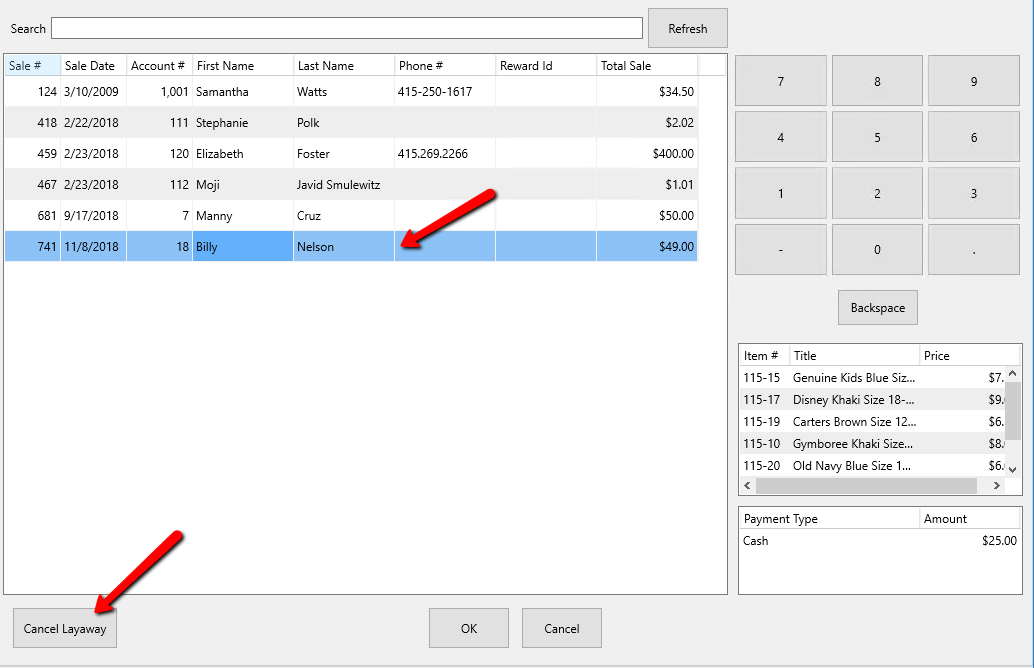
- The Cancel Layaway dialogue box will open.
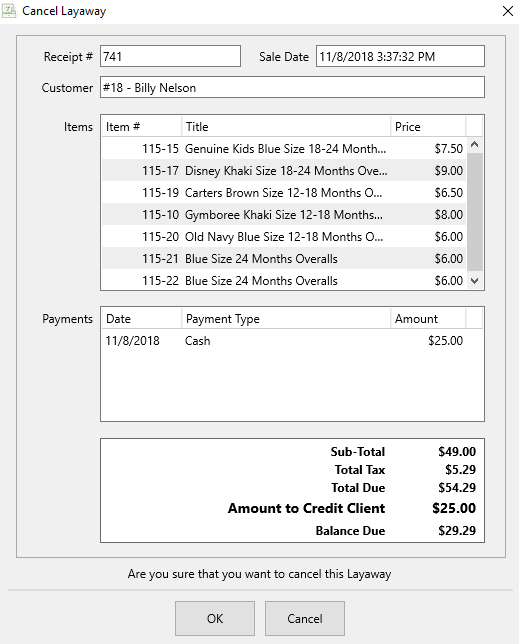


WARNING: Verify the correct layaway has been selected before you continue.
If this is the correct layaway click the OK button to cancel Layaway, if not, click the Cancel button and restart the process.

Next Article In Section
Click the following link to move to the next article in this section:
Accepting Payment