Create Your ResaleWallet Account and Verify Your Email Address
The first time you open your wallet, you set up your payout account.
- Your email, first name, and last name are already filled in from your store. Check that they are correct.
- Check the box to accept the Terms of Service and the Privacy Policy.
- Click Agree and Continue.
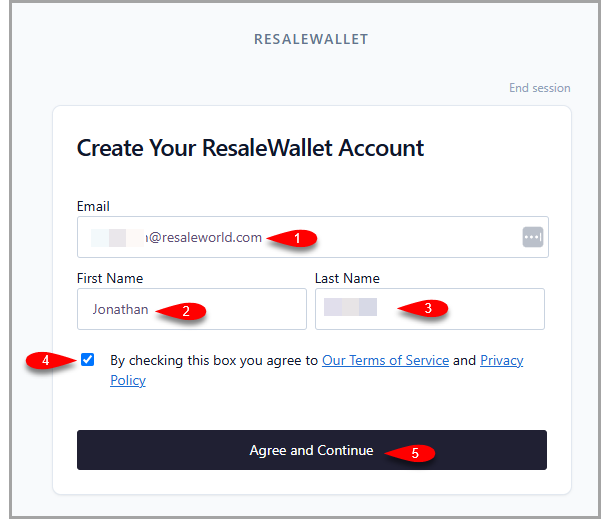 Create Your ResaleWallet Account: confirm your email (1), first name (2), and last name (3), check the Terms and Privacy box (4), then click Agree and Continue (5).
Note: If the page says the email already exists, the same address may already be connected to a ResaleWallet account. Contact your store or Resale World support before trying a different email.
So that payments can continue, ResaleWallet asks you to confirm your email address one time.
- You receive an email titled Verify your email. Open it and click Verify Email Address.
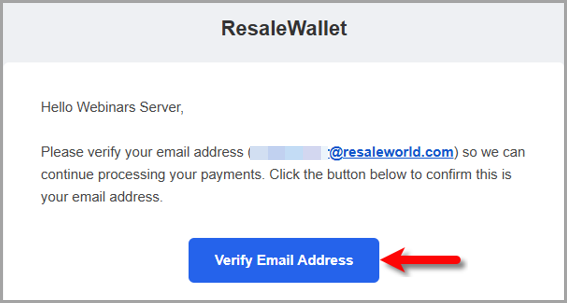 The verification email. Click Verify Email Address to confirm your address.
 - A confirmation page opens. Click Verify my email.
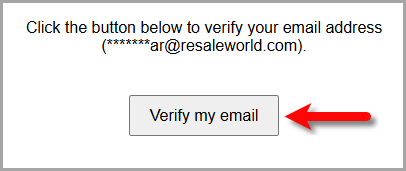 The verification page. Click Verify my email to finish.
 - You see a message that your email is verified. You can close that window.
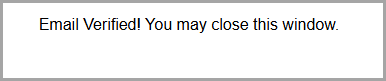 Your email address is now verified.
Note: If the button in the email does not work, the email also contains a link you can copy and paste into your browser.
Next Article In Section
Click the following link to move to the next article in this section:
Add and Manage Your Banking Details