Account Export by Sales report
This report will give you a list of clients who have sold one or more item as a consignor in your store.

When to Use
Use this report when looking for account productivity by sales.
How To Get To This Report
Reports > Accounts > Account Export By Sales
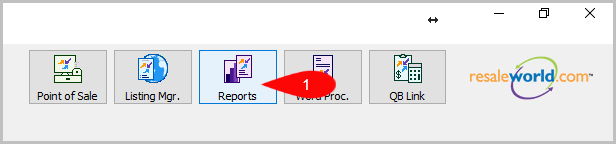
- Click on Reports
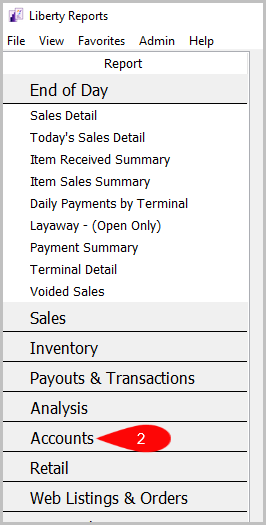
- Click on Accounts
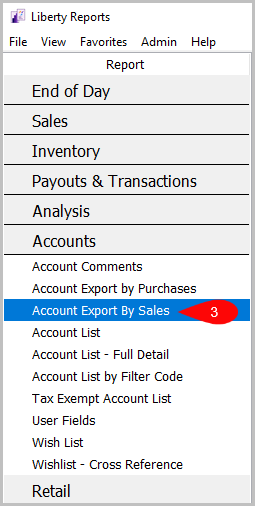
- Click on Account Export by Sales.

How To Add Criteria
1. Click on the Add More Criteria button.

2. Select the criteria you want then press OK.

Criteria Choices
- Account Number
- Account Type
- Active Account?
- Available Inventory?
- Birthmonth
- Client Rating
- Date Added
- Date Sold/Posted
- Filter Code
- Has Email Address
- Item Disposition
- Last Date modified
- Last Item Added
- Last Purchase Date
- Receive Email
- Receive Mail
- Total Sold
- User Field 1
- User Field 2
- User Field 3
- User Field 4
- User Field 5
- User Field 6
- User Field 7
- User Field 8
- User Field 9
- User Field 10
- User Field 11
- User Field 12
- User Field 13
- User Field 14
- User Field 15
Next Article In Section
Click the following link to move to the next article in this section:
Account List Report
Related Topics
Account Export by Sales report Selecting the Right Report Account Comments Report Account Export by Purchases Report Account List Report Account List by Filter Code Report Account List - Full Detail Report Tax Exempt Account List Report User Fields Report Wish List - Cross Reference report Wish List Report