Retail Sales History Report
Displays all sales history detail for each retail item sorted by account.

When to Use
Run this report to see a listing of individual sales for retail items.
How To Get To This Report
Reports > Retail > Retail Sales History
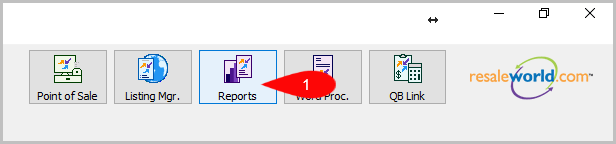
- Click on Reports
- Click on Retail to expand it if it isn’t already.

- Then, click on Retail Sales History.


How To Add Criteria
- Click on the Add More Criteria button.

- Select the criteria you want to add and then press OK.


Criteria Choices
- Account Number
- Active Account?
- Category 1
- Category 2
- Category 3
- Date Sold/Posted
- Discontinued
- Product Line
- Product Line
- Product SKU
- Sales Status
- Store Section
- Terminal ID
- Terminal Location
Next Article In Section
Click the following link to move to the next article in this section:
Retail Sales Summary Report
Related Topics
Retail Sales History Report Selecting the Right Report Retail Discount List Report Retail Inventory Report Retail Items Reorder Report Retail Order Detail Report Retail Inventory with Order History Report Retail Sales Summary Report Retail Sales Summary Extended Report Account Comments Report Account Export by Purchases Report