Payment Summary Report
Reports the details of POS transactions with an emphasis on payment type information.
When to Use

This report is the fastest way to find a breakdown of your payments received over a given time frame. It is also useful for tracking down a specific payment.
How To Get To This Report
Reports > End of Day > Payment Summary
- Click on Reports
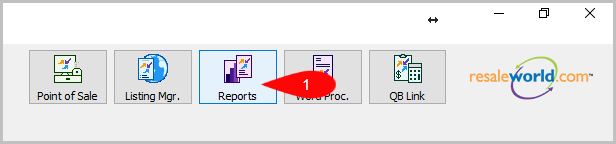
- Click on End of Day to expand it if it isn’t already.
Then click on Payment Summary.


How To Add Criteria
- Click on the Add More Criteria button.

- Select the criteria you want to add and then press OK.


Note: Web Orders and Web Order Payments are now treated like Layaways and Layaway Payments on these reports. Web Order Payments will always appear on the date the payment is made, rather than the date the order is completed. The Net Order Payments figure represents the difference between order payments included in the report date range and total payments of orders completed in that same timeframe.
Criteria Choices
- Terminal Location
- Cashier
- Customer Account
- Terminal ID
- Payment Type
- Sales Status
- Payment Date
- Payment Amount
Next Article In Section
Click the following link to move to the next article in this section:
Sales Detail Report