Sales by Price Code Report
Displays all transactions including sales and returns related to each Inventory Item for each Price Code.

When to Use
View sales on a items by price code. Reports on any price code. Particularly useful for analyzing sales by price code to determine cost of goods.
How To Get To This Report
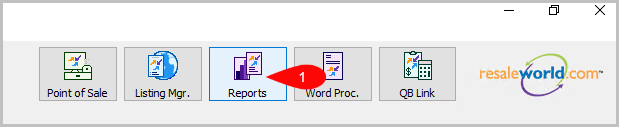
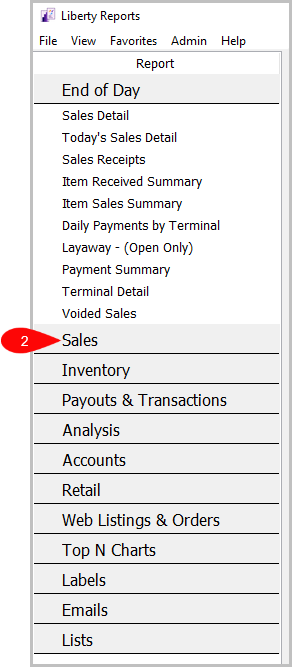
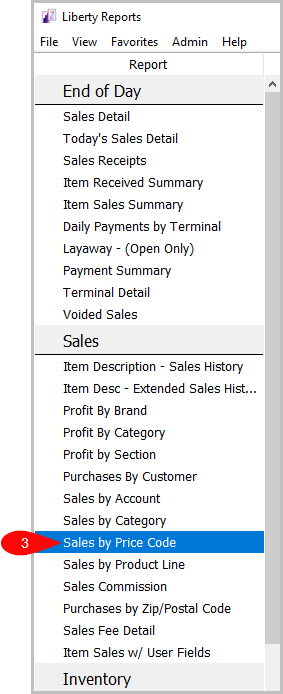
Reports > Sales > Sales by Price Code
- Click on Reports.
- Click on Sales.
- Click on Sales by Price Code.


How To Add Criteria
1. Click on the Add More Criteria button.
 2. Select what criteria you want and then press OK.

Criteria Choices
- Account Number
- Account Type
- Active Account
- Category 1
- Category 2
- Category 3
- Cost/Net
- Date Sold/Posted
- Discount Type
- Filter Code
- Item Added By
- Item Keyword Description
- Item Received Date
- Item Status
- Location
- Price Code
- Product line
- Purchase Method
- Quantity On hand
- Selling Price
- Store Section
- Tag Color
- Tax Code
- Taxed
- Terminal ID
Next Article In Section
Click the following link to move to the next article in this section:
Sales by Product Line Report
Related Topics
Sales by Price Code Report Selecting the Right Report Item Description with Extended History Item Description with Sales History Profit by Brand Report Profit by Category Report Profit by Section Report Purchases by Customer Report Purchases by Zip/Postal Code Report Sales by Account Report Sales by Category Report