Item Lookup Feature
The following video chapter contains setup information on this topic:
https://www.youtube.com/watch?v=bm9YPwazle0&t=608s
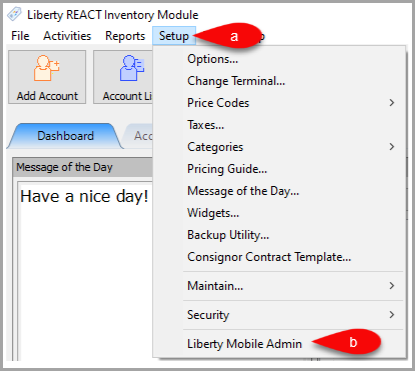
- Open Liberty and then click Setup and then Liberty Mobile Admin.
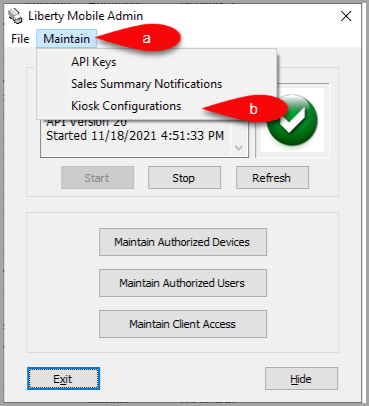
- Click Maintain and then Kiosk Configurations.
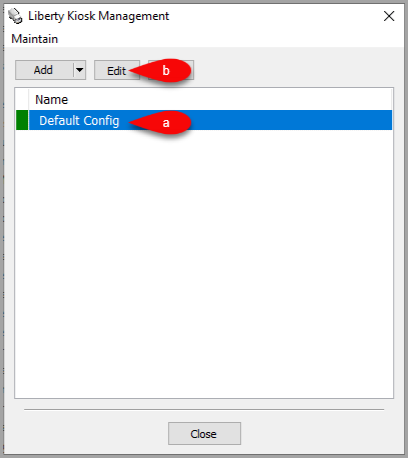
- Select the Configuration you want to edit and then click the Edit button.
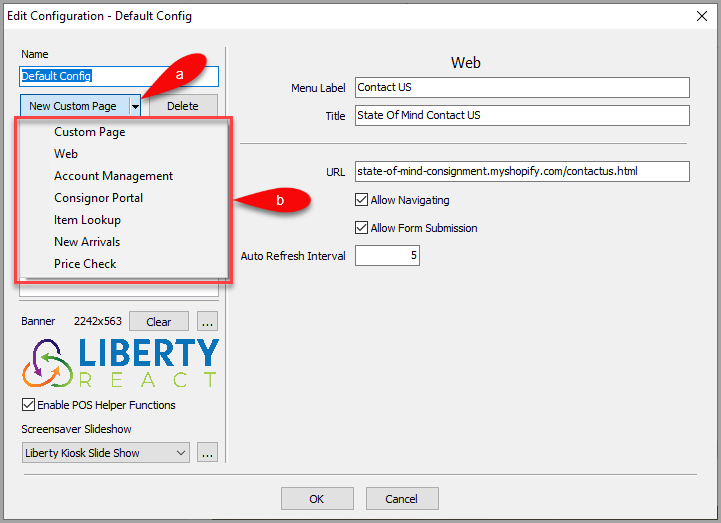
- Click the dropdown for New Custom Page, then select the Item Lookup option.
- Here are options you can change for the Item Lookup feature.
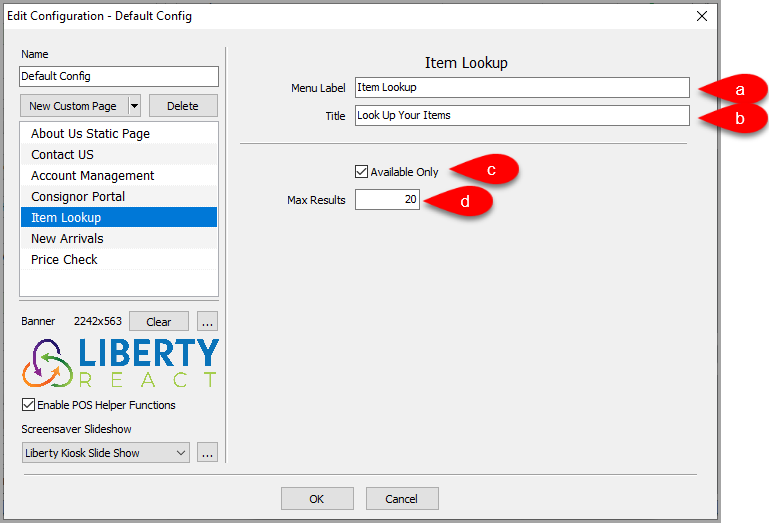
- Menu Label: This is the feature menu label that appears in the Liberty Kiosk App
- Title: Title of the page when shown in the Liberty Kiosk App.
- Available Only: Select whether you want to display only Available items or all items.
- Max Results: Control the maximum number of results that appear on screen.
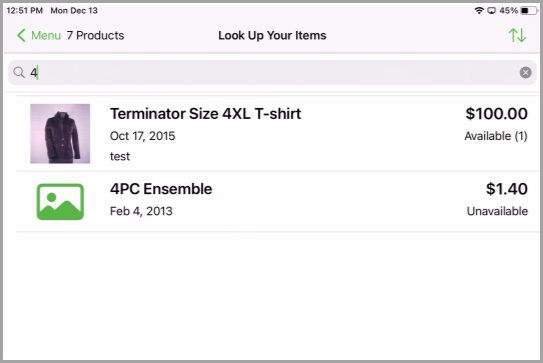
- Example of what the Item Lookup


Next Article:
Next, you can add the New Arrivals feature to the Liberty Kiosk app.
Click the following link to continue:
Next Article In Section
Click the following link to move to the next article in this section:
New Arrivals Feature
Related Topics
Item Lookup Feature New Arrivals Feature
Custom Page / Static Page Feature Web Feature Account Management Feature Consignor Portal Feature New Arrivals Feature Price Check Feature Setting Up The Customer Facing Display Mode Liberty Kiosk Using the Customer Facing Display Kiosk Signature Capture Overview