Expire Post
Consigned items may be set to Expire after a certain time period. Expire Post is an excellent revenue generating feature which many stores throughout the consignment industry take advantage of. Expire Post is set up with Price Codes.
When A Consigned Item Is Posted As Expired
- The proceeds are not split between the store and the client.
- The entire purchase price goes to the store. In other words, the cost of the item becomes zero (0), which makes the entire selling price profit.
How Expire Post Works In PoS
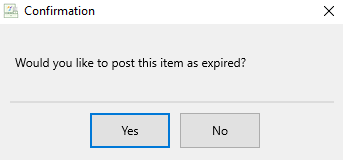
When Expire Post is in effect for a consigned item, and the item sells after the consignment period has ended, the sales clerk is given the option whether or not to post the item as Expired. A dialog box with the message: Would you like to post this item as expired? appears after the item is posted.
- If the sales clerk responds Yes, then the item is posted as expired.
- If the sales clerk responds No, the item is posted as sold, not expired. The account holder receives their designated percentage according to the currently assigned price code.
Changing This Option In POS
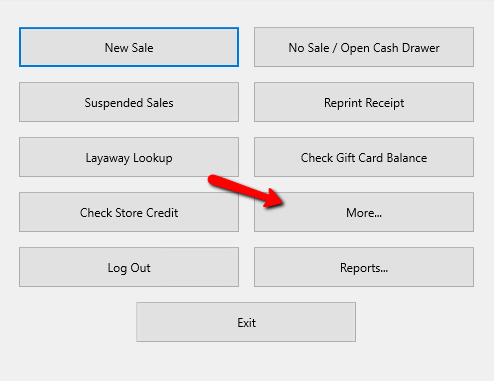
- From the Point Of Sale Menu select the More button.
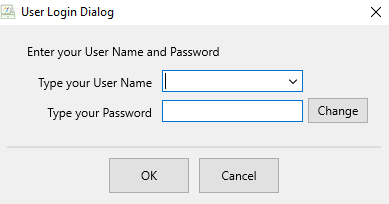
- Login using your credentials if asked to.
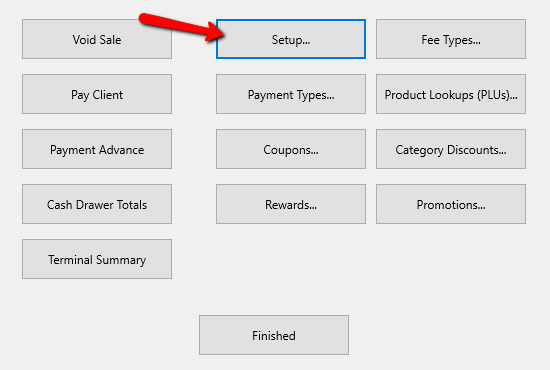
- Select the Setup button.
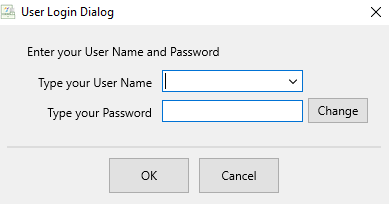
- Login again with your credentials if asked to.
- In the menu select Posting Defaults.
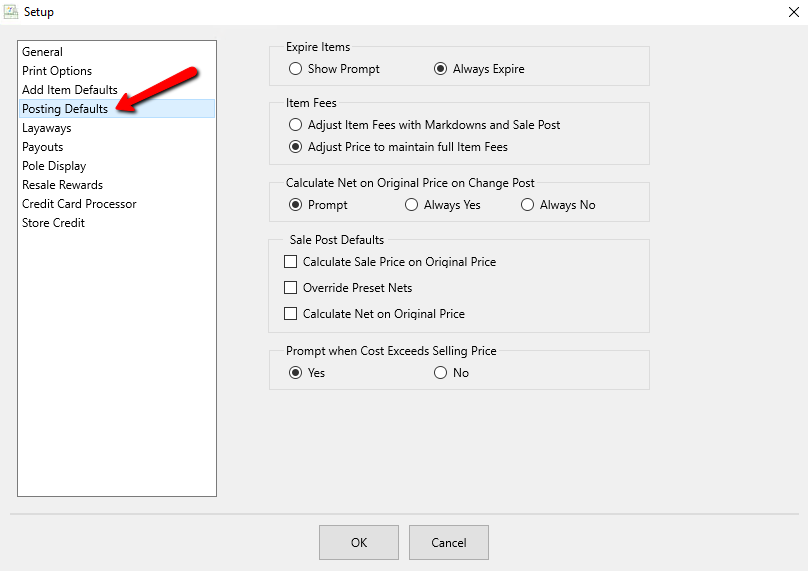
- Here you have two options under Expire Items:
- Show Prompt : If the item is set to expire and it is rand up in the point of sale, and prompt will ask you if you wish to expire the item.
- Always Expire : Will automatically expire the item without being prompted.


Next Article In Section
Click the following link to move to the next article in this section:
Refunding an item that sold as Expired