Track Sales by Employee
Users must log in when starting Point of Sale, and can be required to login each time a sale is transacted. This lets you track sales by employee. Among the reasons to track employee sales are:
- Track and pay sales commissions.
- Security (reduce shrinkage).
- Audit sales for customer service purposes.
To Track Sales By Employee
- Set up User ID's for sales clerks. See Set Up Employee Access to Liberty for more details.
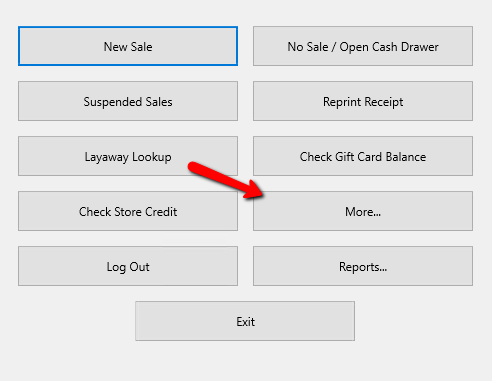
- From the Point Of Sale main menu select the More button.
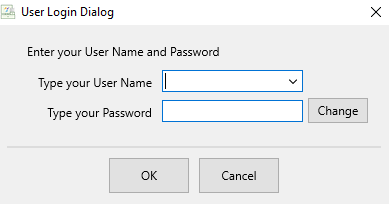
- If Prompted enter your Login Credentials.
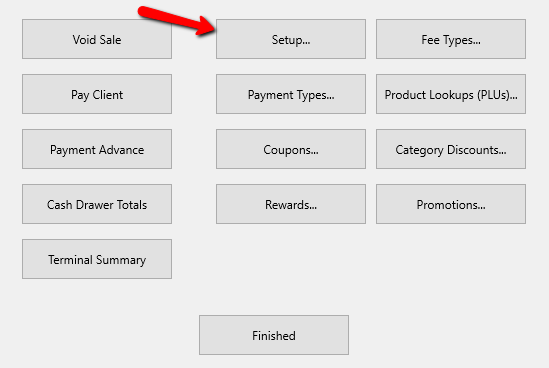
- Select the Setup button.
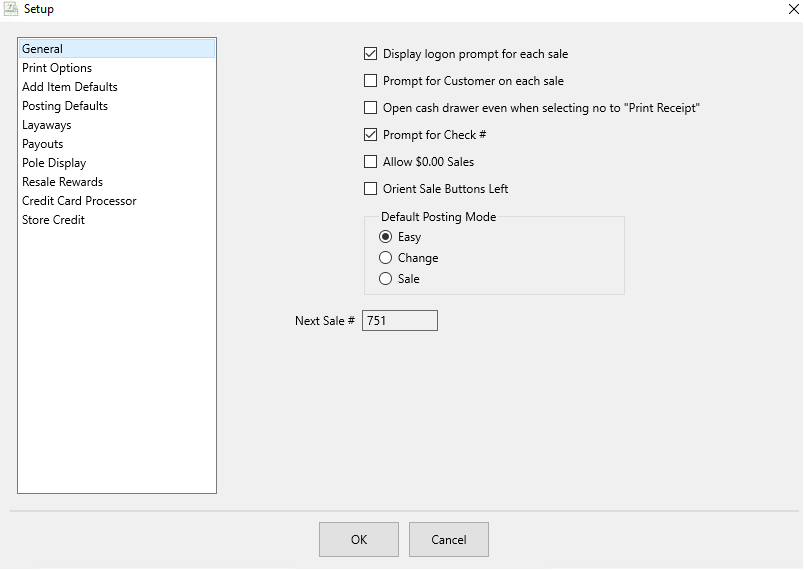
- On the General Menu, put a check in the Display logon prompt for each sale checkbox. Select the OK button.
- To change the Sales Clerk during a sale do one of the following:
- Press the Ctrl and F2 button at the same time.
- Press the Change Salesperson button on the right side..
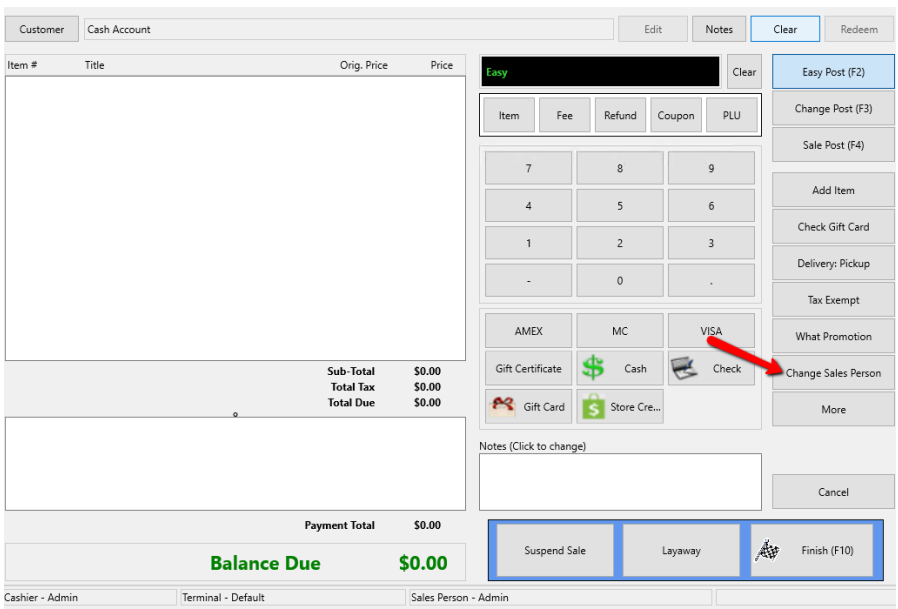
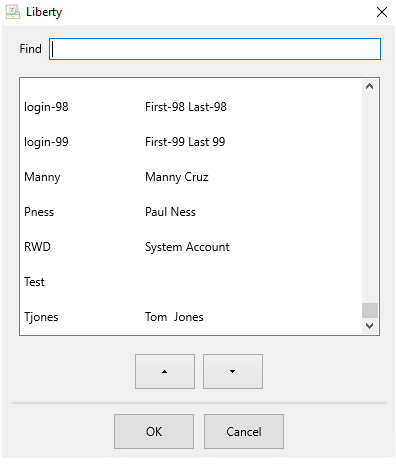
- This will open the Sales Clerk Selection box.
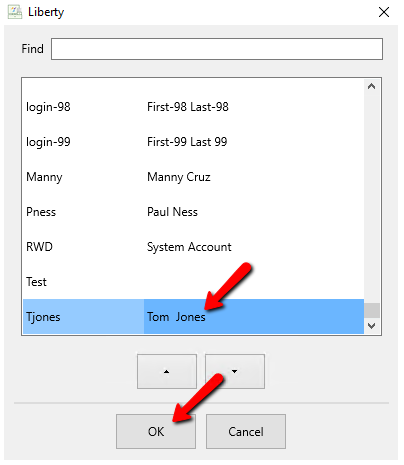
- Highlight the Sales clerk you want and press the OK button.


From the bottom of the POS, you will be able to see who is the Cashier and who is the Sales person.

Note: The Cashier is the person ringing up the sale. The Sales Clerk is the person who makes the sale. The Cashier and Sales Clerk are not necessarily the same person. For example, stores that pay a commission for sales frequently have Sales Clerks making sales and Cashiers ringing up the sales.
Note: When logging in for each sale, the Sales Clerk defaults to the same User ID as the Cashier.
To tally an employee's sales, run an End of Day - Sale Detail report and specify the employee in the Sales Person field. See Liberty Reports Overview for more details.
To Calculate Sales by Sales Person for Commissions
- In the Inventory Module, click on the large Reports button.

The Reports Module will open.
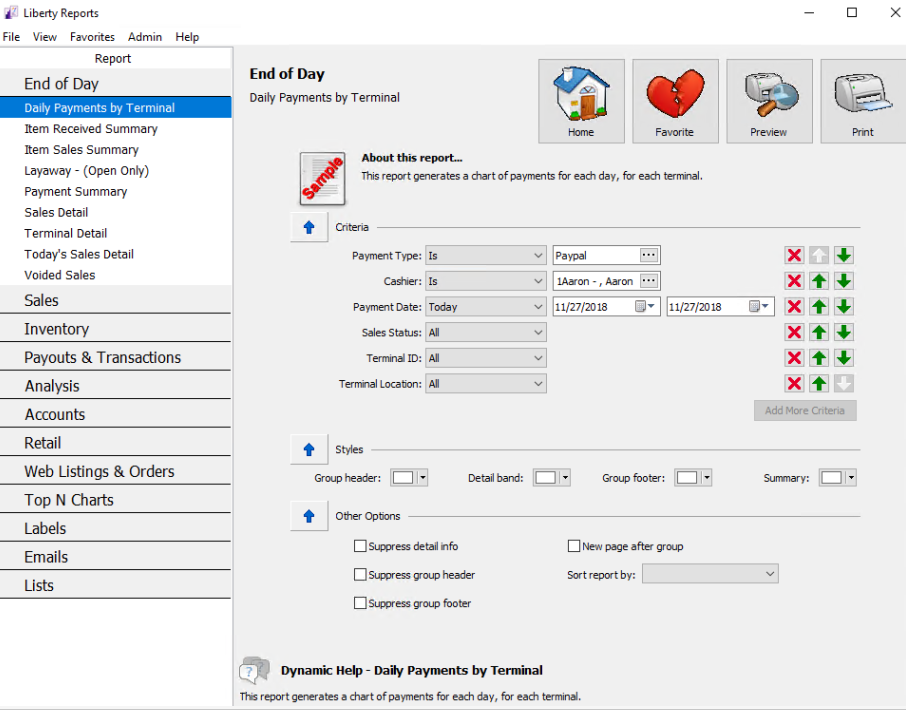
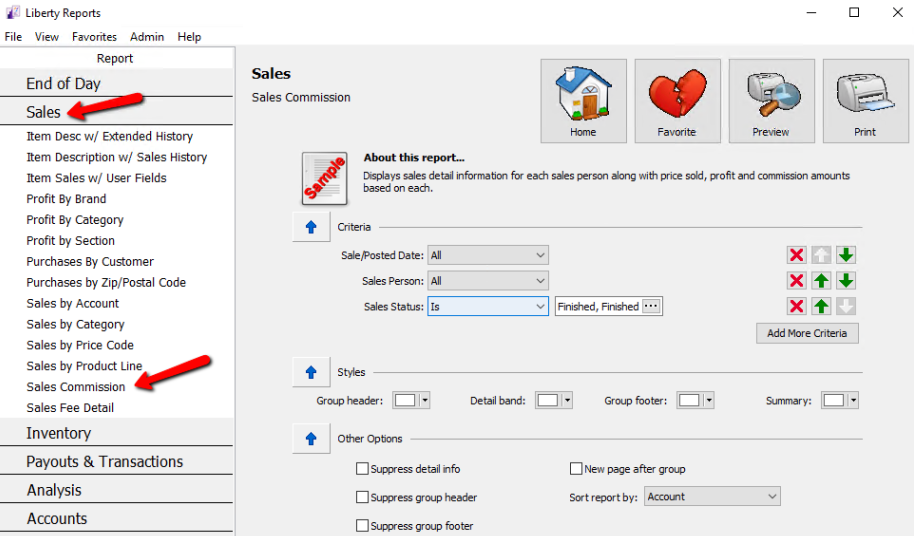
- Click on Sales (Inventory) > Sales Commission.
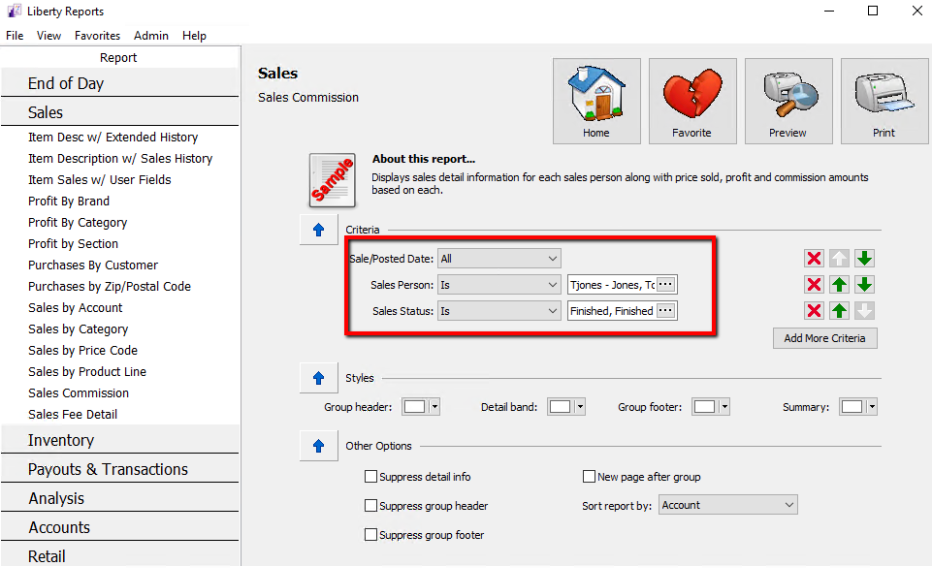
- Set the Sale Date, Sales Person, and Sales Status filters accordingly.
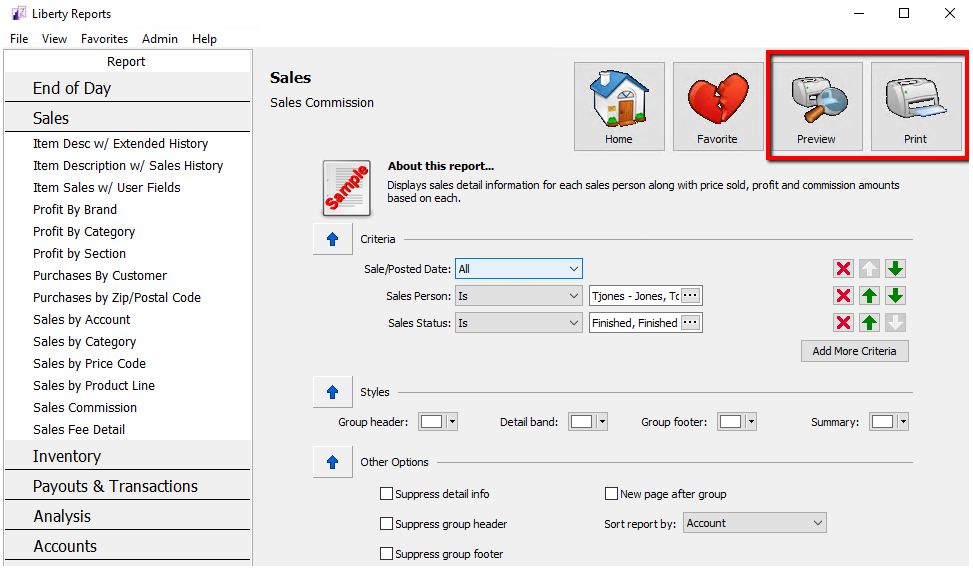
- Run the report by selecting the Print Preview or Print Report button.


Next Article In Section
Click the following link to move to the next article in this section:
Show Client Notes when there are Priority Notes