Top Selling Brands Report
This report gives you a visual representation of the top selling brands by total price sold for a given time period.

When to Use
Run to see your top selling brands overall or for a specific set of categories.
How To Get To This Report
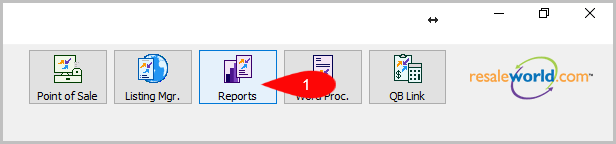
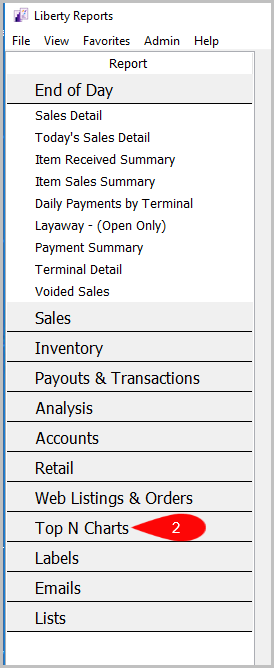
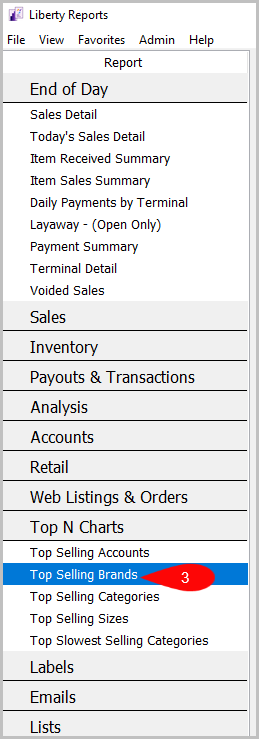
Reports > Top N Charts > Top Selling Brands
- Click on Reports
- Click on Top N Charts
- Then click on Top Selling Brands


How To Add Criteria
1. Click on the Add More Criteria button.
 2. Select what criteria you want then press OK

Criteria Choices
- Account Type
- Brand
- Category 1
- Category 2
- Category 3
- Date Sold/Posted
- Terminal ID
Next Article In Section
Click the following link to move to the next article in this section:
Top Selling Categories (Graph) Report
Related Topics
Top Selling Brands Report Selecting the Right Report Top Selling Accounts Top Selling Categories (Graph) Report Top Selling Sizes (Graph) Report Top Slowest Selling Categories Report Account Comments Report Account Export by Purchases Report Account Export by Sales report Account List Report Account List by Filter Code Report