Manage ResaleWallet from Consignor Center
If you use Consignor Center, you can link your ResaleWallet account to your profile so it is easy to return to.
- When you open your wallet while you are signed in to Consignor Center, a banner offers to link the two.
- Click Link this ResaleWallet account in the banner, or open the Link Your Account page.
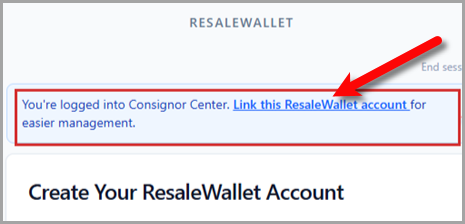 When you are signed in to Consignor Center, the Create Account screen shows a banner to link your wallet.
 - Click Link to my Consignor Center account.
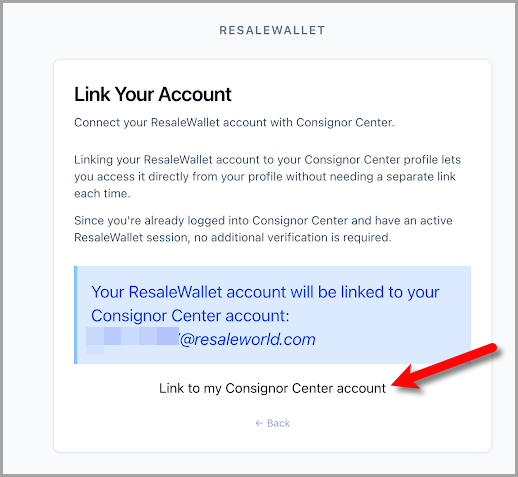 The Link Your Account page. Click Link to my Consignor Center account to connect the two.
 - Once linked, your account shows as found, and you can open your wallet from your profile any time.
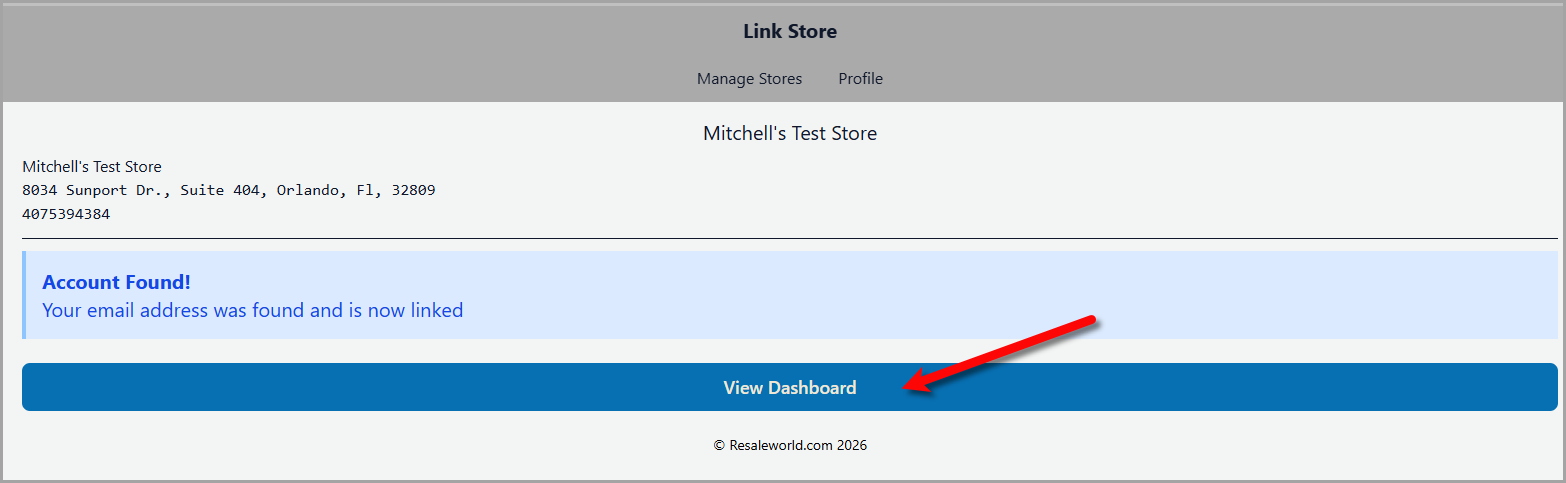 After linking, your profile confirms the account was found and offers View Dashboard to open your wallet.
Note: Linking is only a shortcut to your wallet. Your bank details and payouts are not changed by linking. Because the link attaches to the Consignor Center account that is already signed in, always link from your own browser.
Next Article In Section
Click the following link to move to the next article in this section:
Troubleshooting