Coupon Summary Report
Displays a list of all coupons, including a sales record of each time a coupon is used.

When to Use
Run this report to find out anything about the use of coupons.
How To Get To This Report
Reports > Analysis > Coupon Summary
- Go to Reports.
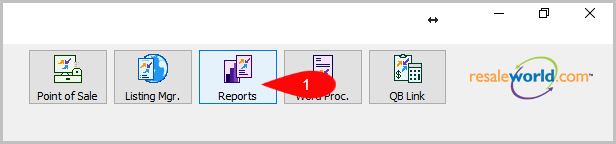
- Click on Analysis.

- Click on Coupon Summary.


How To Add More Criteria
1. Click on Add More Criteria.
 2. Select the criteria you want to add and then press OK.

Criteria Choices
- Active Coupon
- Coupon
- Coupon Type
- Customer Account
- Expiration Date
- Sales Date
- Sales Person
- Sales Status
- Terminal Location
- Terminal ID
Next Article In Section
Click the following link to move to the next article in this section:
Gift Card Transaction History Report
Related Topics
Coupon Summary Report Selecting the Right Report Account Productivity Report Brand Productivity Buyer Summary Report Category/Brand Analysis Report Category/Color Analysis Report Category Productivity Category/Size Analysis Report Gift Card Transaction History Report Historical Inventory and Obligation Report