ResaleWallet ACH Payouts Overview
For all ResaleWallet YouTube Videos, please visit the following page: All ResaleWallet Videos
Setting Up ResaleWallet
Call 1-800-785-4800 to sign up for ResaleWallet.
Once you have had your account created on our backend, your setup date will be scheduled with Tech Support to turn on this service.
This is a run through of what Tech Support will do to activate ACH with ResaleWallet in your software:
- Open Setup and then Options…
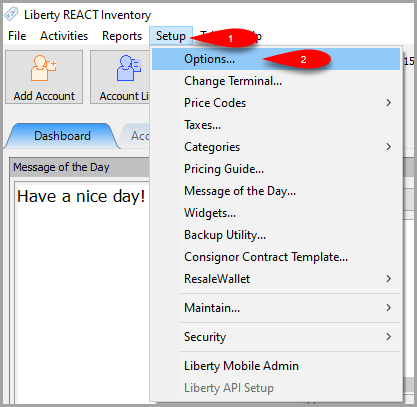
- Click on ResaleWallet and then input the API Key and API Secret provided to you by Resaleworld.

Click the OK button when finished.

Editing Your ResaleWallet Profile Information
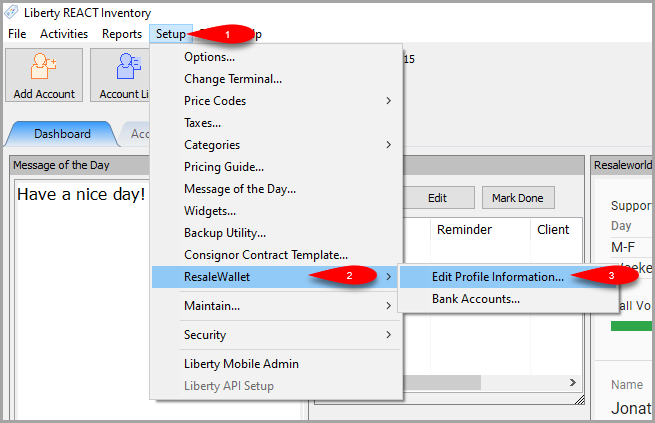
- Click on Setup > Resale Wallet > Edit Profile Information…
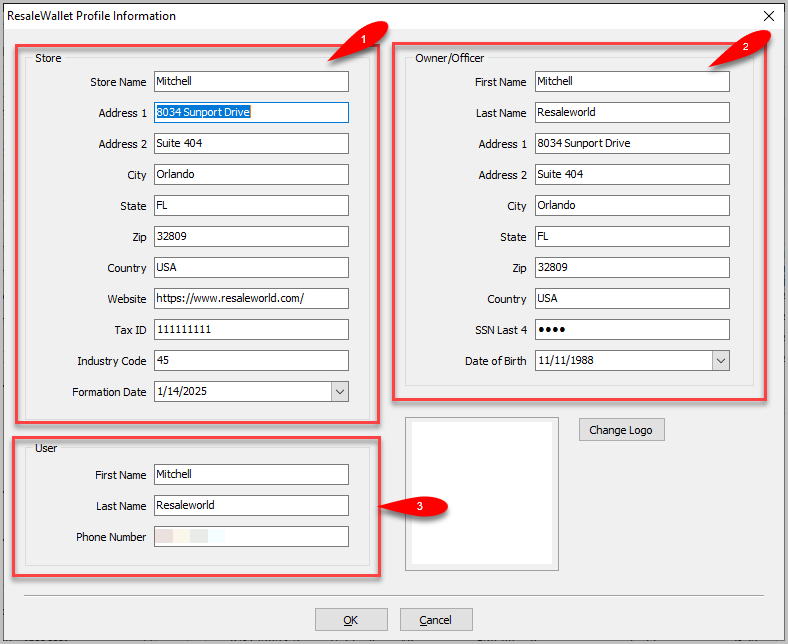
- Fill in the Store section, the Owner/Officer section and then the User section.
Anything that is pre-filled can remain the same apart from the store name if you need to change it.
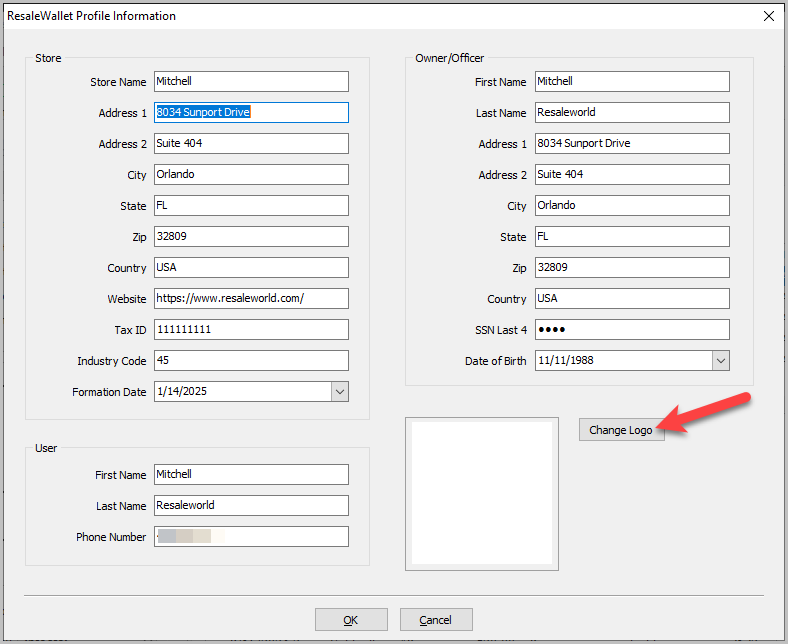
- You can change the logo to your store logo by clicking Change Logo.
- Search for your Store Logo, select it and then click the Open button.
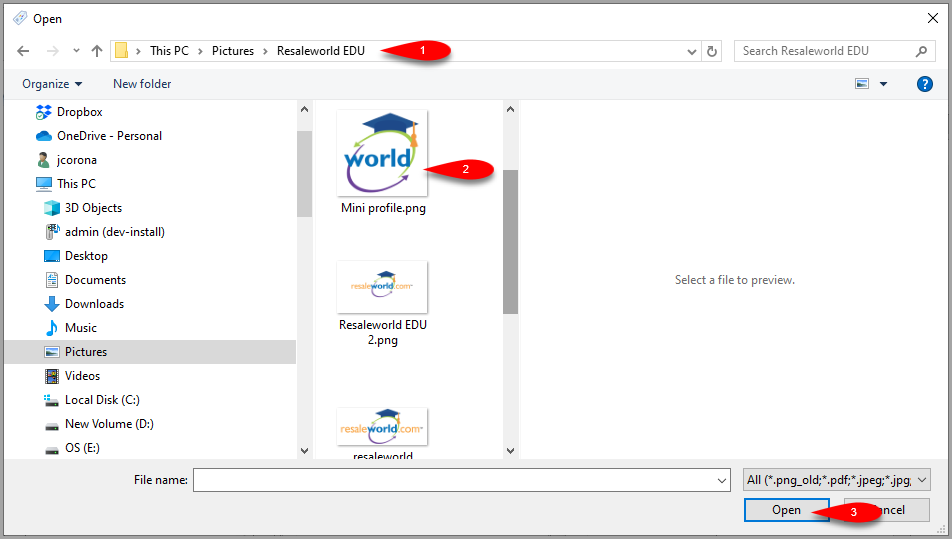
- You should now see your store logo in the Logo Preview area.


Click the OK button when you are done.

Setting Up Your Bank Account
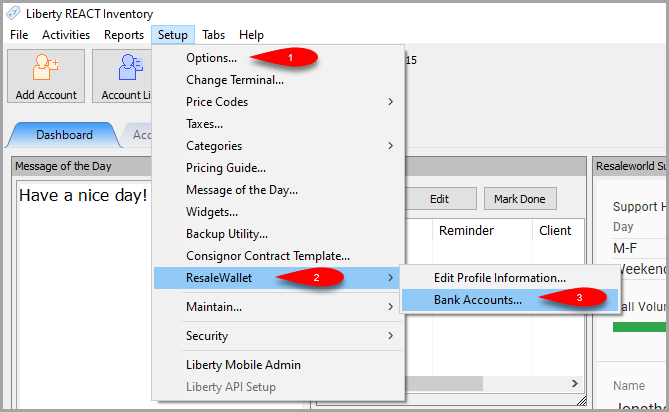
- Click on Setup > ResaleWallet > Bank Accounts…
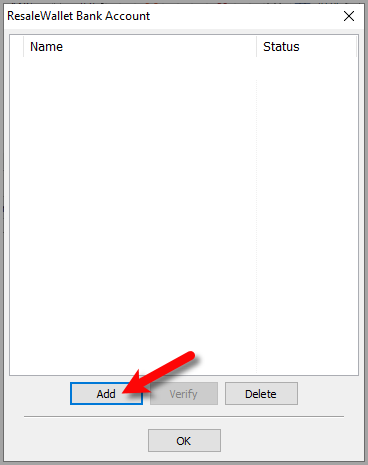
- Click the Add button.
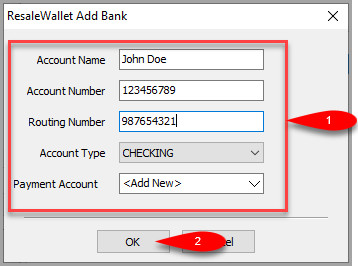
- Input your bank Account Name, Account number, Routing Number and Account Type.
For Payment Account, select the option for <Add New>, then click the OK button.
- We will then submit 2 micro transactions to your bank account which will take 1 to 2 business days to appear.
This is to verify that the right bank account will be used to pull money for your future ACH payouts.
Click the OK button when you are finished reading the message.
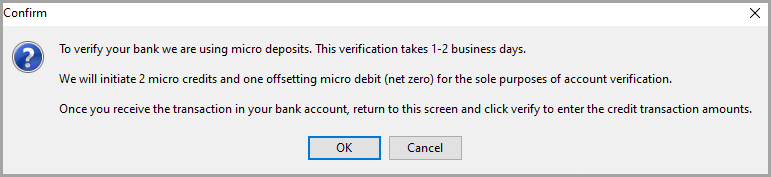
- Once you eventually see the two micro transactions hit your bank account, make note of what the amounts are.
You can then go back to Setup > ResaleWallet > Bank Accounts… and then click the Verify button.
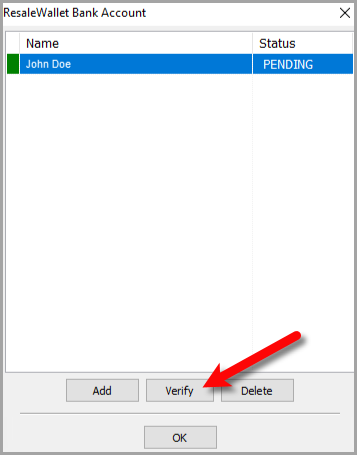
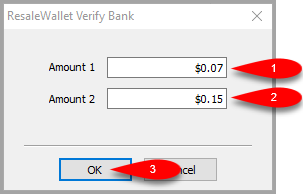
- Input the two Micro Transaction amounts that you received in your bank account and then click the OK button.
- The account will be marked as VERIFIED.


You are now ready to start doing ACH Payouts with ResaleWallet.

Setting Up A Liberty Account To Receive ResaleWallet ACH Payouts
Accounts need to be set-up in order to receive ResaleWallet ACH payouts.
- Click on the Account List button and then open any account you want to start sending an ACH Payout to.
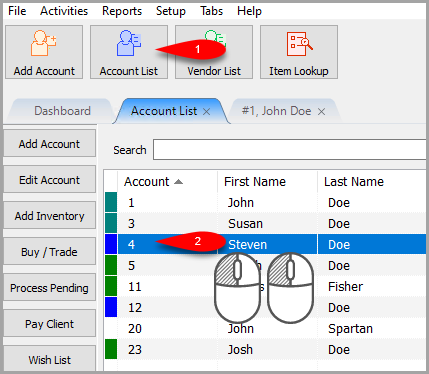
- In the 2nd Account Pane, scroll down until you see the Payment Account field.
Click the Dropdown button and then select the ResaleWallet option.
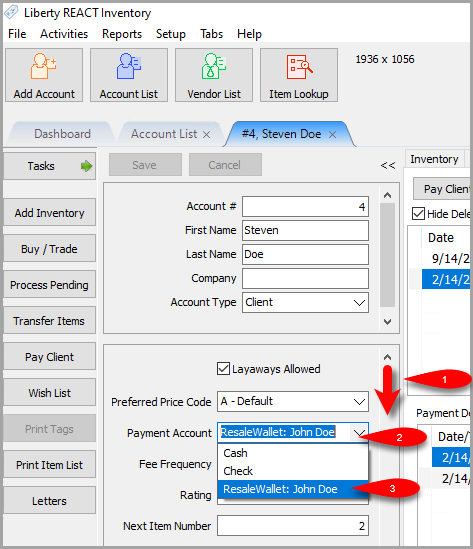
- Scroll down further until you see a Digital Payout ID field.


Here, you must fill in the email address the consignor wishes to receive their ACH payout at.
This can be different from the regular email recorded for the account. It is best practice to ask each consignor which email they want to use to receive their digital payout instead of copying the regular email assigned to the account.
When finished, click the Save button.

Doing A Single Payout Out Of An Account
- Click on Account List and then select the account you want to send an ACH payout to.
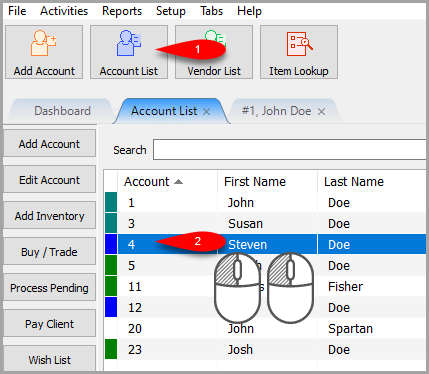
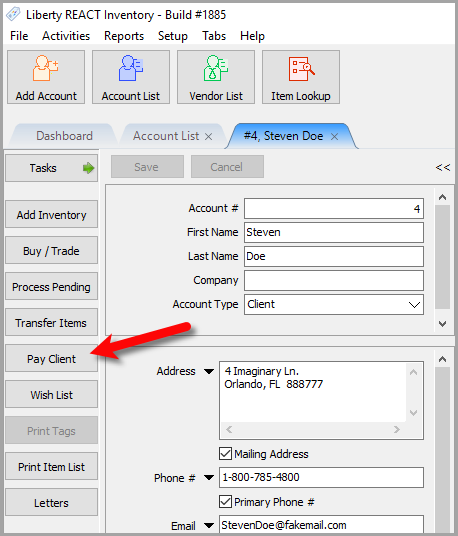
- Click the Pay Client button.
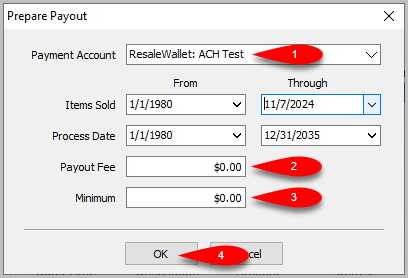
- Make sure your ResaleWallet payment account is selected, then make sure Payout Fee and Minimum are set according to your store’s procedures.
Click the OK button.
- Confirm the total Payout Amount and then click the Export Payout button.
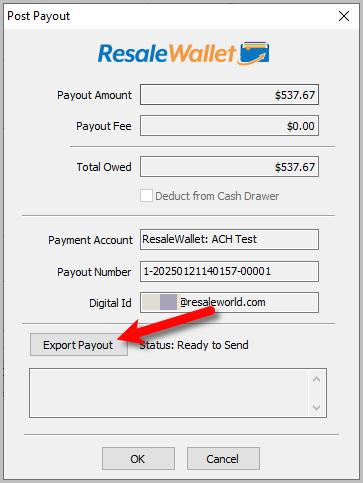
oNOTE: If you click the OK button without exporting the payout, you will be asked if you would like to export the payout
Exporting the Payout is the actual processing of sending the ACH payout to the client's digital payout ID email:
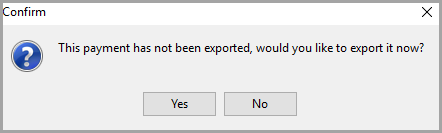
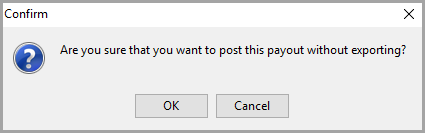
If you click the No option, you can choose to post the payout to the account without sending out an ACH payout.
You would only do this if you paid the client outside of Liberty, this should be a rare situation
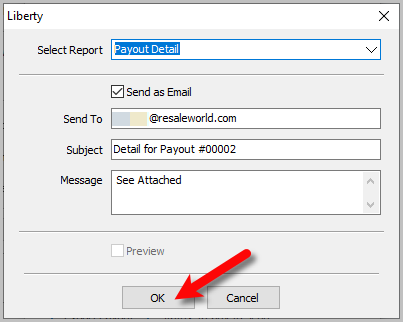
- You can send out an Email with payout details attached as a PDF if you have Liberty setup to email out.
Click the OK button when finished reviewing options here.
- The dialog box should say Payout Complete, click the OK button.


The Post Payout dialog box will now close.

Your consignor should now receive their ACH payout in their email account and can now go through the deposit process.
Paying Out With ACH Payout In Mass
You must first ensure that everyone has their Payment Account set to your ResaleWallet:Bank Account option. Then, you have to make sure that everyone you are paying out has their Digital Payout ID filled in with the email they wish to receive their ACH Payout at
Once this is done, you can proceed with the following steps:
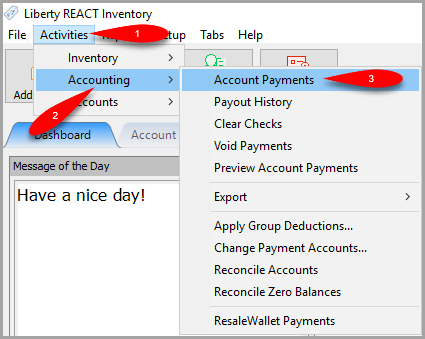
- Open the Liberty REACT Inventory Module and then click on Activities > Accounting > Account Payments.
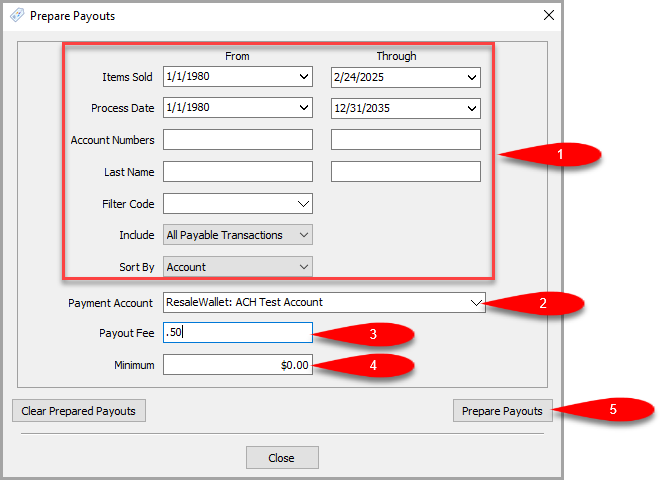
- Fill in your filter options for what period of time you wish to do a mass payout for.
The Items Sold from and through fields tend to be the primary filter for most stores.
Make sure that the Payment Account is set to your ResaleWallet payment account and then set your Payout Fee and Minimum Payout.
Click the Prepare Payouts button when finished.
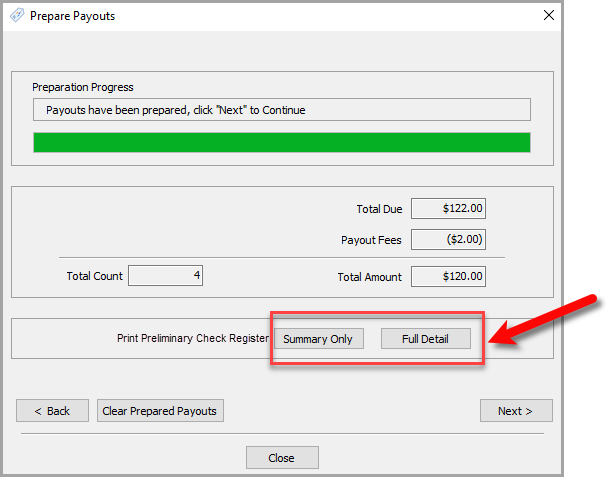
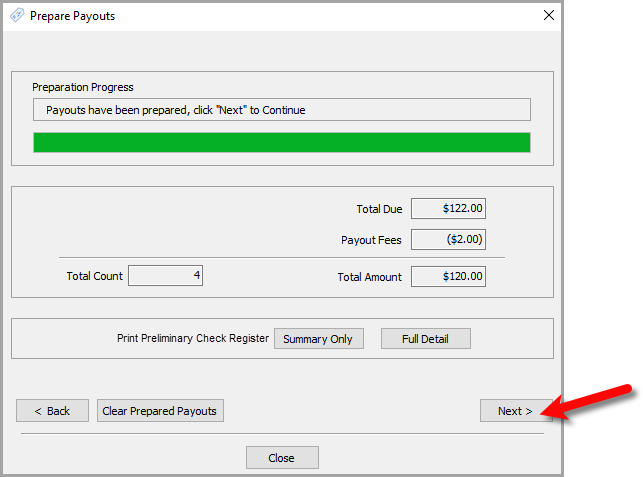
- The ACH Payouts will now be prepared.
You can now click either the Summary Only or Full Detail buttons to see the Preliminary Check Register.
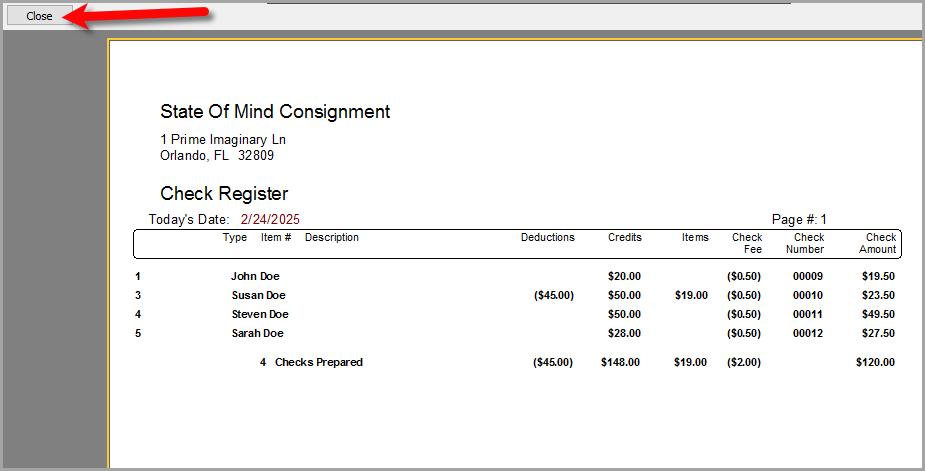
- You can choose to print the Preliminary Check Register from the report screen.
Click the Close button when you are finished.
- Click the Next > button.
 k
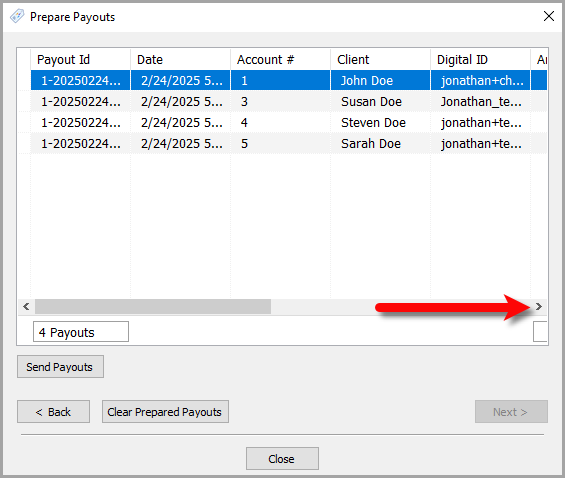
k - From here, you can do a visual check of who is being paid out.
You can scroll to the right to see more details.
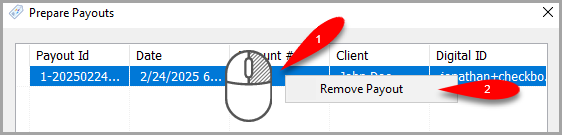
- You can also remove accounts you do not want to pay out by right clicking on the entry and then clicking Remove Payout.
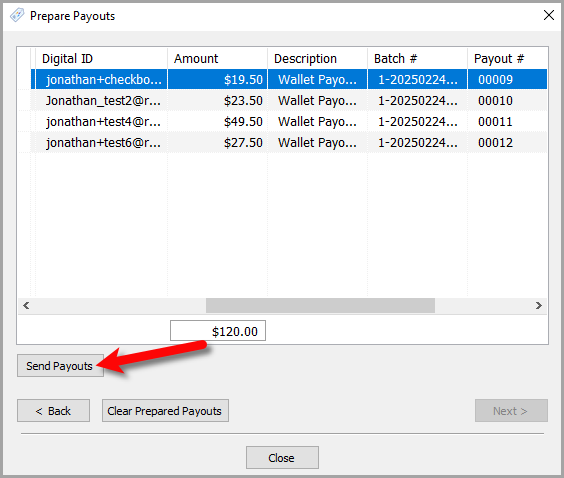
- Once you are finished, click the Send Payouts button.
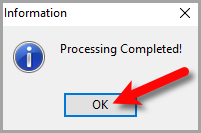
- You will see a Processing Complete dialog box when finished, click the OK button.
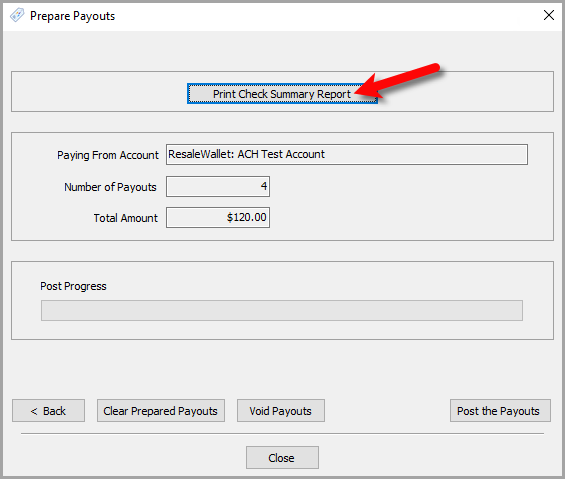
- On the final screen, you can click the Print Check Summary Report button to view the Final Check Register.
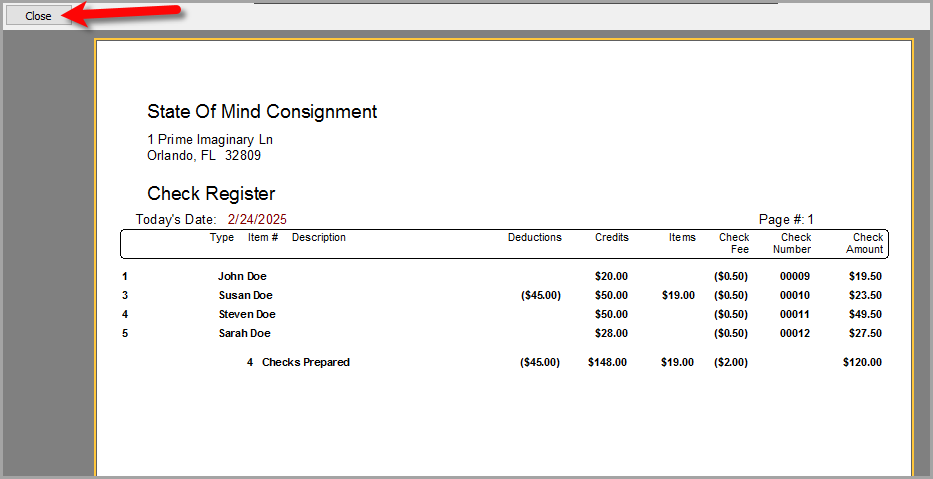
- You can print the Final Check Register from this report screen.
When you are finished, click the Close button.
- Finally, click the Post the Payouts button.
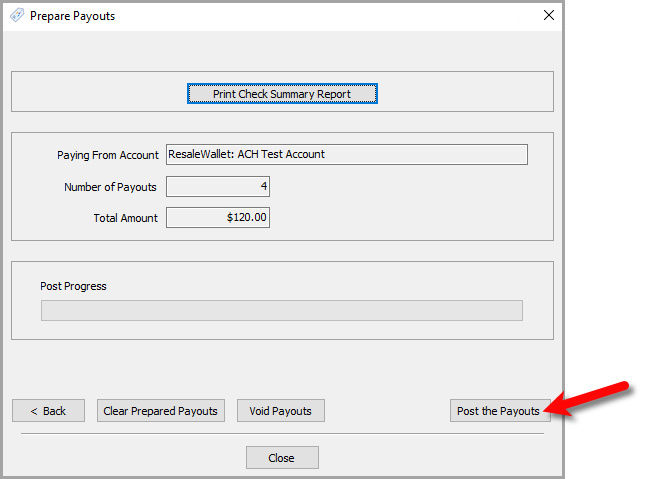


All of your clients that were part of this payout process will now receive their Digital Payouts via the email assigned to their Digital Payout ID field on their account.
All of these same clients will have their account’s payable obligation reduced by the payout amount to show that they have been issued a Digital Payout.
Overall, this process is designed to save you a lot of time and effort than handing out or emailing paper checks.
Reversing A ResaleWallet ACH Payout In Liberty
- Click on Account List and then double click on the account you wish to reverse an ACH payout for.
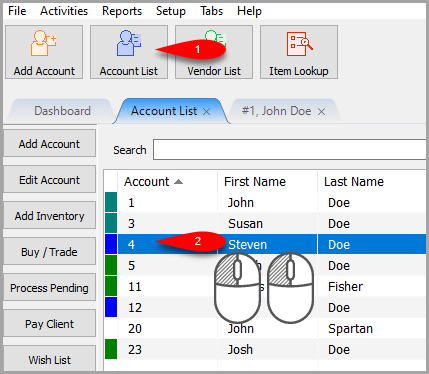
- Click on the Transactions tab of the account.

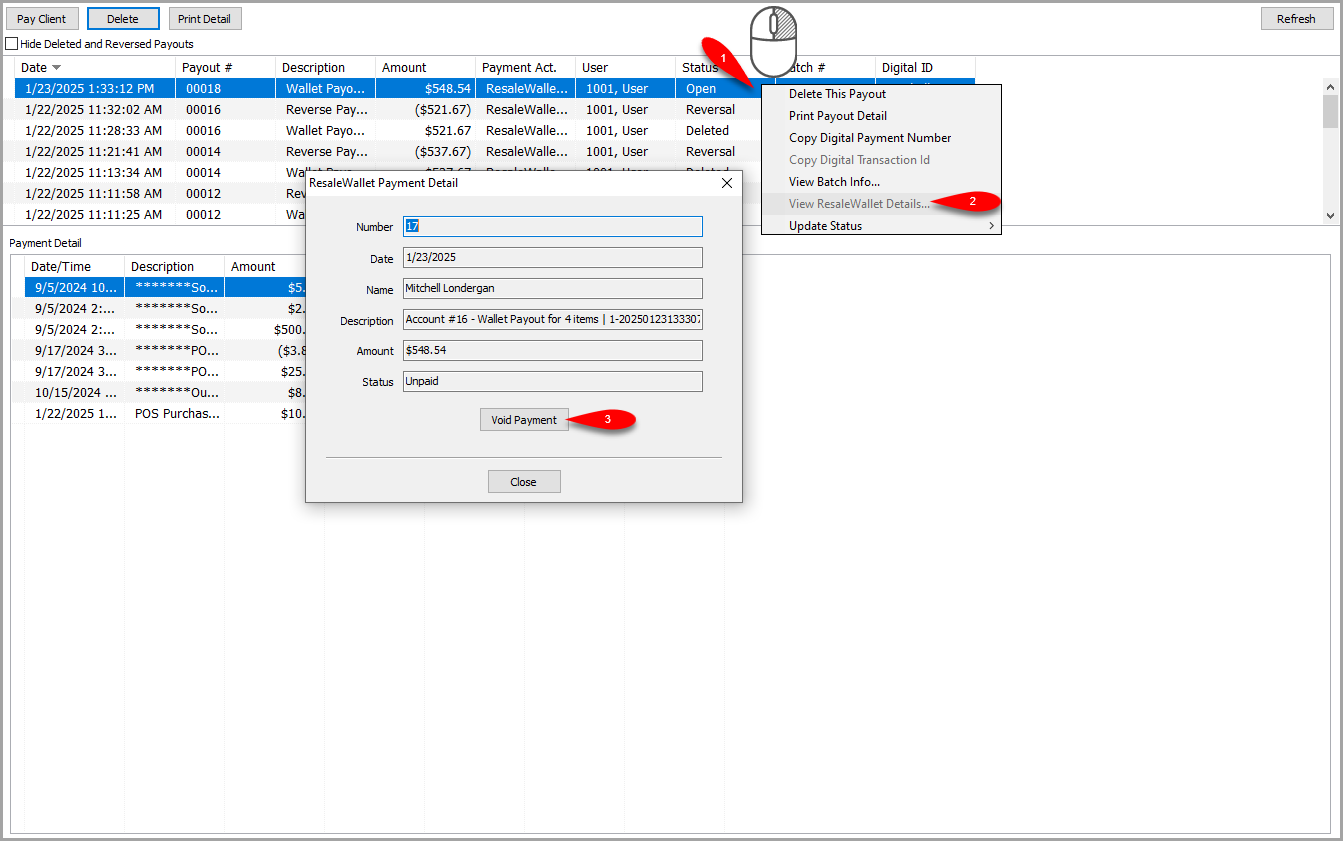
- Right-Click on the ACH Payout in the list and select View ResaleWallet Details….
Click the Void Payment button.
Note: The status must read as Unpaid, if a consignor has already deposited their payout into their bank account, the ACH payout cannot be voided.
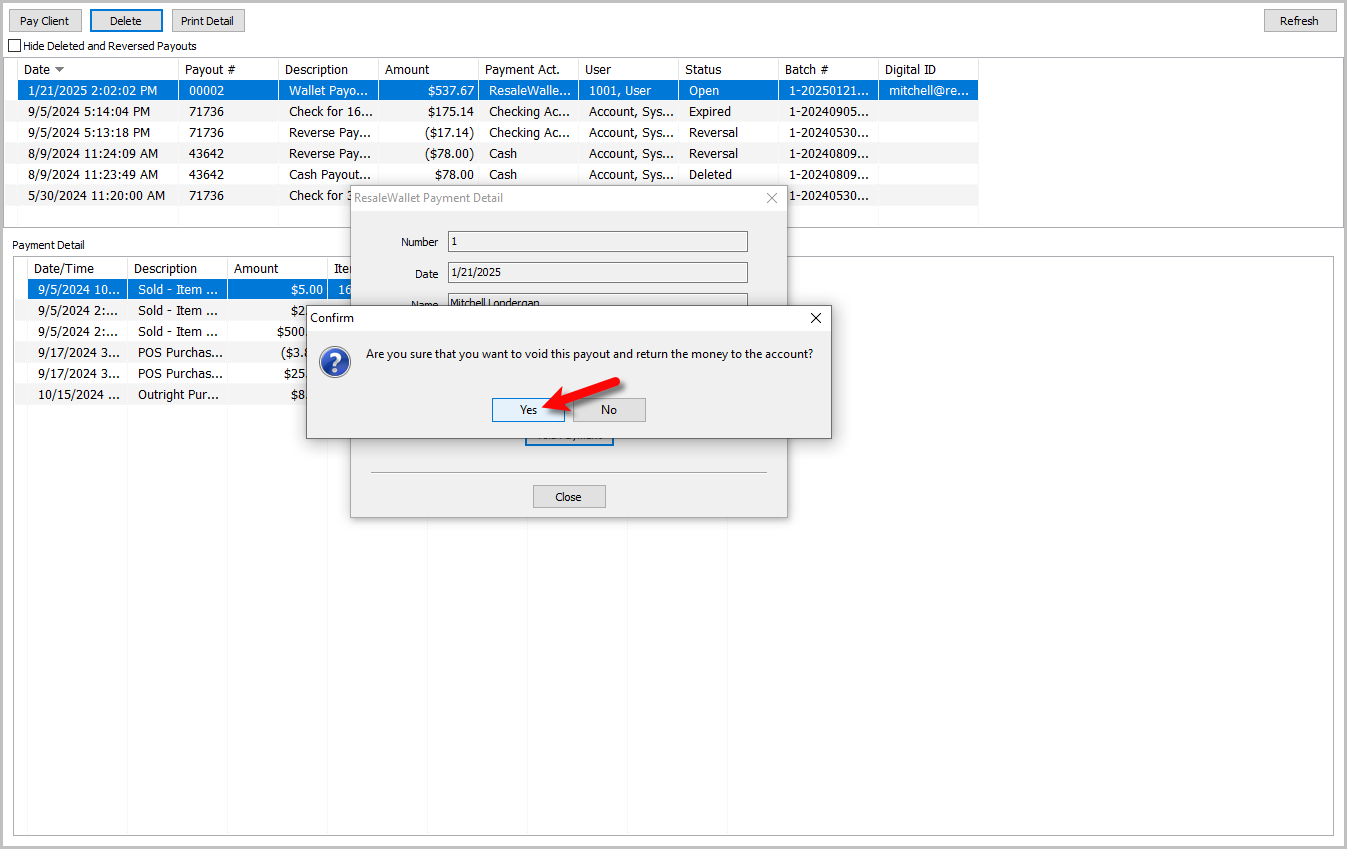
- You will get a Are you sure that you want to void this payout and return the money to the account dialog box.
Click the Yes button if you wish to continue with this Action.
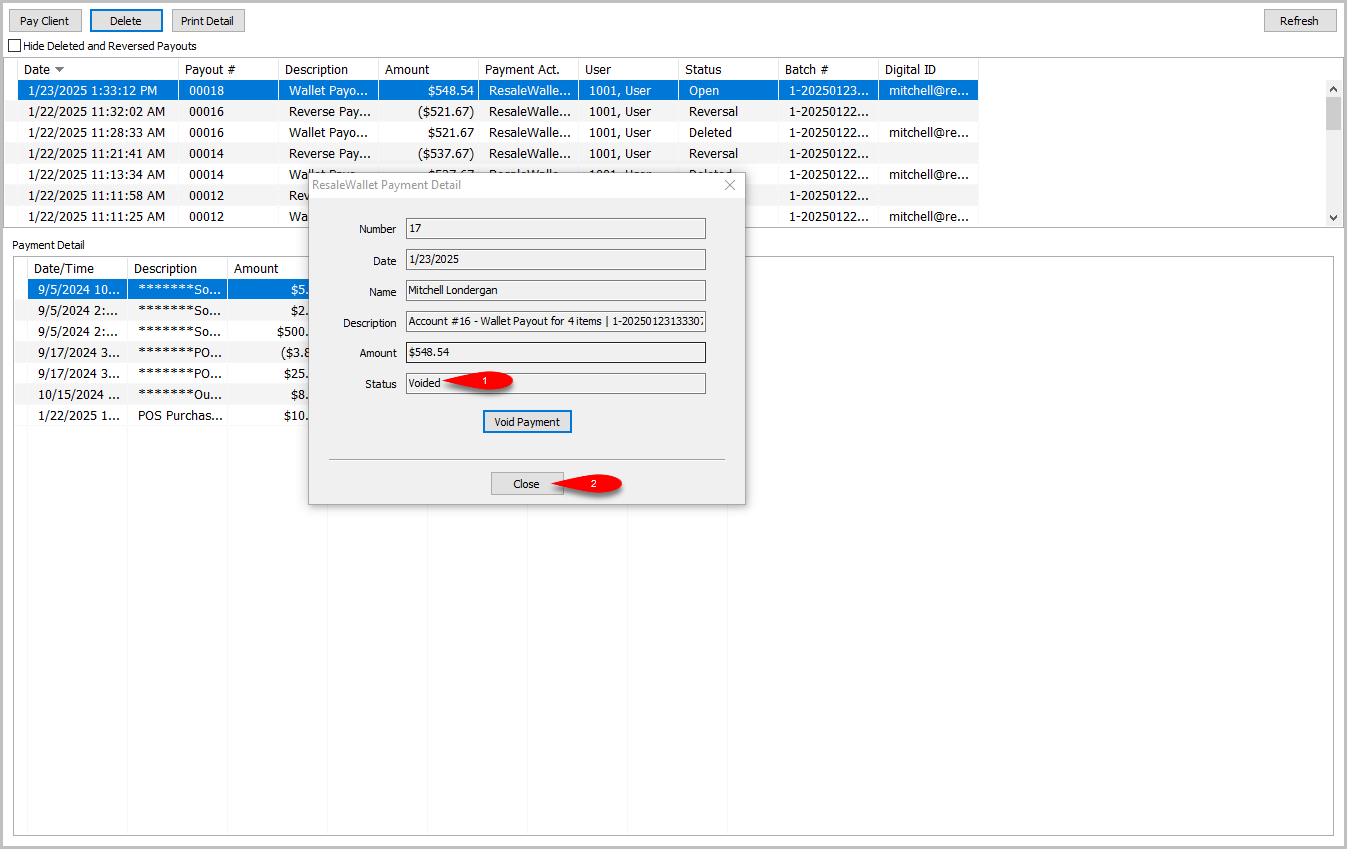
- The status should read as Voided, click the Close button when finished.
You can now redo the ACH payout if you would like.
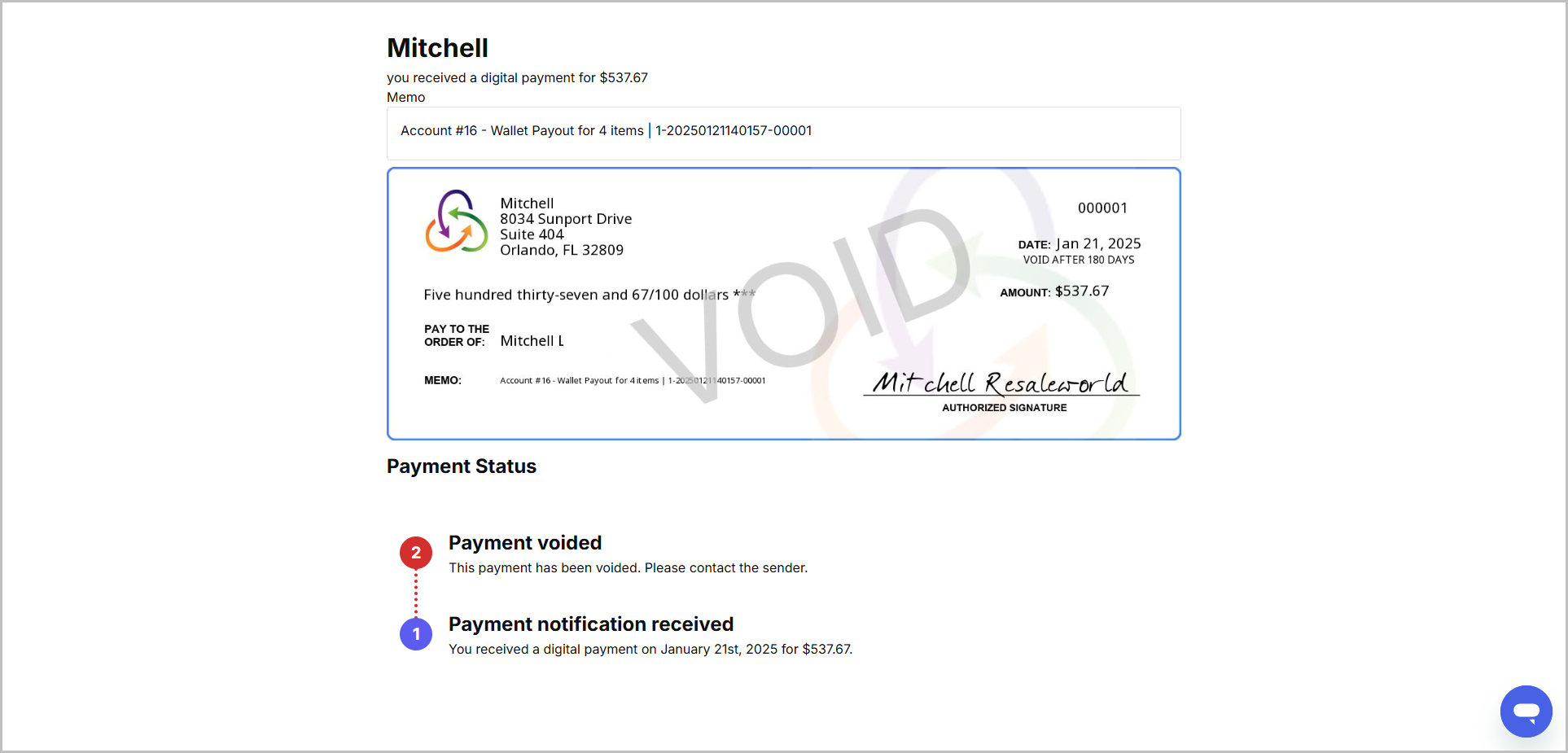
- Here is what the consignor will see if you void their ACH payout.


Viewing ResaleWallet Payout Status In Liberty
- Click on Account List and then double click on the account you wish to view the ACH Payout status for.
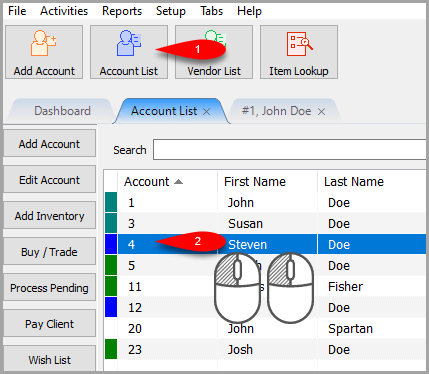
- Click on the Transactions tab of the account.

- Right-Click on the ACH Payout in the list and select View ResaleWallet Details….


You can now see the ACH Payout status here.

ResaleWallet Payments Dashboard
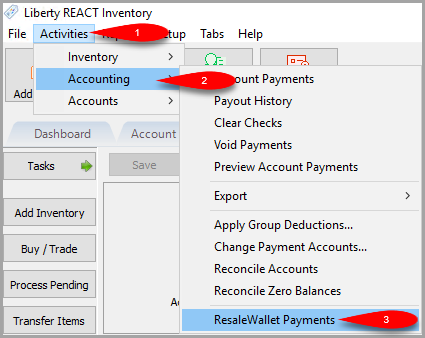
- Click on Activities > Accounting > ResaleWallet Payments
- Use the top filter options to see the exact Status and Date Range of your Digital Payout history.
Click the Refresh button to update the dashview with your filter.
NOTE: You can click the column headers to sort the data.
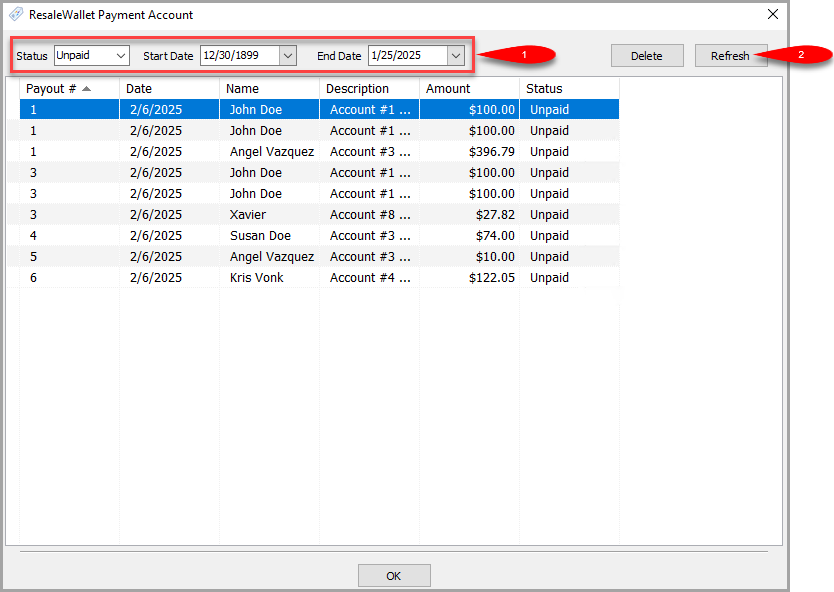
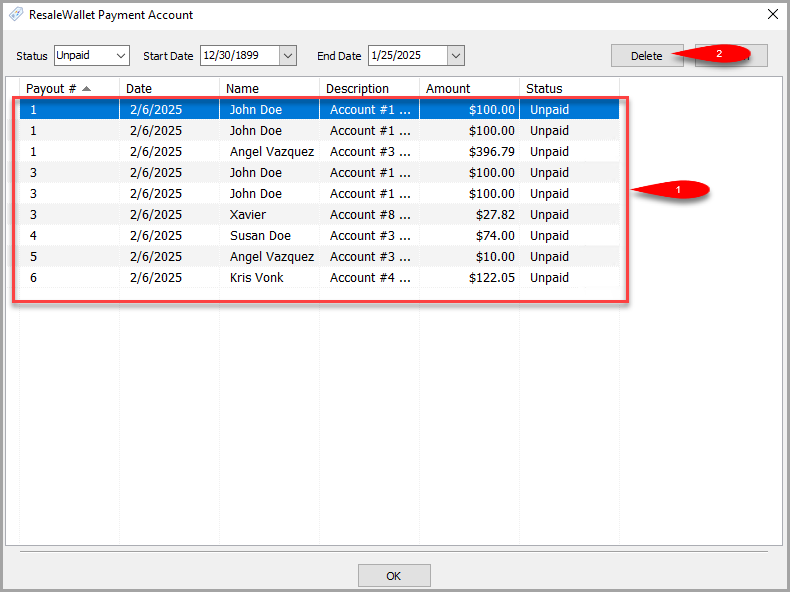
- You can Delete digital payouts from this view as long as they are in a state that allows them to be deleted.
Select the payout you want to delete and then click the Delete button.
- When you are finished, click the OK button.


Next Article In Section
Click the following link to move to the next article in this section:
Setting Up ResaleWallet
Related Topics
ResaleWallet ACH Payouts Overview Setting Up ResaleWallet Editing Your ResaleWallet Profile Information Setting Up Your Bank Account Setting Up A Liberty Account For ACH Payouts How To Do A Signature Capture For ACH Payouts Creating A Single ACH Payout Mass Account ACH Payouts Reversing A ResaleWallet ACH Payout In Liberty Viewing ResaleWallet Payout Status In Liberty ResaleWallet Payments Dashboard