Checking The Status of an ACH Payout
After an ACH payout has been completed, you can check the status of the ACH payout.
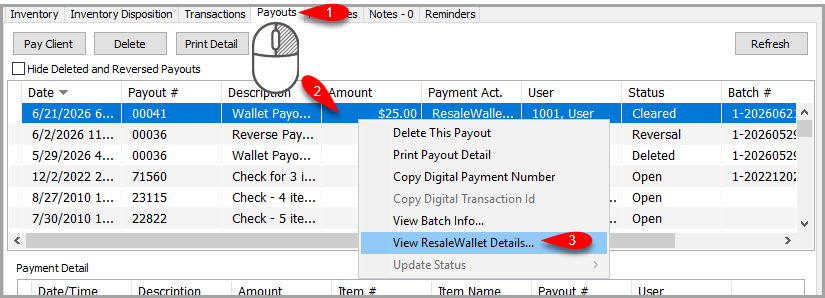
- Go to the account that has an ACH Payout that you wish to look up and go to the Payouts tab. Then right click on the ACH payout and click View ResaleWallet Details…
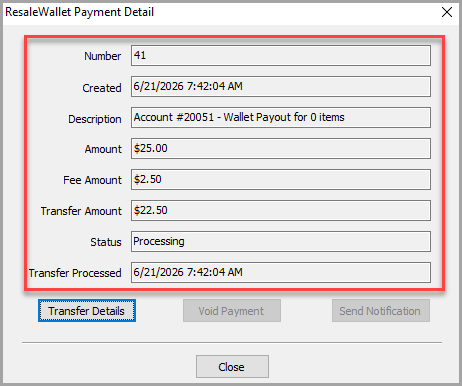
- This Payment Detail window helps you understand the current state before voiding or resending. The Payment Detail screen shows the amount, the $2.50 fee, the transfer amount the consignor receives, and the status.
- A pending payout may allow a notification resend or a void.
- A completed payout may not be removable.
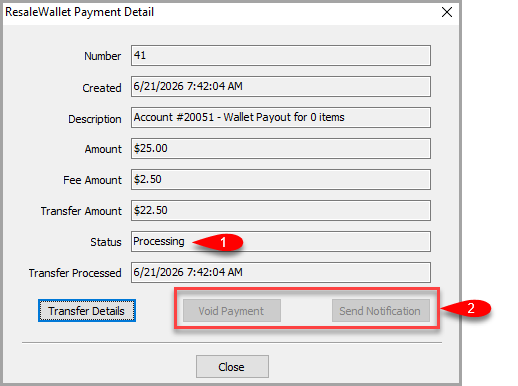
Note: You may Void Payment or Send Notification if the payout status allows it. Do not repeatedly resend or repost a payout without understanding its current transfer state. - If you wish to view the transfer details of an ACH Payout click the Transfer Details button.
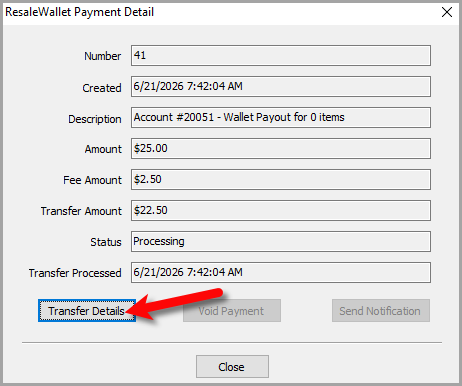
- From here you can view the transfer details of the ACH payout. This can tell you what has already happened with the payout.
Click the OK button when done.
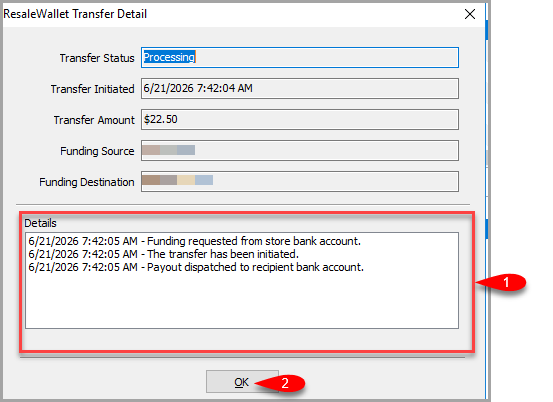 The Transfer Detail screen. The Details panel lists each step of the transfer in order.


Rejected Bank Payments And The Balance Account
If the recipient bank rejects a ResaleWallet payout, ResaleWallet returns the money to the store's Balance account.
 The Balance account appears as an active ResaleWallet bank account with type balance.
The Balance account cannot currently be prefunded, and the store cannot withdraw its funds directly. To reissue the returned money, first correct the intended consignor's bank information. Then create or recreate a Liberty payment account connected to the Balance account and use that payment account to issue the replacement payout to the intended consignor.
Important: Treat the Balance account like a stored funds bucket. Confirm the intended consignor before issuing the replacement payment. Selecting the wrong client could pay the returned money to someone else.
Next Article In Section
Click the following link to move to the next article in this section:
What Consignors Receive
Related Topics
ResaleWallet Store Guide Overview How To Set Up And Pay Consignors With ResaleWallet Set Up Your Business Entity Add a Bank Account Required Consignor Fields Paying Out A Single Client With ResaleWallet Mass Payouts With ResaleWallet Checking The Status of an ACH Payout What Consignors Receive ResaleWallet Dashboard Store Troubleshooting Payment Limits