Wish List Cross-Reference Email Report
Emails available matches to customer who have wishlist and that item matches the wish.
When to Use

When wanting to notify customers there are items in the store that match criteria of items they are looking for.
How To Get To This Report
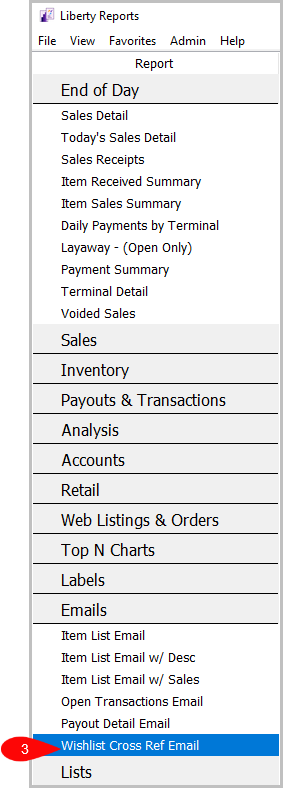
Reports > Emails > Wishlist Cross Ref Email
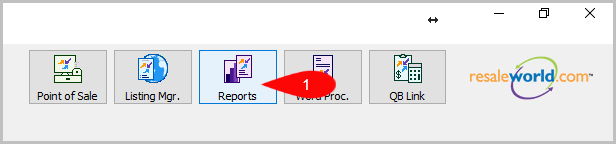
- Go to Reports
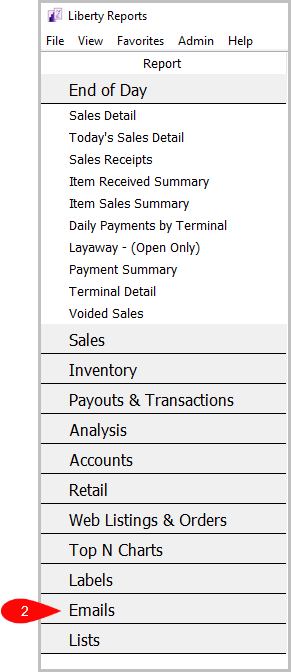
- Click on Emails
- Click on Wishlist Cross Ref Email


How To Add Criteria
1. Click on the Add More Criteria button.

2. Select what criteria you want and press OK

Criteria Choices
- Account Number
- Category 1
- Category 2
- Category 3
- End Date
- Location
- Match Percentage
- Mismatch Percentage
- Start Date
Next Section Navigation Link
Click the following link to see a list of articles for the next section:
Liberty Email Manager
Related Topics
Wish List Cross-Reference Email Report Selecting the Right Report Item List Email Report Item List Email w / Desc Report Item List Email w / Sales Recap Open Transactions Email Report Payout Detail Email Report Account Comments Report Account Export by Purchases Report Account Export by Sales report Account List Report