Open Transactions Email Report
Emails a list of all open transactions for each consignor.

When to Use
Use this report to alert customers of open transactions.
How To Get To This Report
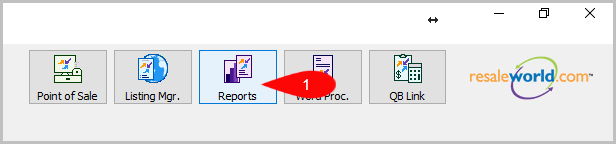
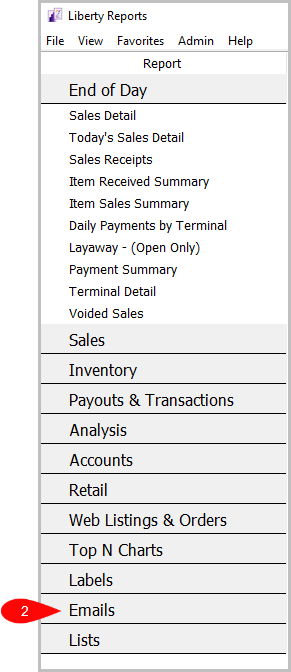
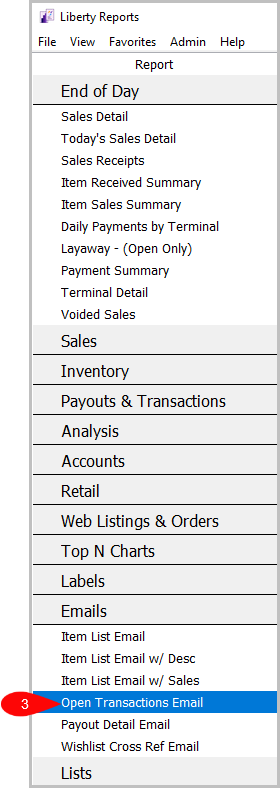
Reports > Emails > Open Transactions Email
- Go to Reports
- Click on Emails
- Click on Open Transactions Email


How To Add Criteria
1. Click on the Add More Criteria button.

2. Select what criteria you want and press OK

Criteria Choices
- Account Number
- Account Type
- Filter Code
- Transaction Date
Next Article In Section
Click the following link to move to the next article in this section:
Payout Detail Email Report
Related Topics
Open Transactions Email Report Selecting the Right Report Item List Email Report Item List Email w / Desc Report Item List Email w / Sales Recap Payout Detail Email Report Wish List Cross-Reference Email Report Account Comments Report Account Export by Purchases Report Account Export by Sales report Account List Report