Ability To Print Price First On Receipt
This feature allows you to change the order in which the Price line is shown on each of your Receipt line items, either being before or after the Item Title line.
Printing the Price First on Receipts
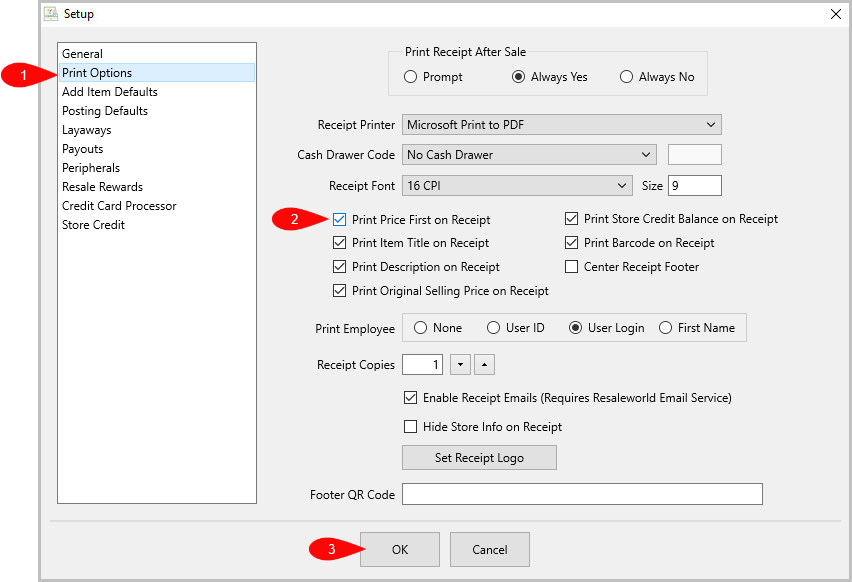
- In the Point of Sale, go to More > Setup > Print Options, then ensure the Print Price First on Receipt option is checked.
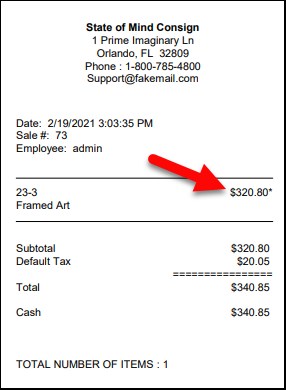
- Now, when printing receipts, the Price line will show first for each line item, as shown below.


Printing the Item Title First on Receipts
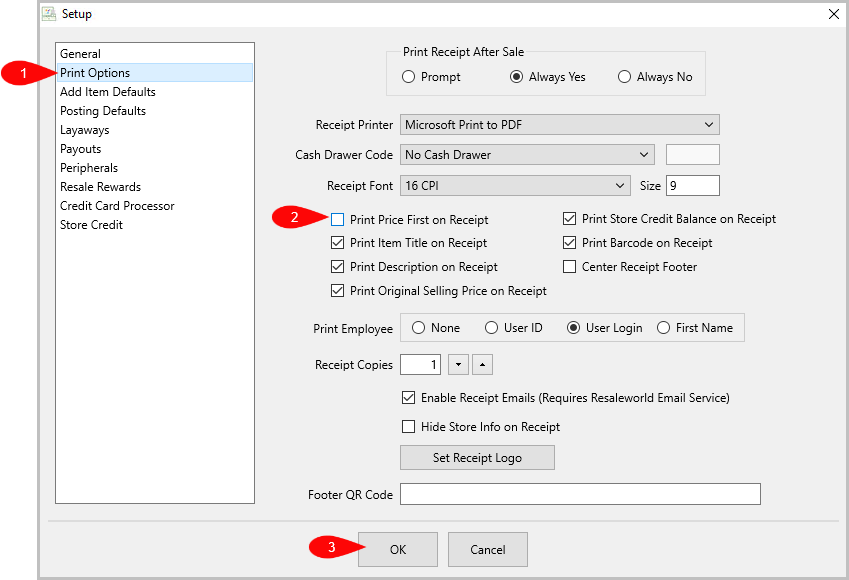
- In the Point of Sale, go to More > Setup > Print Options, then ensure the Print Price First on Receipt option is unchecked.
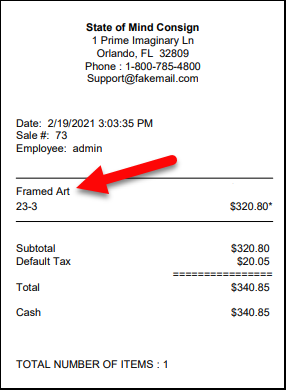
- Now, when printing receipts, the Item Title line will show first for each line item, as shown below.


For more information on the POS settings, please visit the following article:
Next Article In Section
Click the following link to move to the next article in this section:
Added Setting For Centering Receipt Footer
Related Topics
Ability To Print Price First On Receipt Setting Up POS Defaults
Added Setting For Centering Receipt Footer Ability To Show Expire Items Prompt If Price Sold Is Over Threshold Ability To Default Cash Payouts Done In POS to Post Only Ability To Rearrange The Buttons On The POS Hub Ability To Print Employee Information On The Receipt Ability To Show Client Notes when there are Priority Notes Fee Amount Kind Ability To Unpost Items In Bulk Ability To Attach Tag Types To Categories