Location Specific Receipt Headers and Footers
Liberty Cloud allows you to have multiple locations connected to one server / one database.
With this, you will need to have location specific receipt headers and footers so that each store’s information is unique to what prints out on their receipts.
The following information will walk you through setting up multiple locations assuming you have set up multiple locations in the Inventory Module.
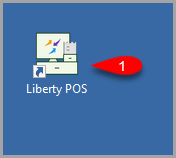
- You want to first open the Liberty POS.
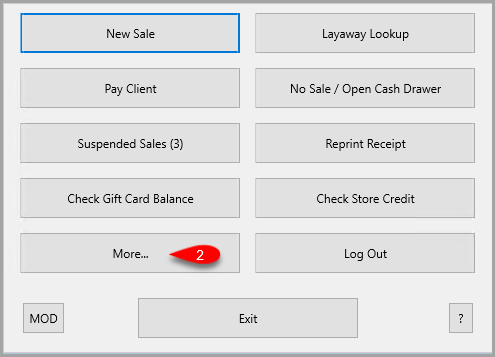
- Click on the More button on the POS Hub Screen.
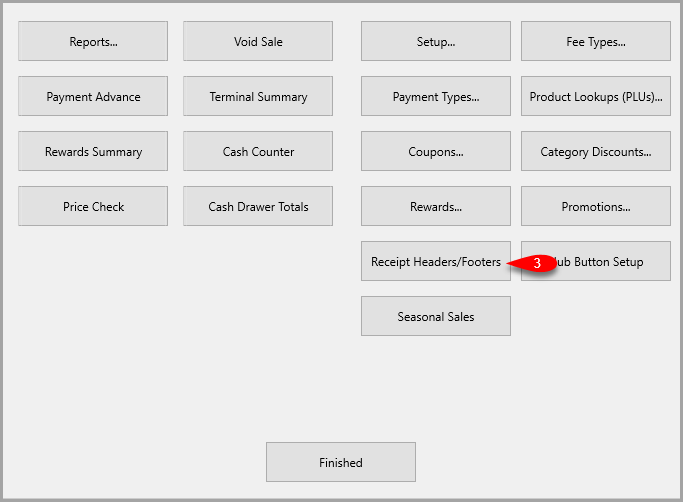
- Click on the Receipt Headers/Footers button.
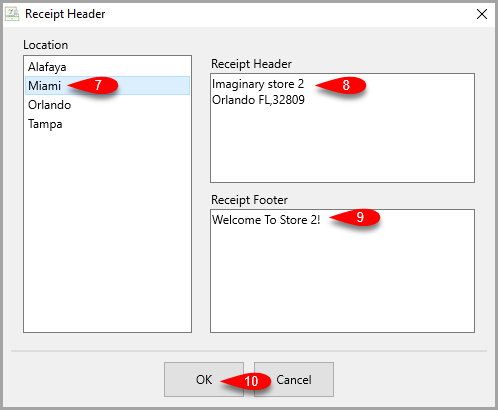
- You will start on the very first Location available but you can select the location you wish to work with.
You can then edit your Receipt Header with your store information, phone number and / or email address.
With the Receipt Footer, you can add any additional information you want to show up at the bottom of your receipt.
This includes your return policy and or a final greeting.
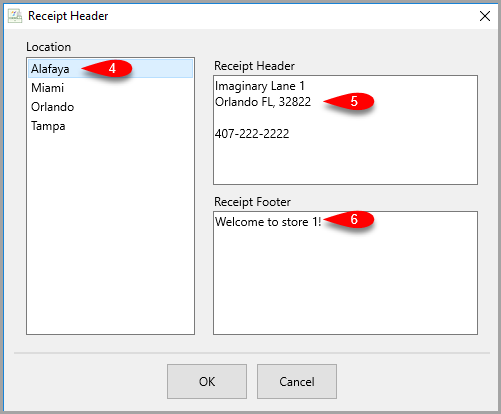
- Now you can select another store and repeat the process until all location information is filled out.
- Click the OK button when finished.


Next Article In Section
Click the following link to move to the next article in this section:
Void a Sale