Accept a Credit Card Payment
How To Post A Credit Card Sale Open Point of Sale Module.
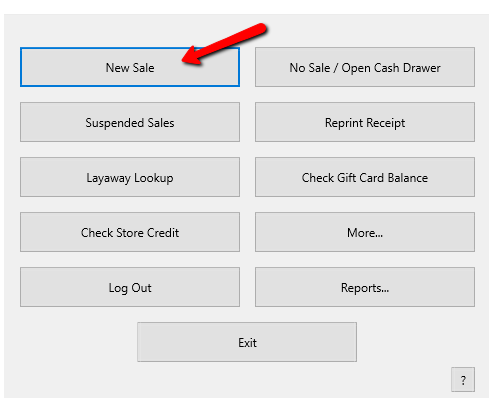
- From the POS Hub select the New Sale button.
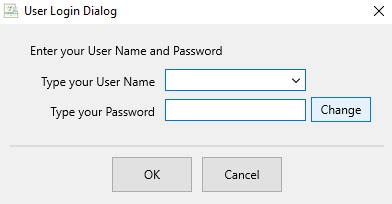
- Login if prompted.
- Select your posting mode. For more information on posting modes, see Sell Items For Regular Price, Sell An Item At A Percentage Discount, and Changing The Selling Price Of An Item.

The posting mode you are in will be displayed in the black entry field.

- Scan or type in your items using the Account-Item Number format.
Example: for item 19 on account 1 type in 1-19.

- When all items have been posted, click on the appropriate Credit Card buttonThe payment amount of the total sale will be automatically entered. If you accept a credit card that is not listed, see Set Up Payment Types for details on how to add the credit card as a Payment Type.

- The payment type will post to the sale. Select the Finish button to complete the sale.

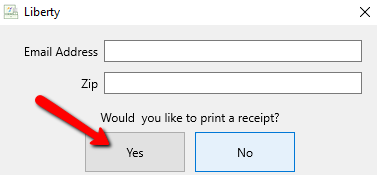
- Press the Print Receipt button to print a receipt.


Integrated Credit Card Processing
- Liberty is integrated with Payment Logistics (Fortis),ResalePay (CardePointe/Propelr), and Zift.
- ResalePay, Payment Logistics, and Zift is ready for EMV Chip Technology along with NFC Technology.
- Gift Card Processing works with both ResalePay. Zift and Payment Logistics.
- EBT Card Processing works with Payment Logistics and Zift.
- Credit Card Surcharge works with ResalePay.
- To know more about each credit card merchants, visit ResalePay Cardpointe.
Next Article In Section
Click the following link to move to the next article in this section:
Set Default Credit Card Software