Setting Up Contract Signature Capture In Liberty
Setting Up Contract Signature Capture In Liberty
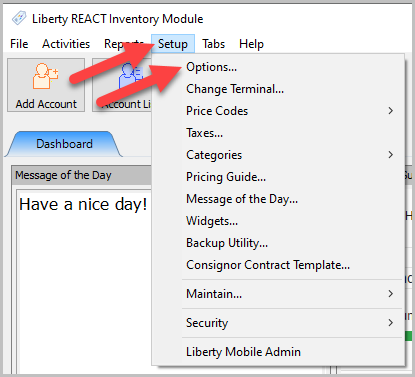
- Click Setup, then Options.
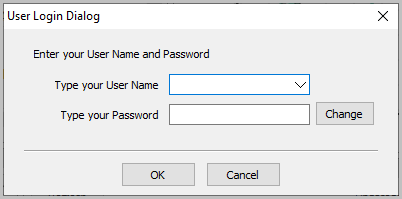
- Enter your username and password, then click OK.
- Select Account Defaults, then choose Liberty Mobile Kiosk App under the Signature Capture dropdown.


Then click OK.

Next Article In Section
Click the following link to move to the next article in this section:
Signing A Contract In The Liberty Kiosk App
Related Topics
Setting Up Contract Signature Capture In Liberty Kiosk Signature Capture Overview Signing A Contract In The Liberty Kiosk App Cash, Check and Store Credit Signature Capture Setup In The Point Of Sale Capturing a Payout Signature in POS Pay a Client In The POS Consignor Contract Creation Setting Up The Customer Facing Display Mode Using the Customer Facing Display Account Management Feature Consignor Portal Feature