Table of Contents
Getting To The eBay Business Policies Page
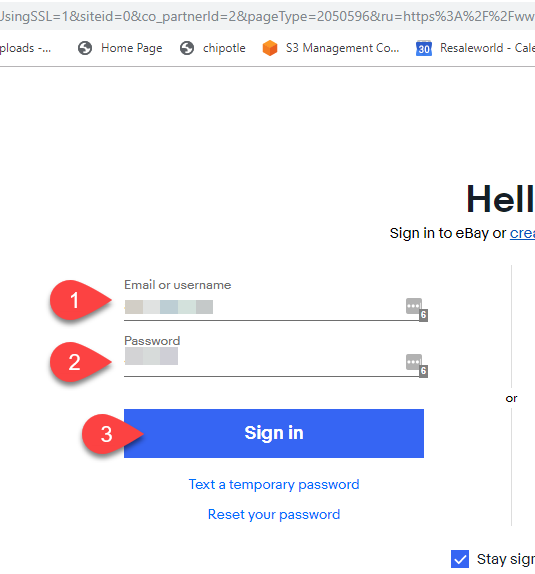
- Type in your eBay Username/Email and Password, then click the Sign In button.
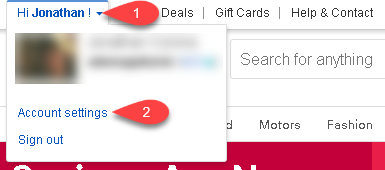
- Top left corner of the eBay page, click the down arrow next to your username and then click Account Settings.
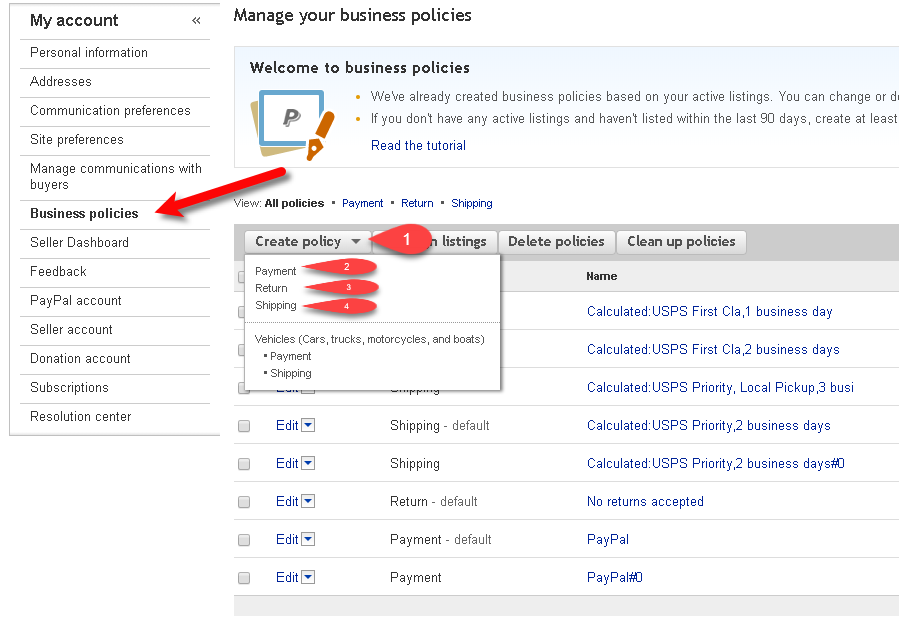
- You can now start creating your eBay policies


Next Article In Section
Click the following link to move to the next article in this section:
Creating A Default eBay Payment Business Policy
Related Topics
Getting To The eBay Business Policies Page eBay Business Policies Overview Opting Into eBay Business Policies Creating A Default eBay Payment Business Policy Creating A Default eBay Return Business Policy Creating A Default eBay Shipping Business Policy Adding A Regular Listing Adding A Retail Listing Creating an eBay Listing Overview Refreshing Listing Manager To Use eBay Business Policies That Have Been Changed Adding An eBay Item Specific Attribute