Table of Contents
Historical Inventory and Obligation Report
Calculates Inventory and Obligation totals as of 12:01 am (start of day) on the specified date based on the records created before and modified after that date/time.

When to Use
Use this report to display a calculated reconstruction of inventory and obligation data from an earlier date based off of inventory, sales, payout and retail order records.
How To Get To This Report
Reports > Analysis > Historical Inventory and Obligation
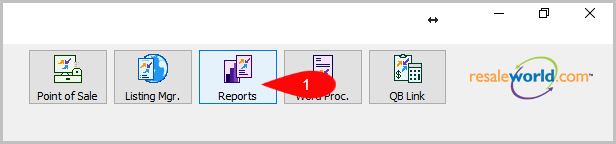
- Go to Reports.
- Click on Analysis.

- Click on Historical Inventory and Obligation.


How To Add More Criteria
1. Click on Add More Criteria.

2. Select what criteria you want then press OK.

Criteria Choices
- Account Type
- Historical Totals
Next Article In Section
Click the following link to move to the next article in this section:
Monthly Sales Analysis Report
Related Topics
Historical Inventory and Obligation Report Selecting the Right Report Account Productivity Report Brand Productivity Buyer Summary Report Category/Brand Analysis Report Category/Color Analysis Report Category Productivity Category/Size Analysis Report Coupon Summary Report Gift Card Transaction History Report