Table of Contents
How To Add Images To An Item Using A Barcode On The Tag iOS
- Open the Liberty Photo App on your iDevice and then Sign In.
If you are not familiar with this procedure please visit the following page:
Opening The Liberty Photo App - Tap the Barcode icon.

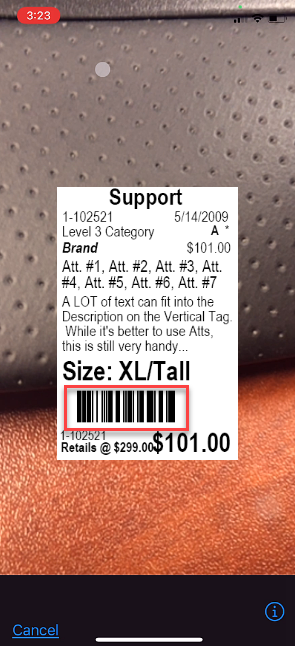
- Place the tag of the item you want to pull up in front of the device’s camera.
The camera will read the barcode of the item and bring you back to the main screen automatically.
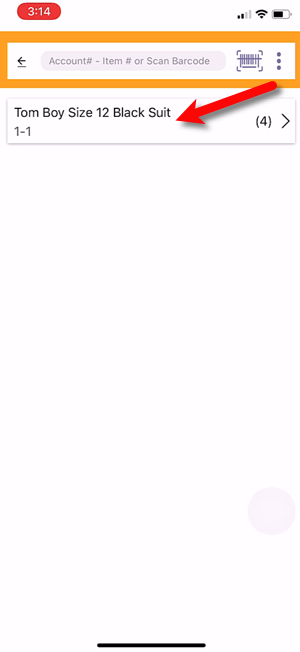
- Tap the item that the barcode brought up.
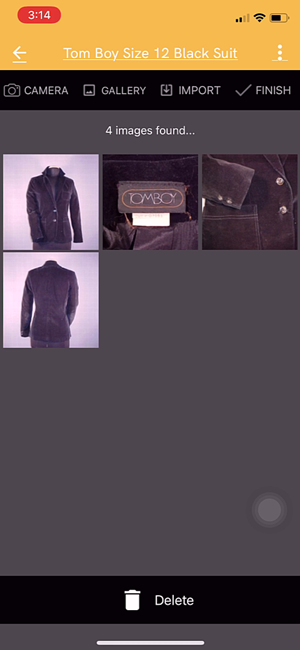
- You can now take or add a picture, edit existing pictures on the item or delete pictures.
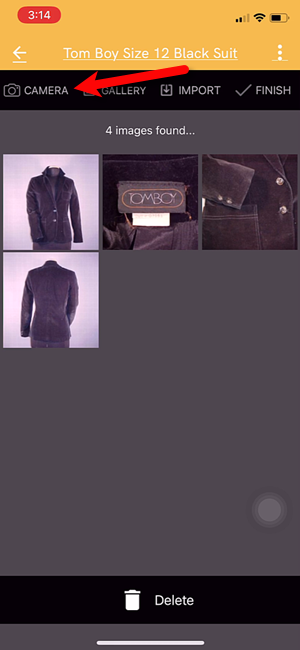
- To take a picture, tap the Camera icon.
- There are a few controls you can touch before you take your picture.
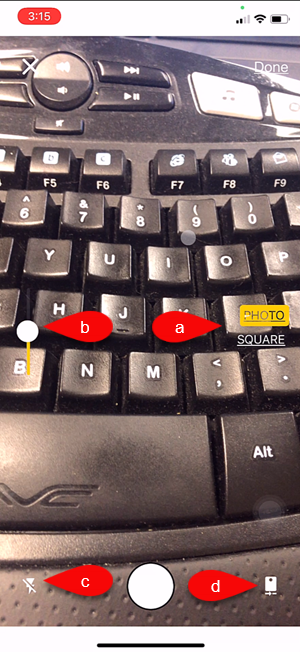
- Image Type Selector: Here you can set whether you want to keep the standard dimensions you camera uses or if you want to use Square dimensions.
Note: If you are using the Shopify Integration, please note that Shopify Recommends using the Square photo dimension option. - Exposure Control: This sets the exposure level of the image. Raising the radio bar higher makes the image brighter, while lowering the bar makes the image darker.
- Camera Flash: Sets whether you want to enable your device’s flash feature so that your camera flashes.
- Flip to Front or Back Camera: Selects which camera you would like to take your picture with, the front or the back one.
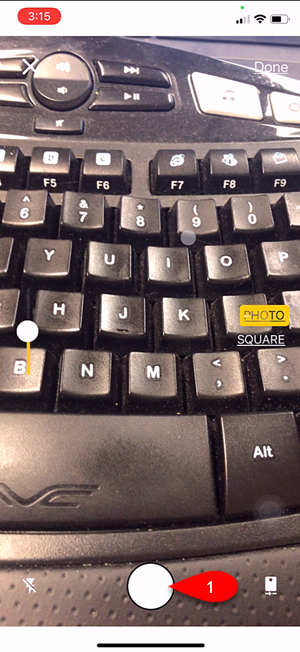
- Tap the Take Picture button when you are ready
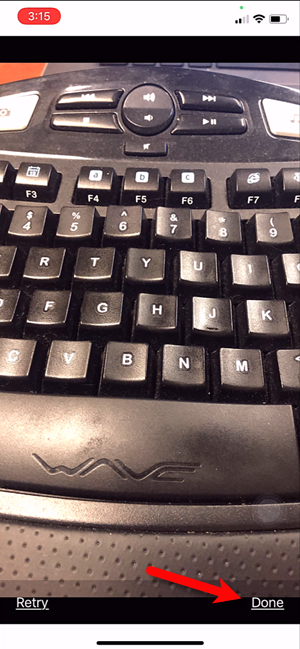
- Review the picture you have just taken and then either tap Done if you are happy with the image or Retry if you would like to retake the picture.
- From here you have one of two options.
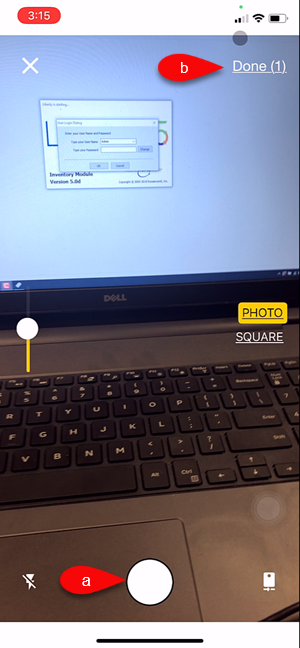
- You can continue to take more pictures.
- You can tap the Done button to move on to the next step.
- You will see the pictures you have taken underneath the Ready to upload section.
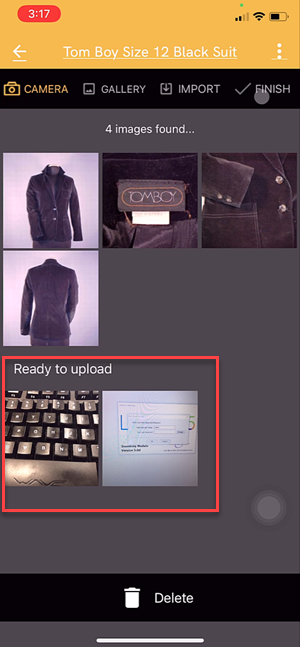
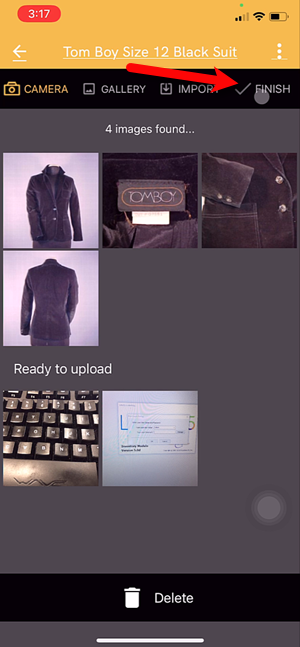
- Tap the Finish button and your pictures will then be uploaded.
- You can now select whether you want to mark the item as a Web Item.


If the item is already marked as Web Item you will not see a prompt to mark the item as Web Item. Your listing will simply be updated with the new images.
This coincides with the Automatic Create New Listing feature in Listing Manager which allows these items to be sent automatically to either Shopify or ShopRW depending on if you have it enabled.
Note: It is possible to create a listing for eBay using this feature but you will be required to edit that listing in Listing Manager before it can be pushed to eBay. This is because there are some options that need to be edited before the item can be sent to eBay.

Next Article In Section
Click the following link to move to the next article in this section:
How To Add Images Using the Gallery Feature (From Your iDevice’s Library) iOS
Related Topics
How To Add Images To An Item Using A Barcode On The Tag iOS How To Download and Setup The Liberty Photo App for iOS How To Use The Liberty Photo App for iOS Overview Opening The Liberty Photo App iOS How Use The Camera To Add Images To Items By Using Account - Item Number iOS How To Add Images Using the Gallery Feature (From Your iDevice’s Library) iOS Using The Import Feature To Import Photos from iCloud, Dropbox or Google Drive iOS How to Edit A Photo That Is Attached To An Item iOS Editing The Settings Within Liberty Photo App iOS Placing a Watermark Image On Your Pictures iOS Changing Which Server You Want To Connect To iOS