Print Merged Letters from Client Accounts
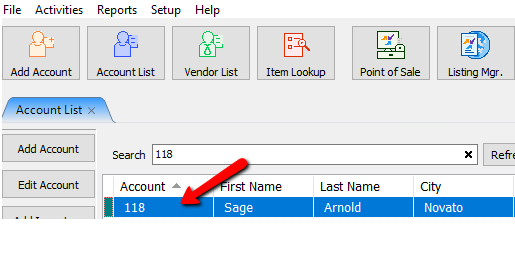
- Open the account.
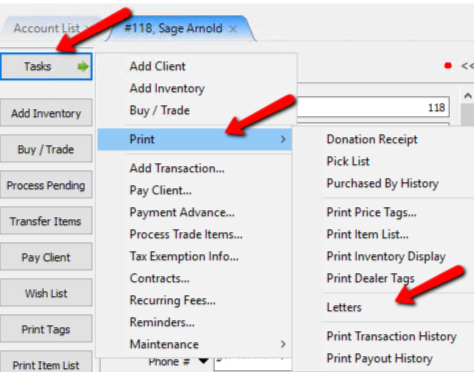
- From within the account select Task > Print > Letters.
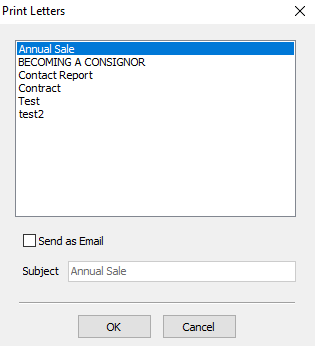
The Print Letters dialog box opens.
- Select the letter you want to use.
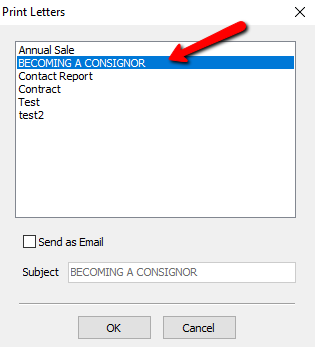


Selecting the OK button will open the print to a print dialog box.

Make an necessary changes and select the OK button to print the letter.

If you wish to email this letter, Select the Send As Email Checkbox.

Change the Subject if you wish.

Press the OK button.

Next Article In Section
Click the following link to move to the next article in this section:
Editing Documents
Related Topics
Print Merged Letters from Client Accounts Printing or Emailing A Letter Using The Publishing Wizard Converting Older Letters Creating A New Word Processor Letter Editing Documents Merging Information into Documents Previewing a Letter Word Processor Overview Accessing Liberty Help From Anywhere In Liberty Add Notes to an Account