New Definitions for Multiplicative and Additive Trade Differential
Additive vs Multiplicative Differential Percentage For Trade
- Differential Percentage For Trade Items: This will provide a bonus in store credit to the consignor when selecting to receive payment in the form of store credit over cash.
- Additive: With this option enabled, if you set the differential to 10%, then the trade value would be the price of the item multiplied by the trade differential percentage added to the cash value.
Additive Example: You have an item that is priced at $50.00. Your split is 50/50, meaning the cash value of this item when processed would be $25.00 to the client. The trade differential set to 10%, that would make the store credit trade offer $30.00.
Formula For Additive Trade Example:
Price * Split percentage = Cash Value
Price * Trade Differential = Additional Trade Value
Cash Value + Additional Trade Value = Total Trade Value
$50 * 50% = $25.00
$50 * 10% = $5.00
$25 + $5 = $30.00
- Price + Split Percentage = Cash Value
50 * .50 = $25.00 - Price * Differential Percentage = Additional Trade Value
50 * .10 = $5.00 - Cash Value + Additional Trade Value = Trade Value
25 + 5 = $30.00
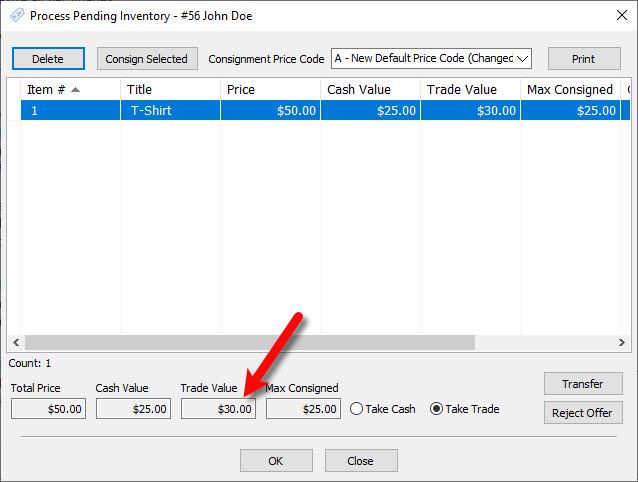
- Multiplicative: With this option enabled, if you set the differential to 10%, then the trade value would be 110% the cash value.
Multiplicative Example: You have an item that is priced at $50.00. Your split is 50/50, meaning the cash value of this item when processed would be $25.00 to the client. With the trade differential set to 10%, that would make the store credit trade offer $27.50.
Formula For Multiplicative Example:
Price * Split Percentage = Cash Value
Cash Value * Differential Percentage = Additional Trade Value
Additional Trade Value + Net to consignor = Total Trade value
$50 * 50% = $25
$25 * 10% = $2.50
$2.50+ $25.00 = $27.50
- Price * Split Percentage = Cash Value
50 * .50 = $25.00 - Cash Value * Differential Percentage = Additional Trade Value
25 * .10 = $2.50 - Additional Trade Value + Cash Value = Total Trade Value
- 50 + 25 = $27.50
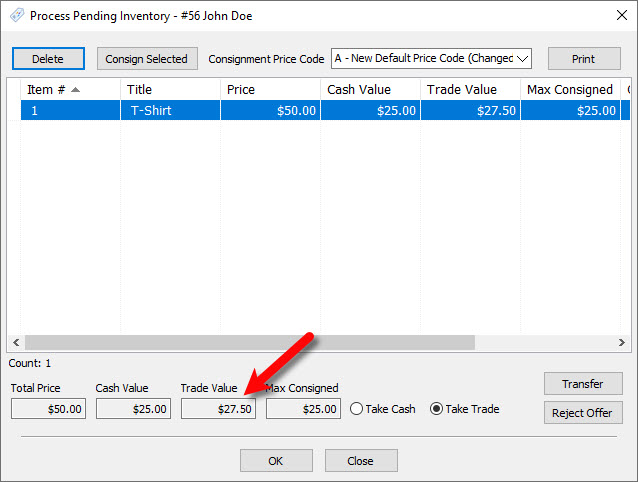


Note: If an item has a Cost/Net amount set, this will override the calculation of the cash value and the new cash value of the item will be set to the amount specified under the Cost/Net field.
Next Section Navigation Link
Click the following link to see a list of articles for the next section:
Widgets
Related Topics
New Definitions for Multiplicative and Additive Trade Differential Default Buy/Trade Processing To "Buy" Set a Default Consignment Price Code for Buy/Trade Process Ability to Multi-Select and consign unprocessed trade items Transfer Unprocessed Trade Items Use The Category From The Previous Item Added Copy Images When Creating New Retail Variants Use "Cost/Preset Net" as Minimum Consignor Split Amount Prompt For Large Printed Tag Quantity Ability to Add Grid Widgets for Sale Performance Stats Ability to Reconcile Zero Account Balances