Viewing a Consignor Contract From an Account
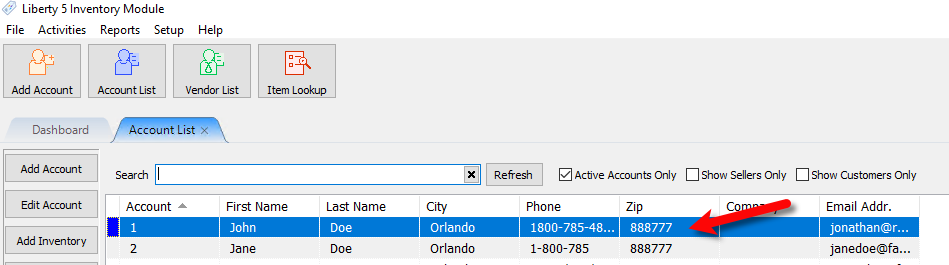
- Open any account you have already created a consignor contract for.
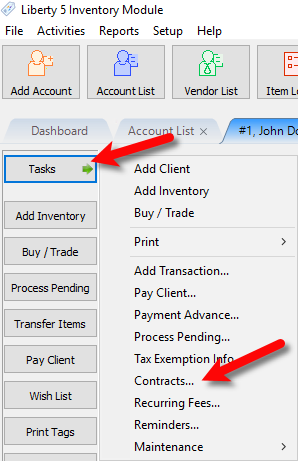
- Click on Tasks > Contracts…
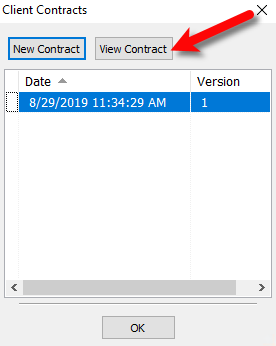
- Click the View Contract button.
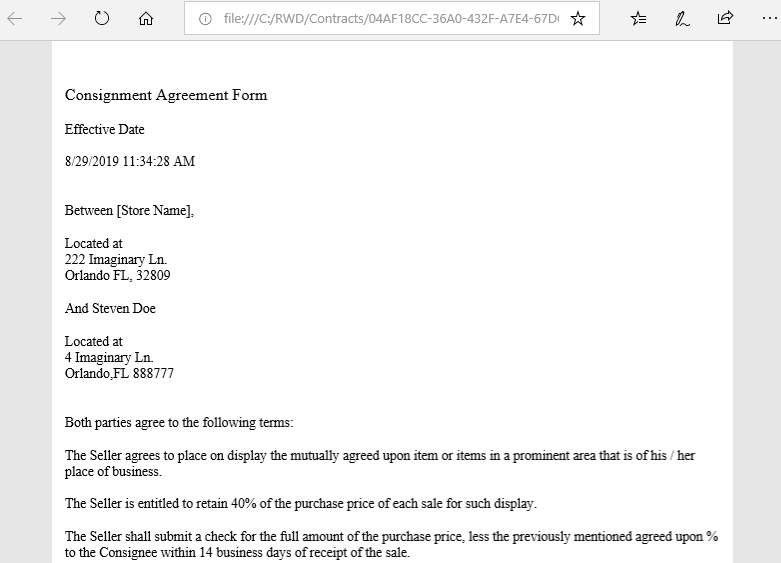
- You will then be taken to a PDF copy of their contract.


Next Article In Section
Click the following link to move to the next article in this section:
Email A Consignor Contract From An Account
Related Topics
Viewing a Consignor Contract From an Account Consignor Contract Creation Adding a Consignor Contract to an Account Training - Accounts Overview Add a New Client Account Add Notes to an Account Attaching a Consignor Contract to an Account Creating New and Maintaining Existing Accounts Deleting a Client Account Edit Account Information Email A Consignor Contract From An Account