Email A Consignor Contract From An Account
You can email any of your consignors their contract as long as you have your email setup with Liberty REACT.
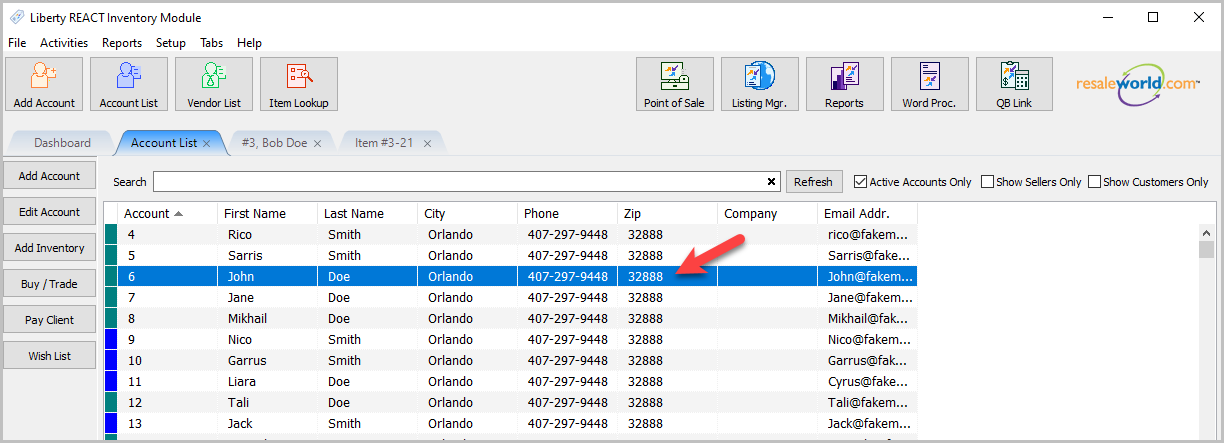
- Open any account you have already created a consignor contract for.
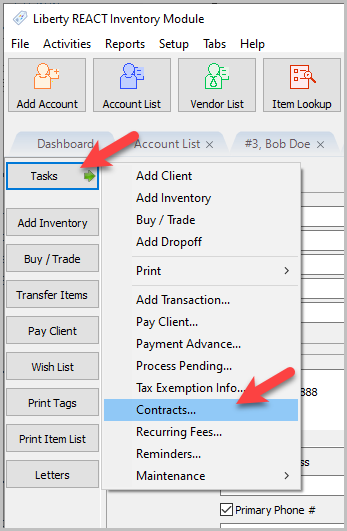
- Click on Tasks > Contracts…
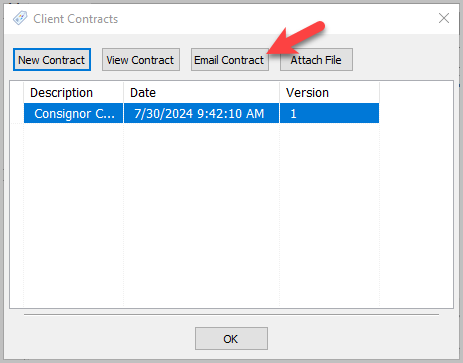
- Select a Contract, then click the Email Contract button.
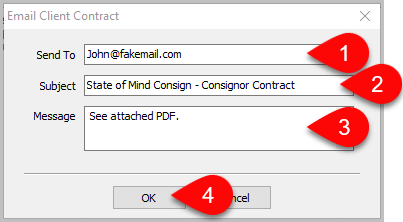
- Then the Email Client Contract window will appear. Ensure the consignors Sent To1 email is correct, and then you may edit the Subject2 and Message3 fields if desired. Once done, click OK4 to send the email to the consignor.


Important: The contract gets attached to the email as a PDF.
Next Section Navigation Link
Click the following link to see a list of articles for the next section:
Inventory Management
Related Topics
Email A Consignor Contract From An Account Consignor Contract Creation Adding a Consignor Contract to an Account Viewing a Consignor Contract From an Account Training - Accounts Overview Add a New Client Account Add Notes to an Account Attaching a Consignor Contract to an Account Creating New and Maintaining Existing Accounts Deleting a Client Account Edit Account Information