Automatic Markdowns by Tag Color
Use Tag Color Markdowns when you wish to automatically markdown the price of items based on calendar dates. To use Tag Color Markdowns a tag color must be assigned to item(s). The Tag Color field in the Item Entry window serves this purpose. See the section entitled The Item Entry Window for more information.
There are some pros and cons to using Tag Color Markdowns. The advantage to marking down inventory by tag color is that this method allows infinite flexibility - you can go by feel. You can look at your inventory and at any time, based on your appraisal of the situation, decide when or when not to discount inventory.
On the other hand you have to remember to do it – it's easy to forget to markdown. Using Liberty's Markdowns by Time may be a better option, as it ensures items are marked down automatically and consistently. Perhaps more importantly, when items are marked down inconsistently it becomes impossible to draw accurate conclusions from inventory reports on the relative merits of your markdown strategy and how much it is helping or hurting profitability.
Set Up Automatic Markdowns by Tag Color
- In the Liberty Inventory Module select the Setup > Price Codes > Tag Color Markdown.
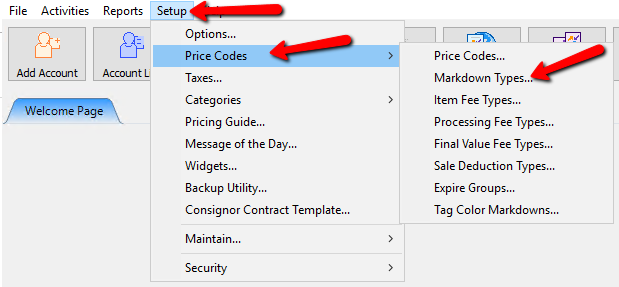
The Tag Color Markdowns dialog box opens.
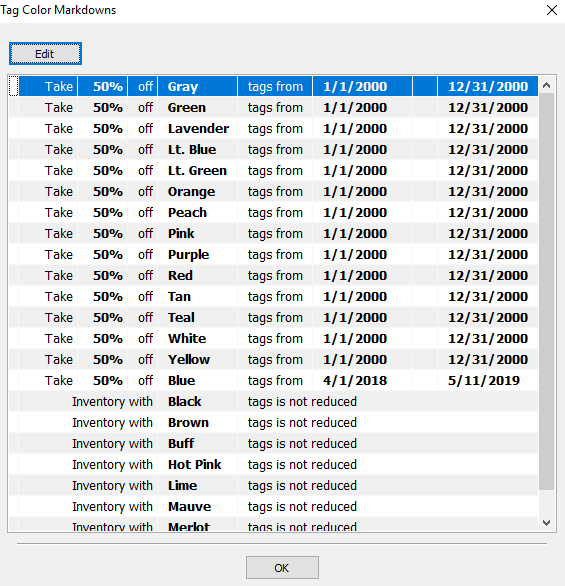
- Select the row that contains the tag color you want to modify and then select the Edit button.
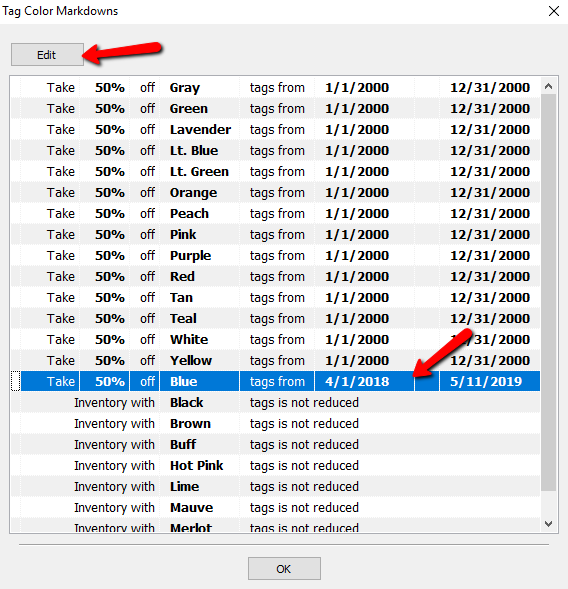
- The details of that Markdown Color will open.
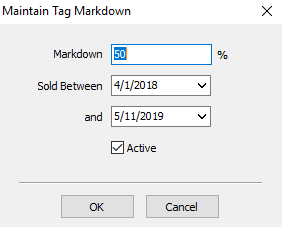
- Set the Markdown percentage.
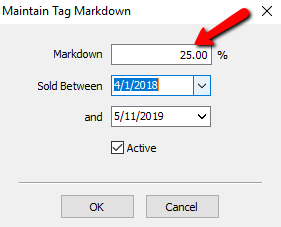
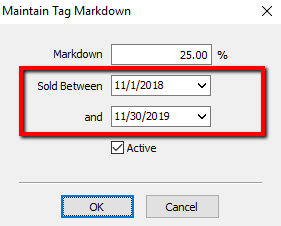
- Select the calendar in the Sold Between field and and fields (markdown start and end date).
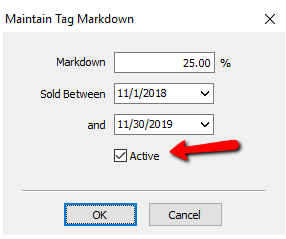
- Check the Active check box if it is not already selected. Deselecting the checkbox will inactivate the markdown for this color.
- Select the OK button when done.
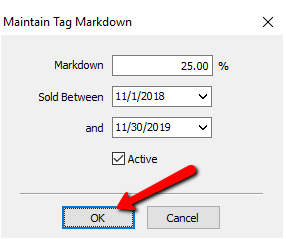


Now that this is complete, you will need to associate this markdown by tag color schedule to your Price Code.
Associating Markdown with Price Code
- In the Liberty Inventory Module select the Setup > Price Codes > Price Codes
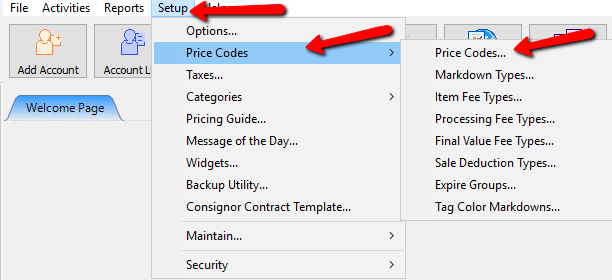
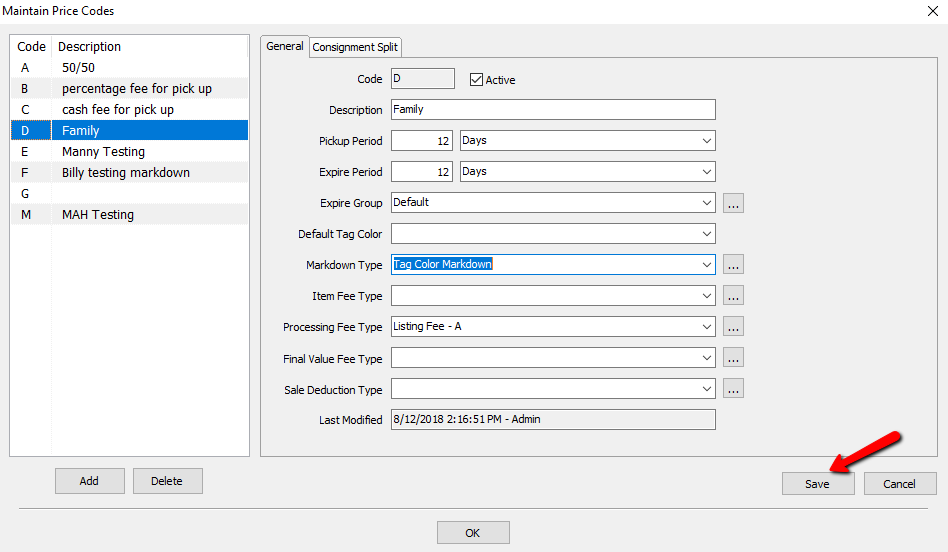
The Maintain Price Codes dialog box will open.
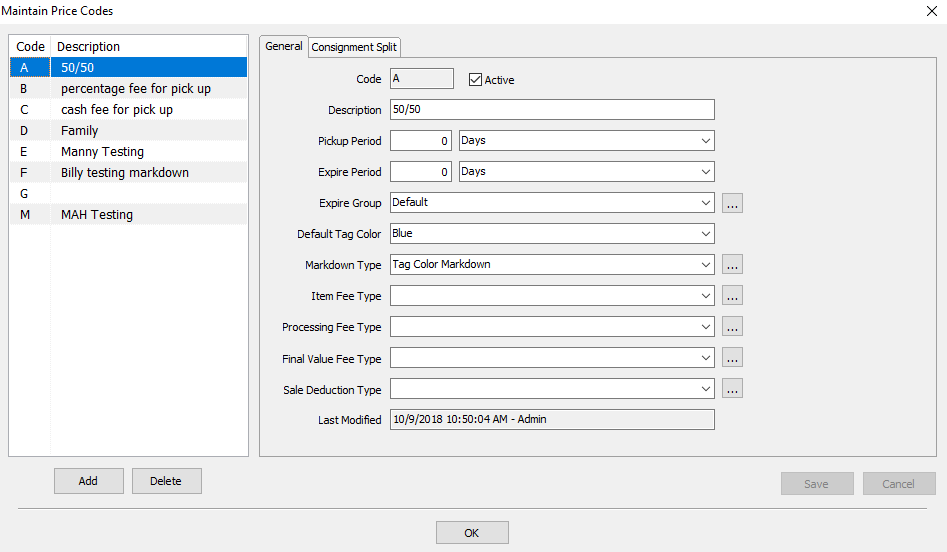
- Select the price code you want to have the markdown schedule applied to
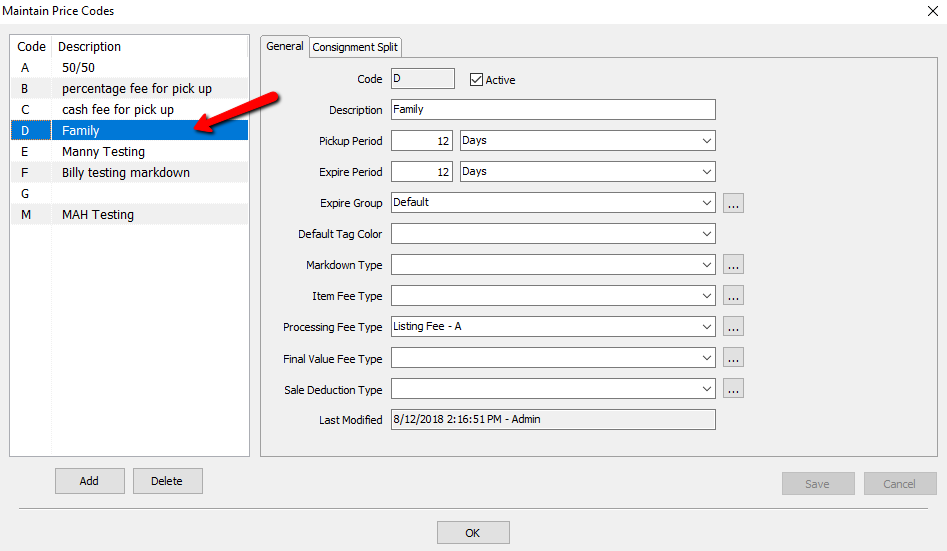
- Click the down arrow to the right of the Markdown Type and select Tag Color Markdown.
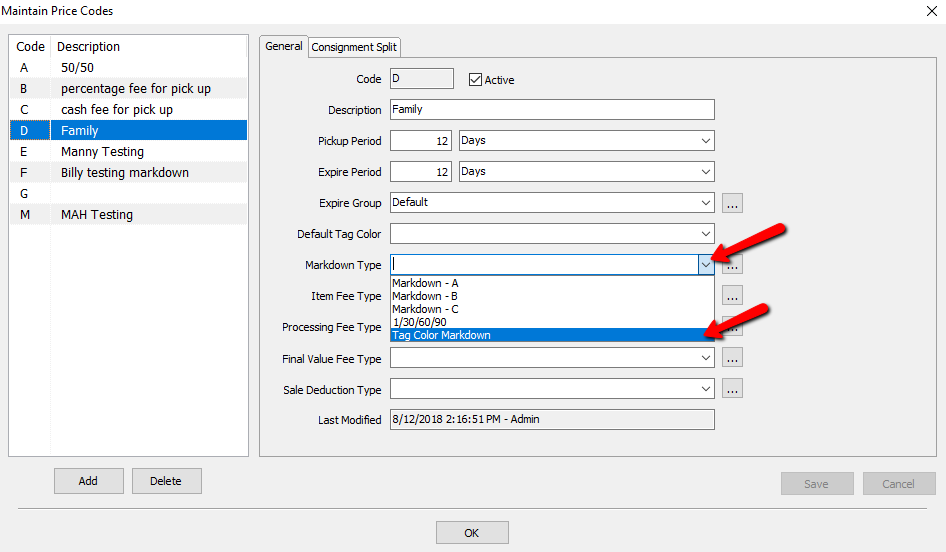
- Select the Save button in the Maintain Price Codes window.
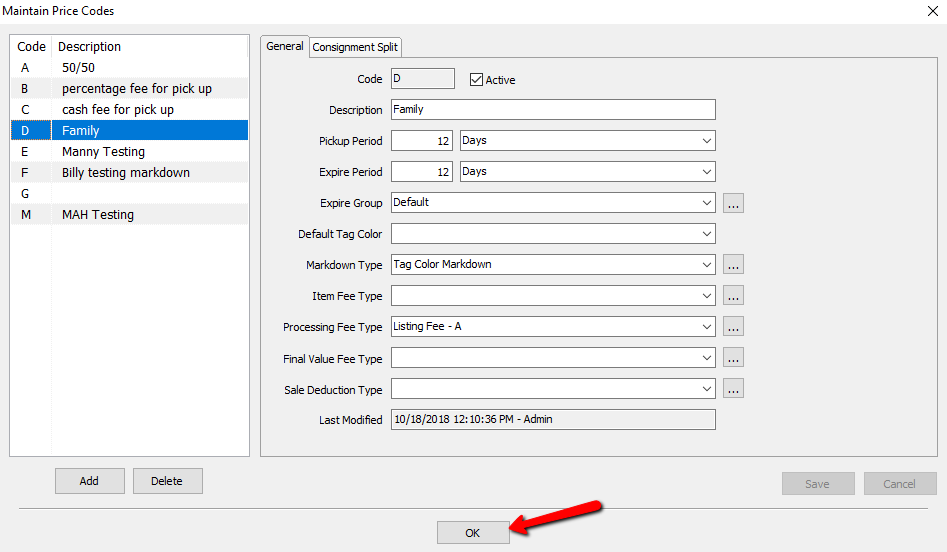
- Select the OK button to close out of the Maintain Price Codes dialog box.


Definitions
- Markdowns : Automatic price reduction based upon time, tag color, or calendar date.
- Price Code : Set of variables that determine markdowns, store/consignor split, pickup periods, item fees, listing fees, final value fees, sale deductions, and setting the expire period, pickup period, and expire group.
Next Article In Section
Click the following link to move to the next article in this section:
About Item Fees