Turn Categories On and Off
When entering items into Liberty the Categories you wish to use must be Active. To Activate Categories, use the Category Editor. (It is also possible to activate categories in the Set Up Wizard when Liberty is first installed.)
You also have the ability to determine which Active Categories are visible or invisible in the Select Category dialog in the Item Entry window. The default is for all Categories to be Visible.
Why make a Category Active but Invisible? Doing so reduces the number of Categories shown in the Select Category dialog, without removing the ability to use that particular Category. This is ideal for Categories that are rarely used.
How To Activate A Category
- From the main menu, click on Setup > Categories > Category Editor.
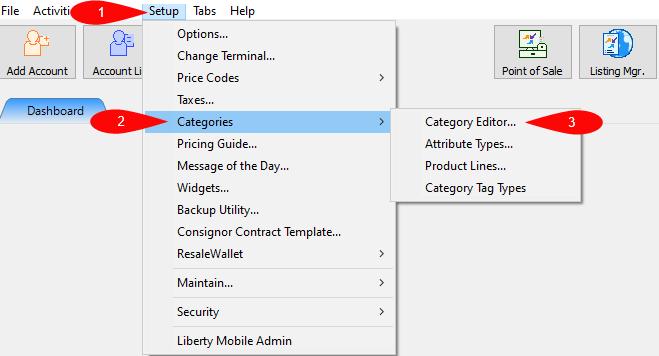
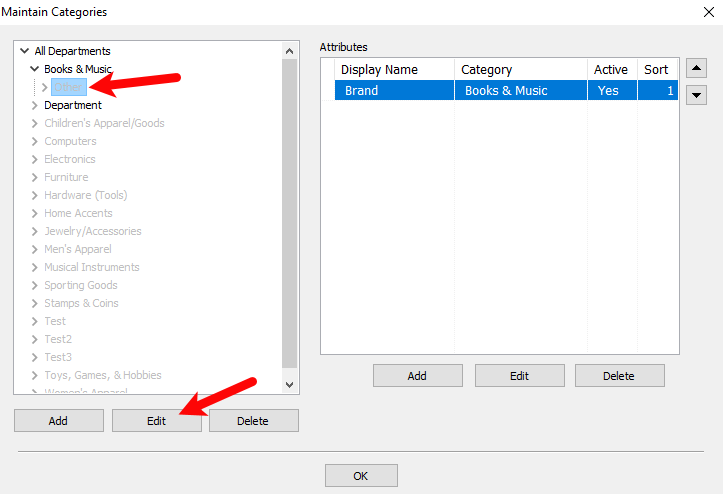
The Maintain Categories dialog box appears.
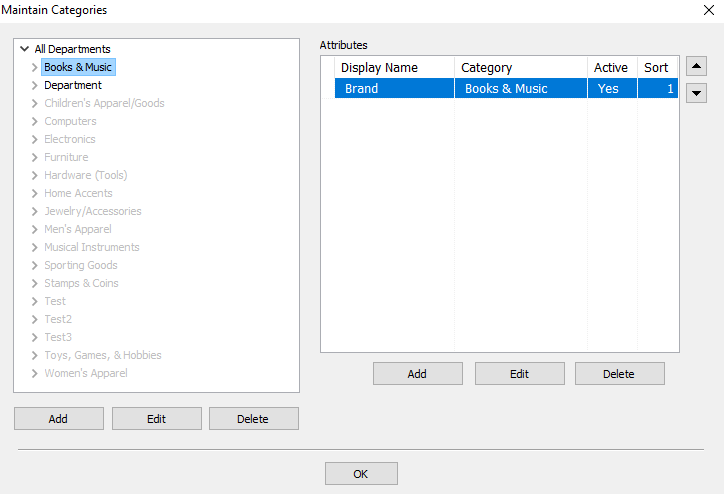
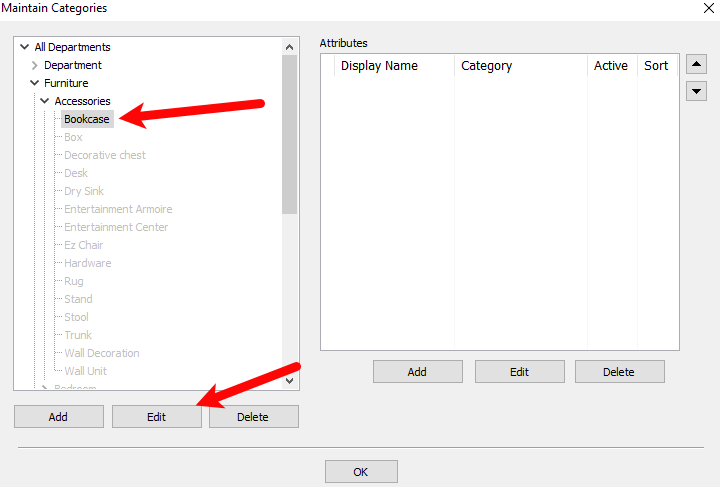
In the Maintain Categories box, highlight the Category 1 or Parent Category to be Activated. Please notice that the categories in light gray color are the categories currently disable.
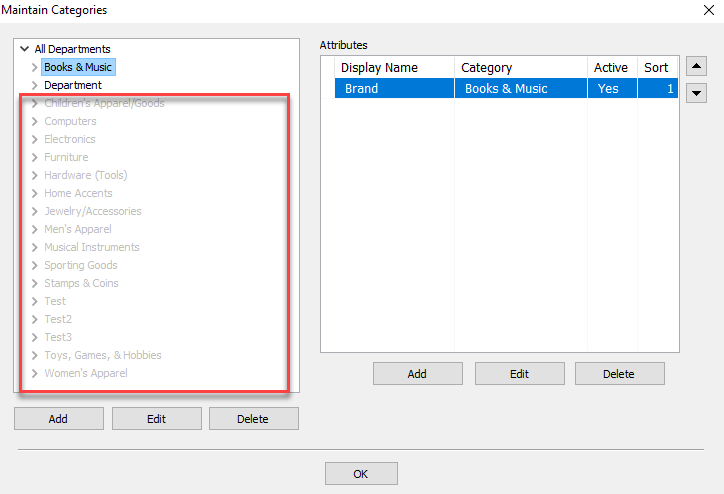
- Highlight the category you wish to activate and select the Edit button.
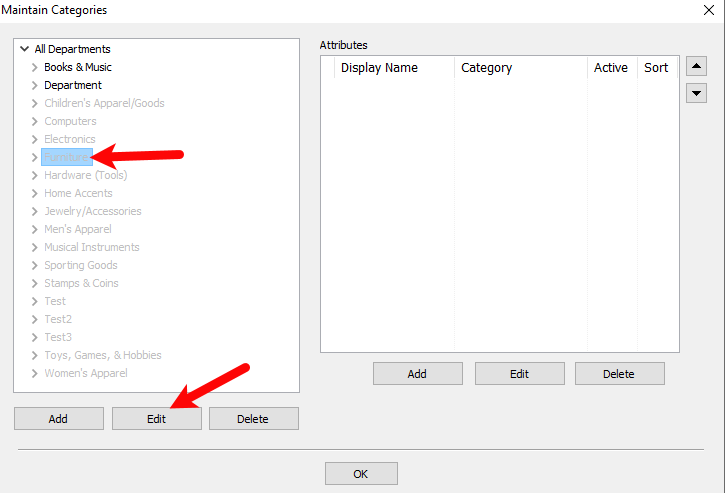
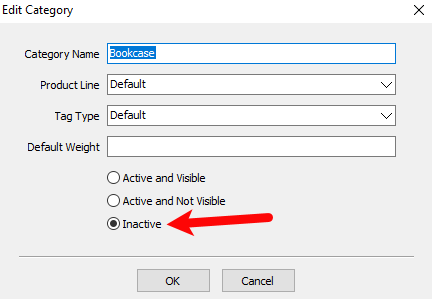
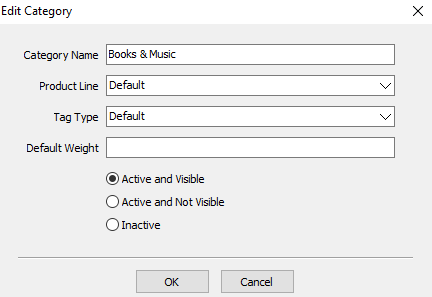
The Edit Category dialog box appears.
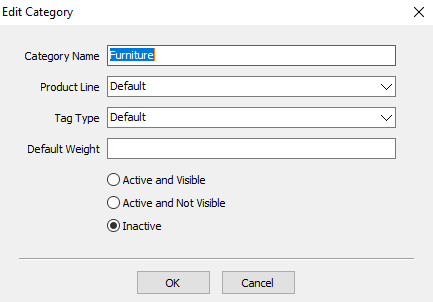
- Active And Visible : Categories are in the color black. They are active and can be seen when entering items.
- Active And Not Visible : Categories that are active but, cannot be seen when entering items.
- Inactive : Categories that are not active and can not be seen.
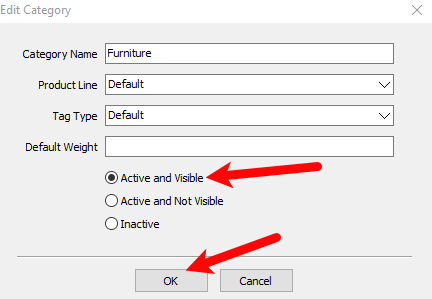
- Select the Active and Visible option, then select the OK button.
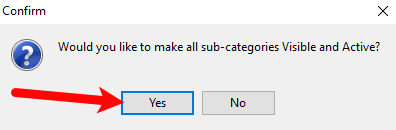
- A dialog will appear asking Would you like to make all sub-categories active?. Clicking Yes will apply the changes to all child categories
- If the child level categories need to be kept Inactive, use the Category Editor to navigate to those Categories. Click on the Category then select the Edit button.
Select the Inactive option.
Select the OK button.
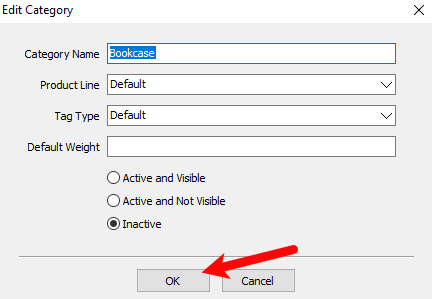
Note: This will Cascade to all level 3 Categories beneath the level 2 Category. - Repeat step 5 until all Categories are set up as desired.


How To Make A Category Invisible
- From the main menu, click on Setup > Categories > Category Editor.
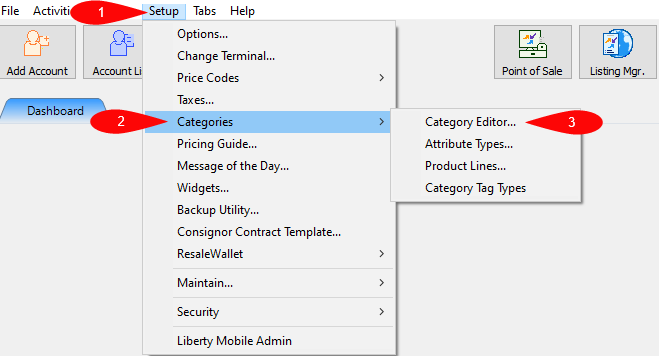
The Maintain Categories dialog box appears.
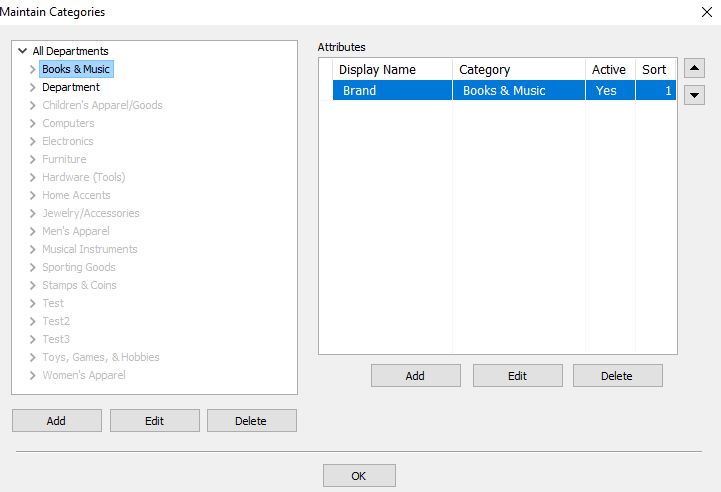
- In the Maintain Categories box, highlight the Category 1 or Parent Category you wish to make invisible.
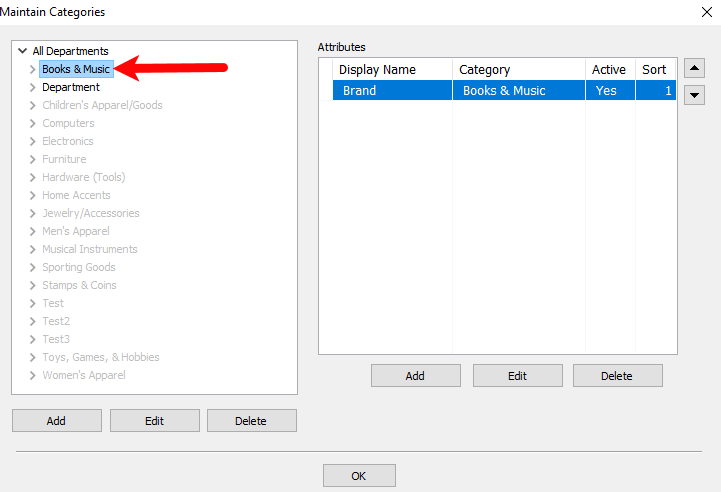
- Select the Edit button.
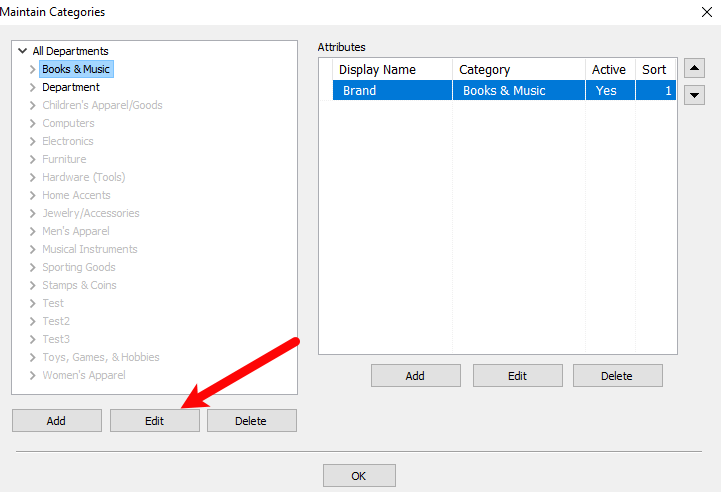
The Edit Category dialog box appears.
- Select the option that says Active and Not Visible, and then click OK.
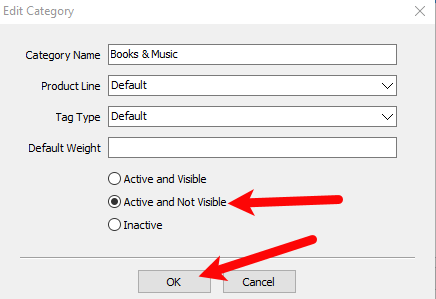
Note: This change will Cascade to all Child Categories. - If the child level categories need to be kept Active, use the Category Editor to navigate to those Categories. Click on the Category then select the Edit button.
- Repeat step 5 until all Categories are set up as desired.


Categories Overview The Category Editor
Next Article In Section
Click the following link to move to the next article in this section:
Add, Change and Delete Categories