Item Processing Fee
What is an Item Processing Fee?
Item Processing Fees allow fees to be assessed to consigned items. Item Processing Fee are paid by consignors on each item consigned, regardless whether the items sell or not.
When a Item Processing Fee is assessed, the Deduction (fee) is posted to client’s Transaction History.
Item Processing Fees may vary depending on the price of items. For instance, items that sell for less than $100.00 might have a deduction of $1.00 and those that sell for more have a deduction of $2.00. There is no limit to the number of different price levels and deductions that may be established.
Creating An Item Processing Fee
- On Inventory Module, select Setup > Price Codes > Processing Fee Types.
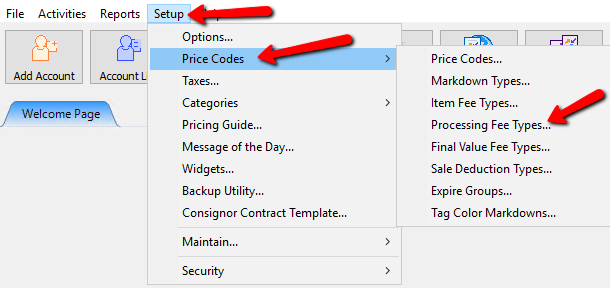
The Processing Fee Types dialog appears.
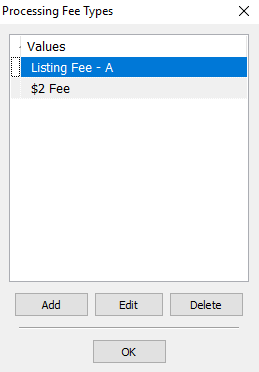
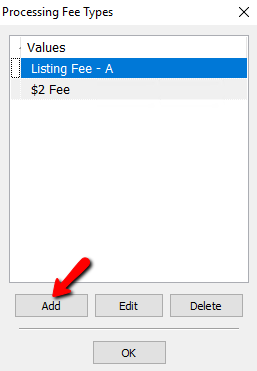
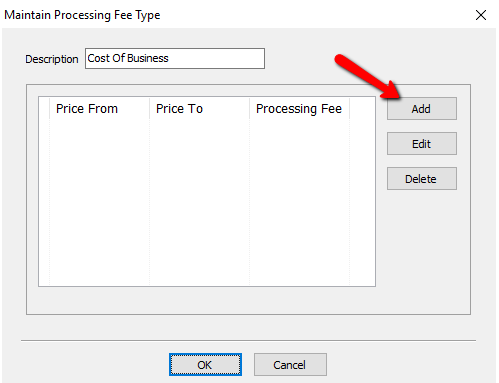
- Click the Add button.
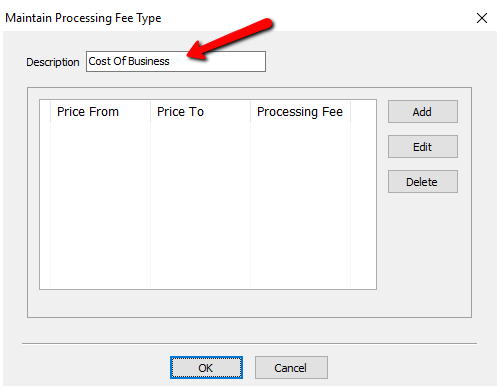
The Maintain Processing Fee Types dialog appears.
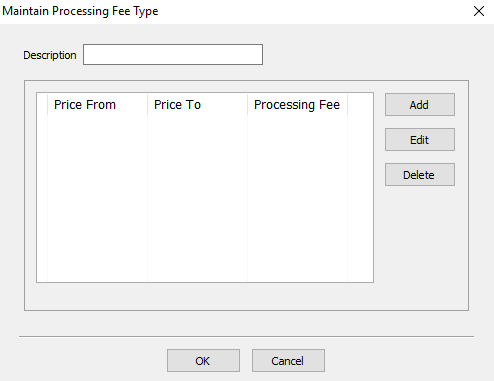
- Provide a Description for your Processing Fee.
- Click the Add button.
The Maintain Processing Fee dialog appears.
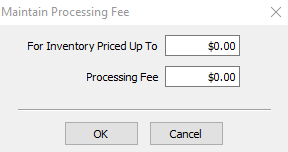
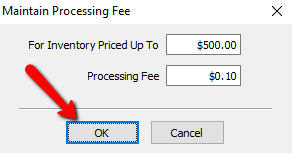
- Fill out the values for the Inventory Price Up To and the Processing Fee Amount The press the OK button.


Adding An Item Processing Fee To A Price Code
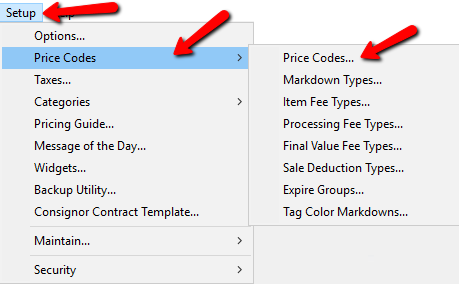
- In Liberty go to Setup > Price Codes > Price Codes.
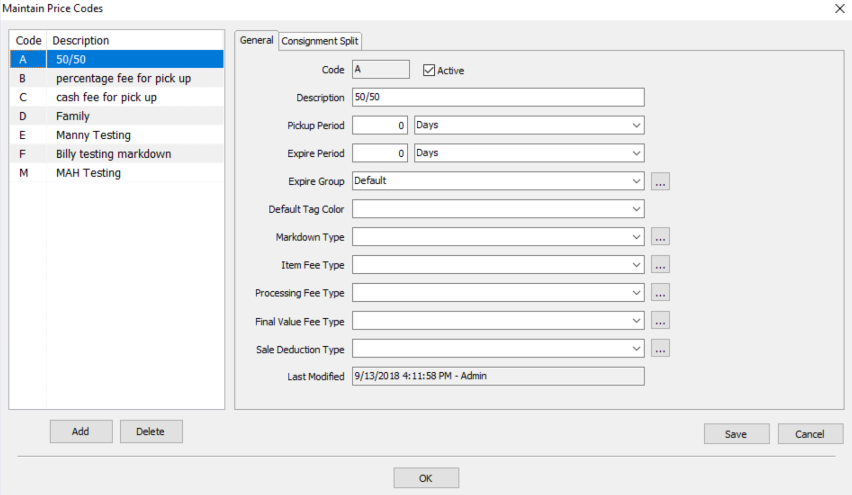
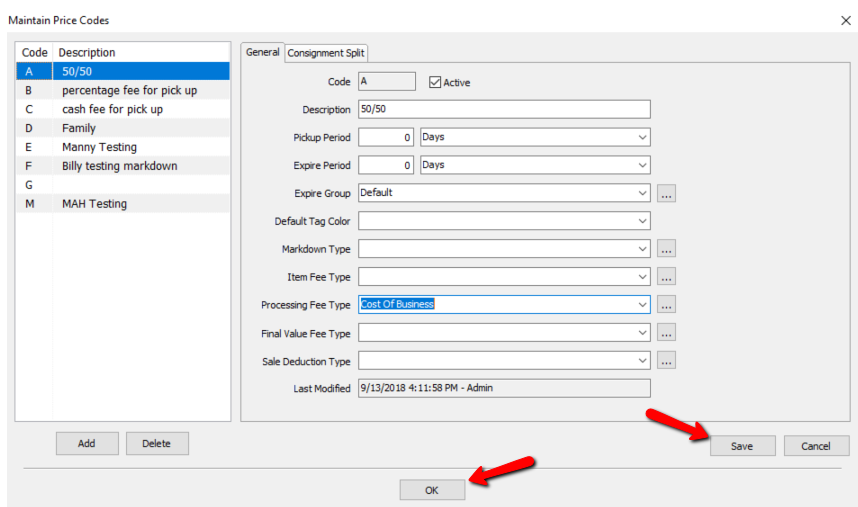
The Maintain Price Codes dialog appears.
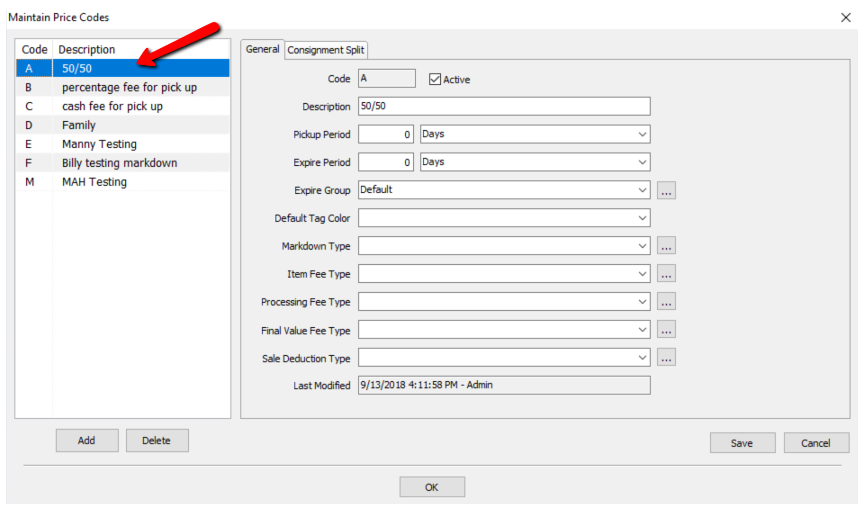
- From the left side, select the Price Code you wish to implement a Per Item Deduction.
- Under General, find the Processing Fee Type drop down and select the fee you want to apply to the Price Code.
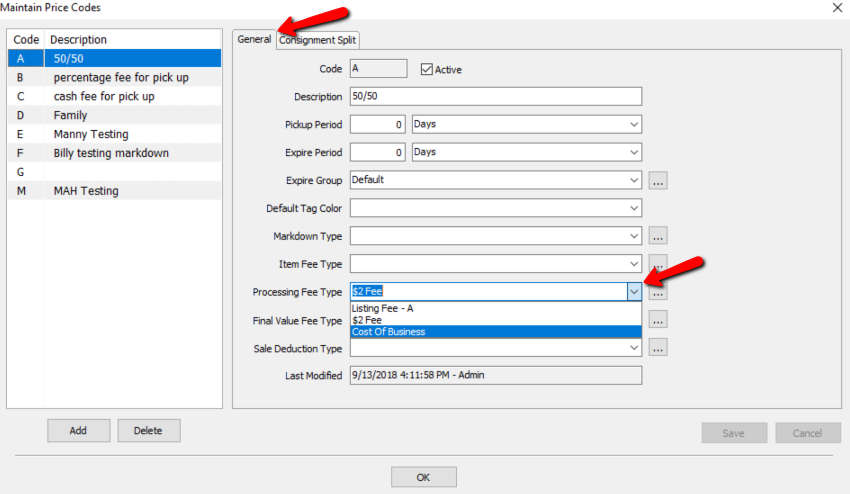
- Select the Save button, then the OK button.


For any new items added to a consignors account that has a price code with the Processing Fee, a transaction will be created on the consignors account showing that specific deduction.

Note: Any account where inventory has the specified price code that contains the processing fee, will assess that fee. Processing Fee is tied to Price Codes, not the individual account.
Related Topic Sale Deductions Final Value Fees
Next Article In Section
Click the following link to move to the next article in this section:
Expire Groups