Setting Up A Default Weight For New Items Within A Category
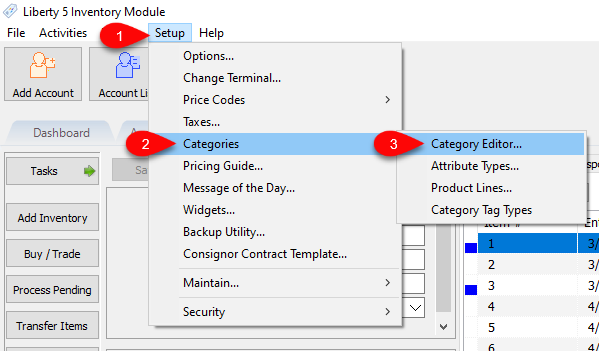
- In Liberty, go to Setup > Categories > Category Editor…
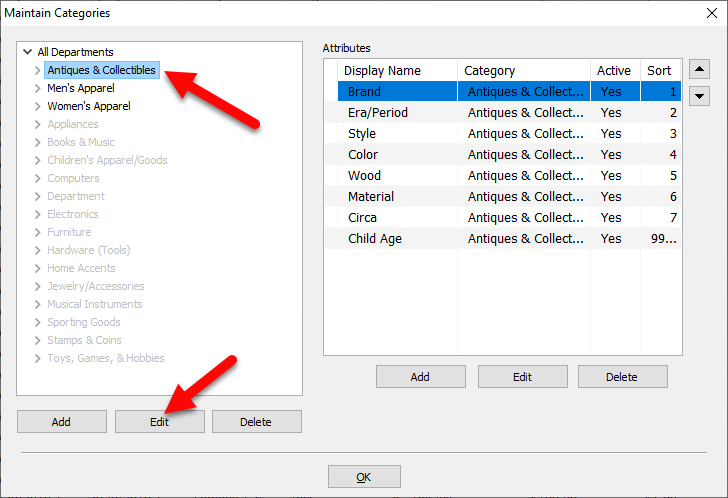
- Then select the desired Category, then click Edit
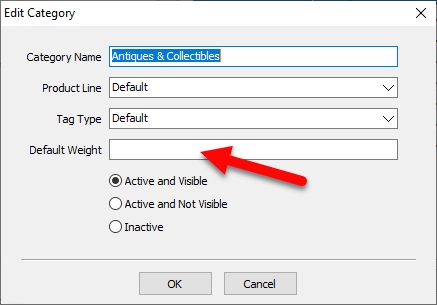
- In the Edit Category dialog, enter in the Default Weight field the desired weight you wish newly entered items in the selected category to default to. Once done, click OK.
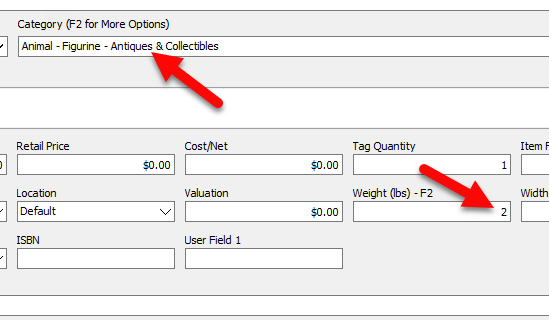
- Now when entering a new inventory item, if the applicable Category is selected during item entry, the Weight field will automatically have the Default Weight you specified.


Next Article In Section
Click the following link to move to the next article in this section:
Setup Fee Frequencies
Related Topics
Setting Up A Default Weight For New Items Within A Category Define Custom Field Names Define Filter Codes Setup Fee Frequencies Setting Up Account Field Layout Setting Up Expire Groups Setting Up Group Deductions Setting Up Locations Setting Up Store Sections to Track Inventory Locations Spell Checking for Item Descriptions Setting up email settings in Liberty