Automatic Credit Card Fee To Consignor's Account
There may be certain situations where you want to pass along the credit card fee to an account. This is typically in a store to vendor situation.
We do this by adding a credit card fee client transaction into Liberty and attaching it to the Credit Card Payment Type(s).
Note: Please make sure you consult with your CPA or Accountant before applying an Automatic Credit Card Fee deduction.
Adding credit card client transaction to Liberty
- Click on Setup > Maintain > Transaction Types
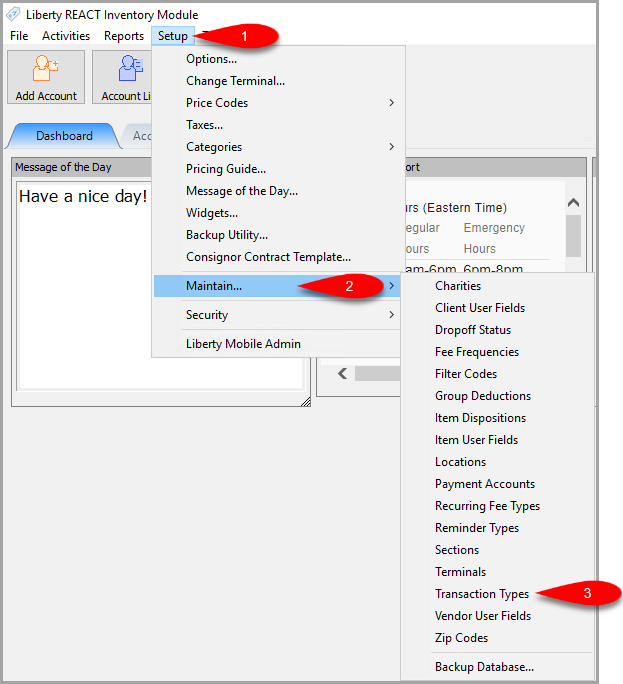
- Confirm you don’t already have a Credit Card Fee client transaction in the list
If you do not, then click the Add button.
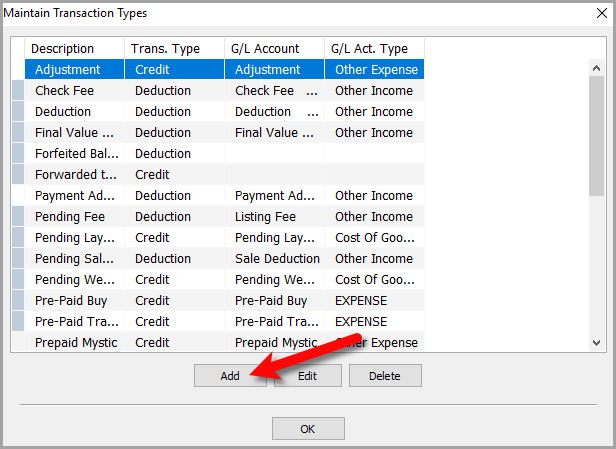
- We are now going to create the Credit Card Fee client transaction.
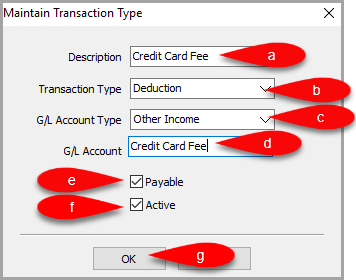
- Description: You can use any description you want to describe this fee. We used Credit Card Fee in this example.
- Transaction Type: As we are going to be deducting this fee from accounts, this will need to be a Deduction.
- G/L Account Type: This is for your Quickbooks Link, select the applicable G/L Account type.
In this example, we used Other Income. - G/L Account: This is what we want to name the general ledger account when it gets synced over to Quickbooks via the Quickbooks Link.
- Payable Checkbox: We want this transaction to affect the account’s Payable balance. This box should be checked.
- Active: This enables the Client Transaction so that it can be used in general.
- Click the OK button when you are finished.


Enabling Automatic Credit Card Fee deduction on Payment Types
- Open Liberty POS, then click the More… button and Sign-In.
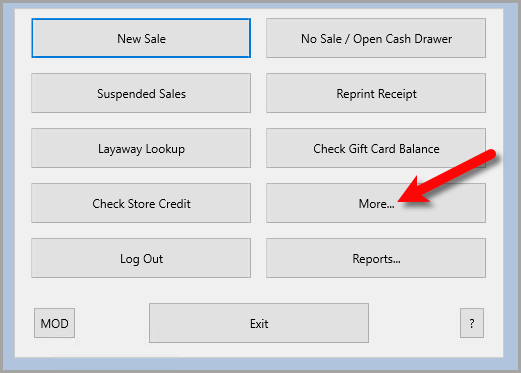
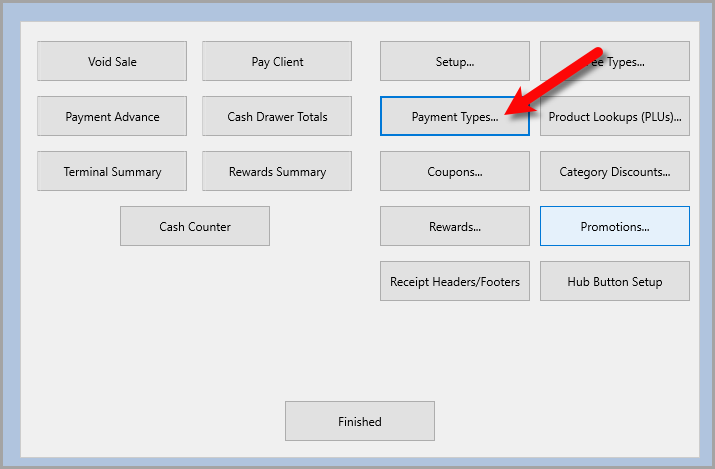
- Click the Payment Types… button.
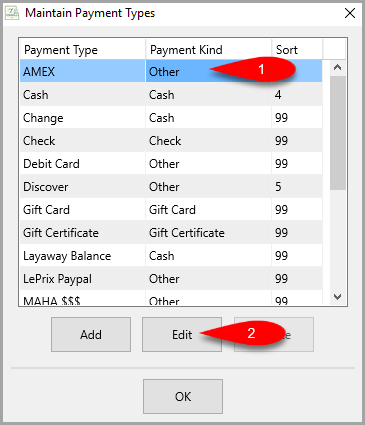
- Click on a Credit Card payment option and then click the Edit button.
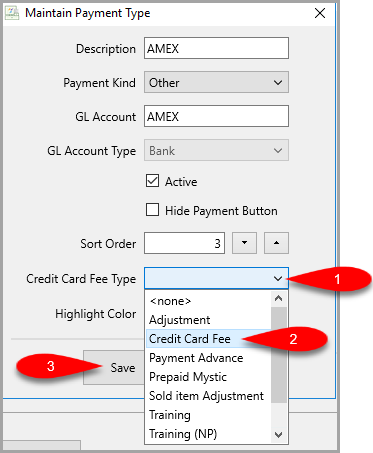
- Click the Credit Card Fee Type drop down and then select the Credit Card Fee client transaction we created in the previous section. Then click the Save button.
- Now, you must repeat the above steps until you have gone through all the credit card types that are available


They usually are Visa, MC (Master Card), AMEX (American Express) and Discover.
Click the OK button when you are finished.

Setting a credit card fee percentage on an account
To apply an automatic credit card fee deduction to an account, you must first set the percentage on that account.
- Open the Liberty REACT inventory module, then find and open the account you want to enable the Automatic Credit Card Fee deduction for.
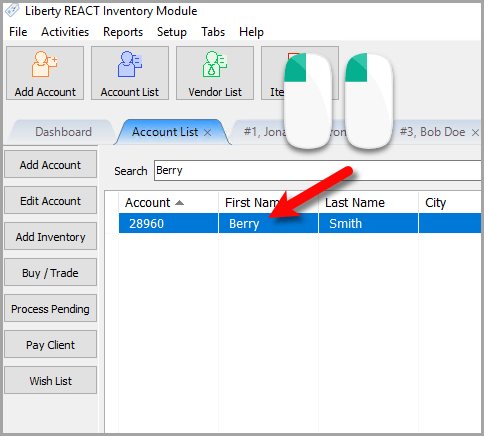
- In the Account Details area for your currently selected account, scroll down till you see the Credit Card Fee (%) and type the fee percentage you would like the charge.

This is normally what your sale tax would be.
Then click the Save button.

How credit card fees look when applied to a client account
Whenever you ring up an item associated with an account, the credit card fee will automatically be deducted from that account.
Here is an example of what this looks like:

Next Article In Section
Click the following link to move to the next article in this section:
Setting Up Fee Types
Related Topics
Automatic Credit Card Fee To Consignor's Account Setting Up Fee Types Setting Up Payment Types Setting Up Promotions Add, Change and Delete Attribute Types Add, Edit and Delete Attribute Values Assign Attributes Types to Categories Make an Attribute Inactive Change Order of Attributes on Item Entry Screen Overview of Attributes Printing the Size Attribute on Price tags