Make an Attribute Inactive
Once an Attribute has been used to describe an item it cannot be deleted. Attributes may, however, be made Inactive. Making an Attribute Inactive cause the Attribute to not appear in the Attributes Panel in the Item Entry screen.
To Make Attribute Inactive:
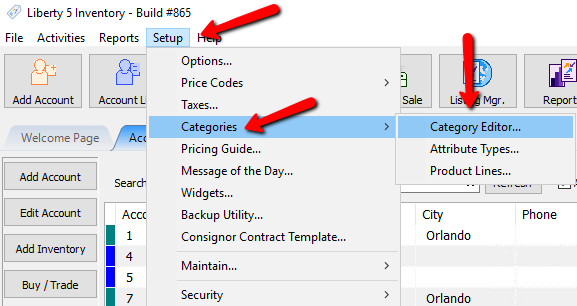
- From the Main menu, click on Setup > Categories > Category Editor.
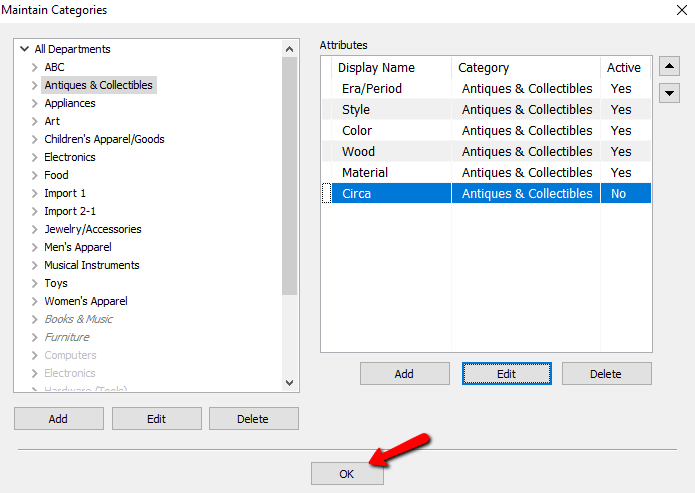
The Maintain Category dialog box will open.
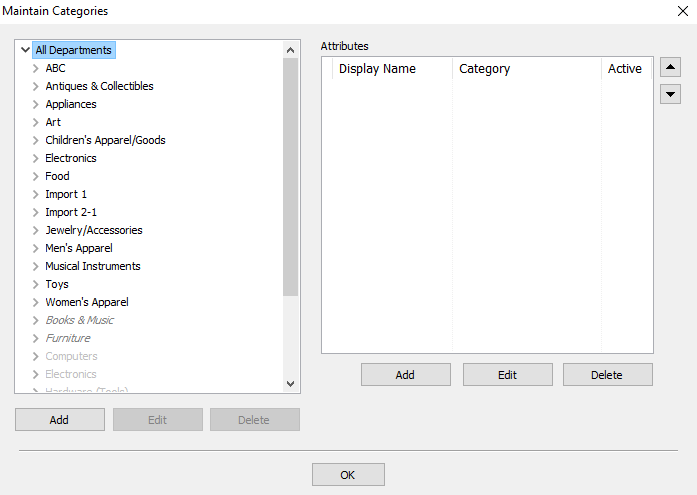
- Select the Category containing the Attribute you wish to make Inactive.
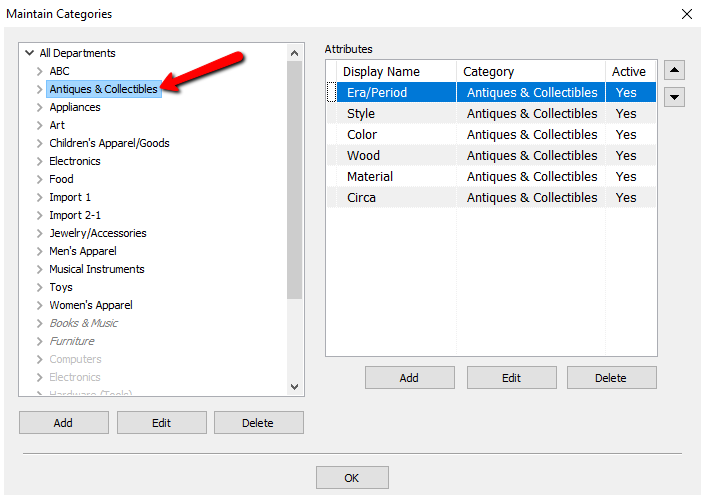
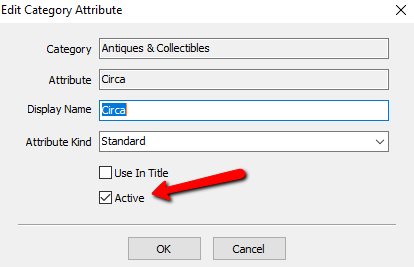
- Select the Attribute to be made Inactive in the list of Attributes and select Edit.
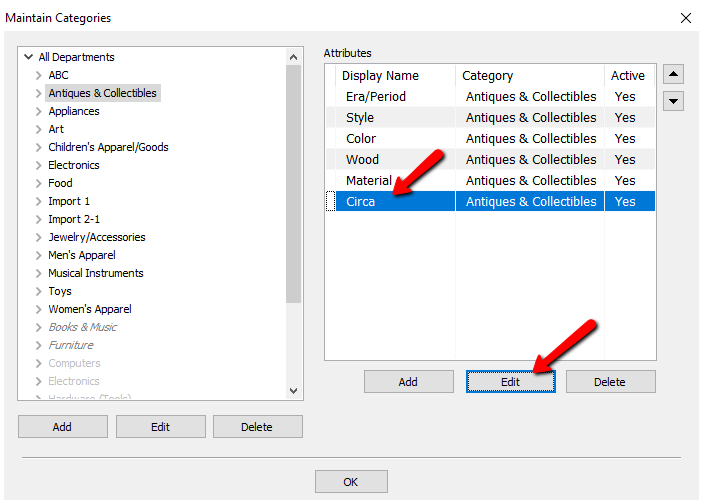
- Remove the check from the Active check box.
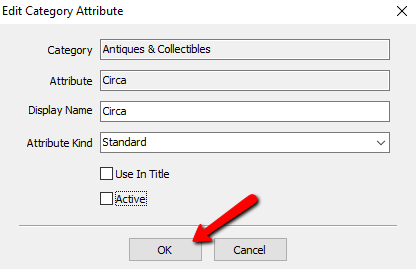
- Select the OK button.
- Select the OK button to close the Maintain Categories dialog box when done.


Next Section Navigation Link
Click the following link to see a list of articles for the next section:
Point of Sale
Related Topics
Make an Attribute Inactive Remove an Attribute from a Category Overview of Attributes Category Editor Add, Change and Delete Attribute Types Add, Edit and Delete Attribute Values Assign Attributes Types to Categories Change Order of Attributes on Item Entry Screen Printing the Size Attribute on Price tags Show Attributes in Item Titles Account Defaults