Vendor User Fields
Vendor User Fields are custom fields that can be used to track data on vendor accounts. Fields not entered into Liberty by default, but data we wish to track.
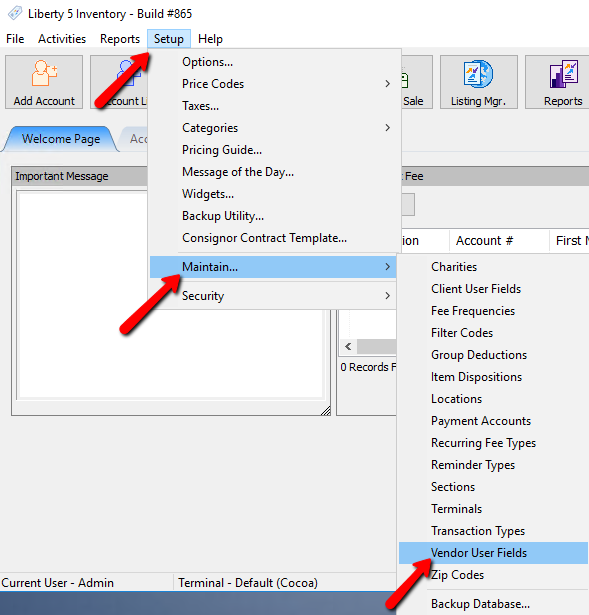
- Within Liberty select Setup > Maintain > Vendor User Fields.
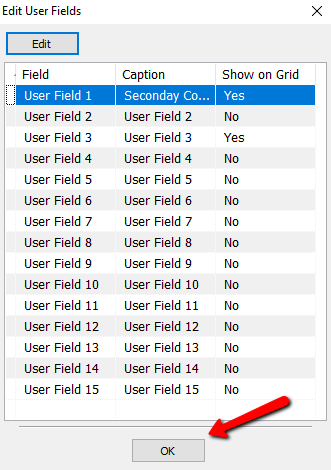
The Edit User Fields dialog box will open.
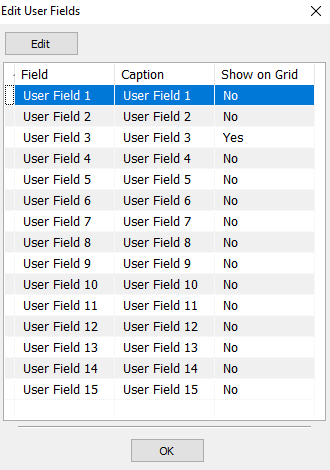
- Highlight a field you wish to modify and select the Edit button.
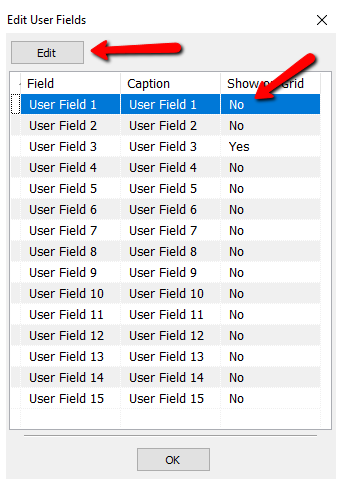
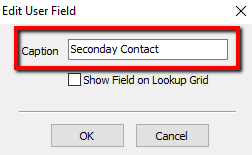
The details of that User Field will open.
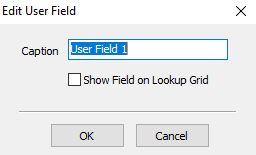
- Caption : Enter in the customer name you want to use for this field.
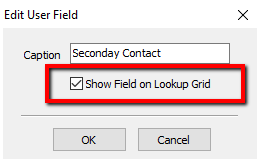
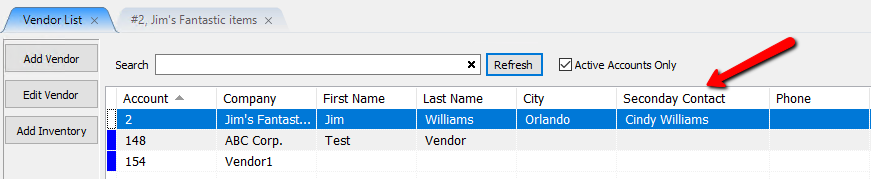
- Show Field On Lookup Grid (Check Box) : Selecting this will allow the custom field to show up in the Vendor Account List.
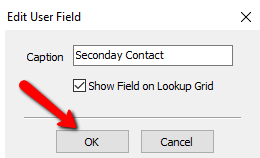
- Select the OK button when done.
You should see the the changes you have made.
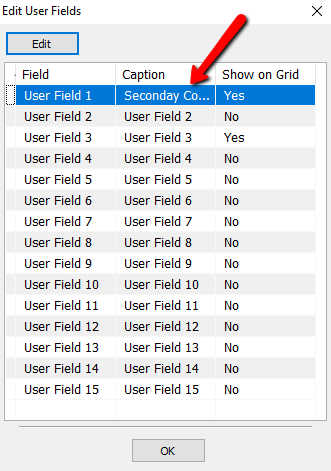
- Select the OK button again to close out of the Edit User Fields dialog box.
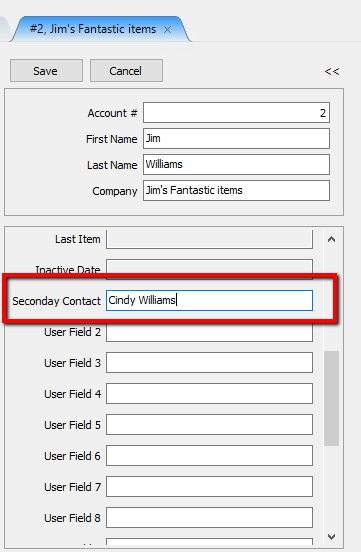
- You should now see the changes in the Vendor Account List and in the Account Details.


Next Article In Section
Click the following link to move to the next article in this section:
Zip Codes