Payment Accounts
When making payouts a bank account must be selected in the Pay from Account field. Bank accounts are set up using Payment Accounts. You can have more than one bank account.
- Within Liberty select Setup > Maintain > Payment Accounts.
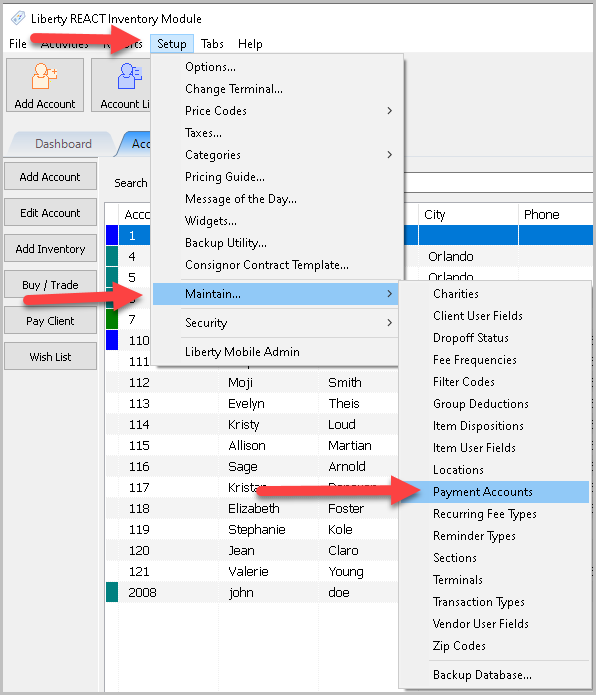
The Payment Accounts dialogue box will open.
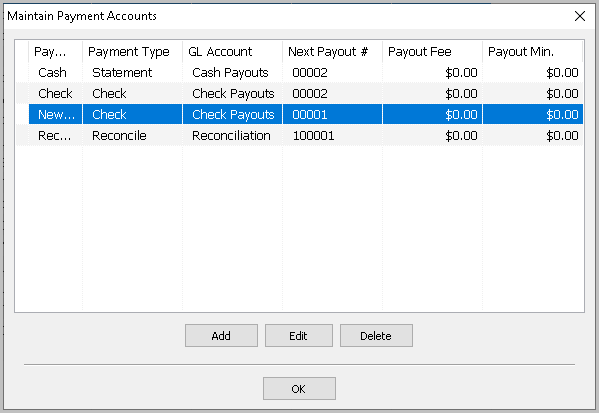
- Selecting the Add button or the Edit button will open the details of the Payment Account. Selecting the Delete button will delete the Payment Account.
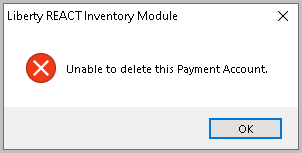
Note: Once a Payment Account has been used, it cannot be deleted. You will get the following error.
The Payment Accounts dialogue box will open.
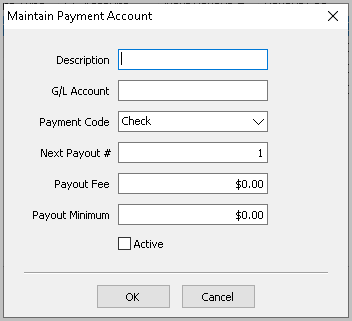
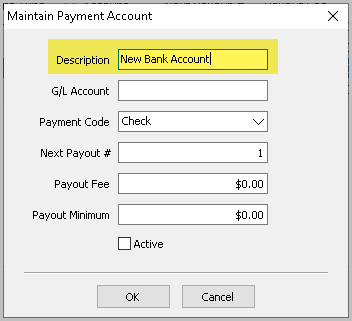
- Description : Enter in the Description for the Payment Account.
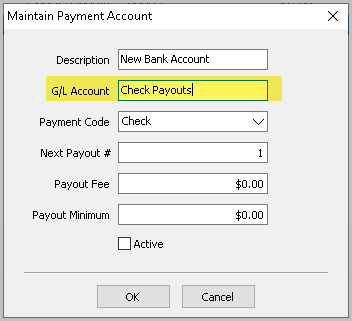
- G/L Account : This is the G/L Account that the Quickbooks Link will put this information. See Quickbooks Link for more information.
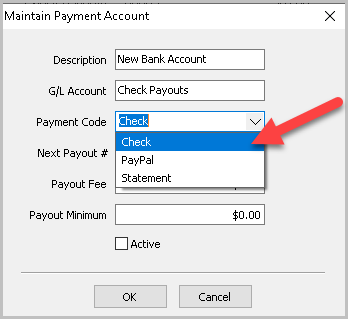
- Payment Code : Click the dropdown and choose Check or Statement.
- Check : This indicates a check will be made when processed.
- Statement : Indicates a payment Statement will be made. Use this when issuing cash.
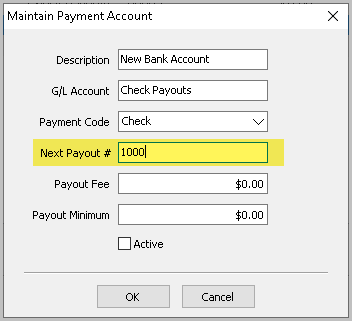
- Next Payout Number : Enter in the next number to be used when a payout is processed through this Payment Account.
- Payout Fee : Enter the Payout (Check) Fee, if any. The amount of this fee will be deducted from the payment.
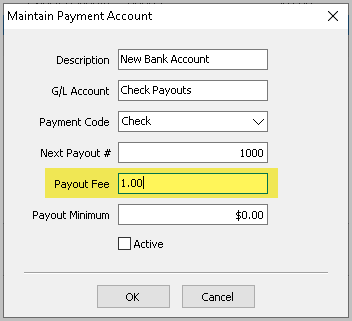
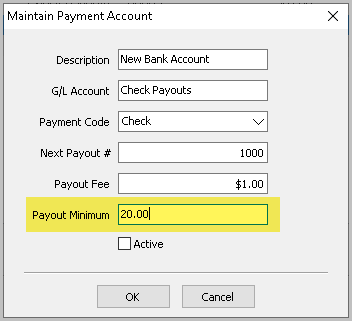
- Payout Minimum : Enter the minimum amount for which a payment may be made. If the account holder is owed less than the amount entered no payment will be made.
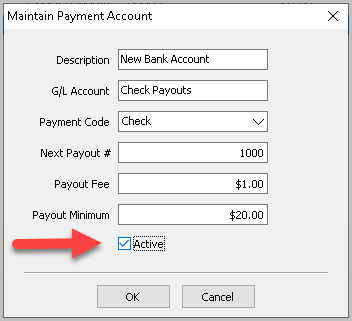
- Active Check Box : Place a check in this box to make the payment account active and available to use during payouts. If you no longer want to use a payment account uncheck the box to make it unavailable while performing a payout.
- Press the OK button when done.
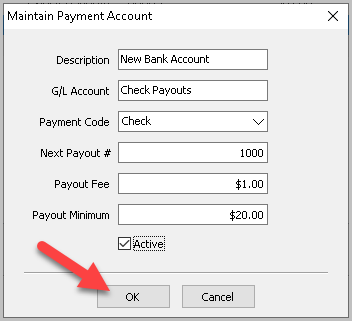
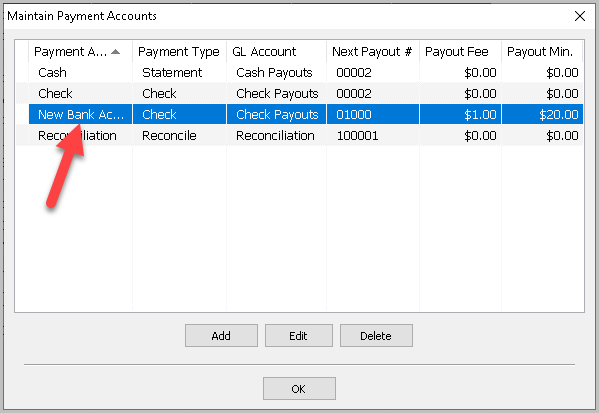
You should see your new Payment Account in the List.
- Press the OK button when done.


Next Article In Section
Click the following link to move to the next article in this section:
Recurring Fee Types