Group Deductions
The Group Deduction tool is used to assign a deduction to multiple accounts at one time.
Example: You want to charge consignors an annual fee for consigning in your store. Each month you wish to charge everyone who signed up in your store in the same month, prior year. With the Group Deduction tool, this can be done.
See Apply Group Deductions to be able asses a group deduction fee to multiple accounts.
To Maintain Group Deductions
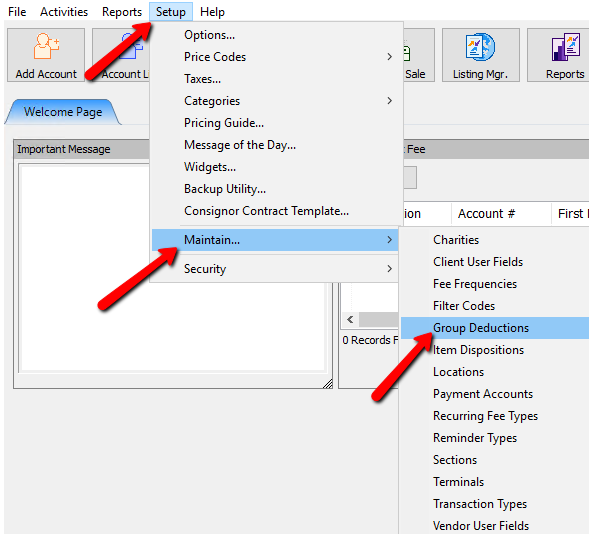
- Within Liberty select Setup > Maintain > Group Deduction.
The Saved Group Deductions Dialogue Box will appear.
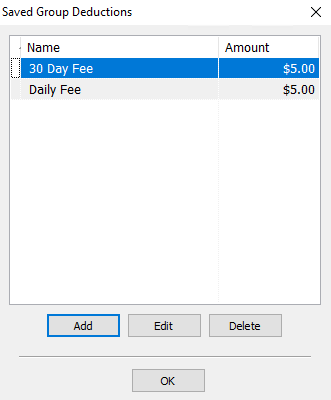
- Selecting the Add button or the Edit button will open the details of the Group Deduction. Selecting the Delete button will delete the Group Deduction.
Note: For accounting purposes, once a Group Deduction has been used, it cannot be deleted.
The Saved Group Deduction Dialogue box will open.
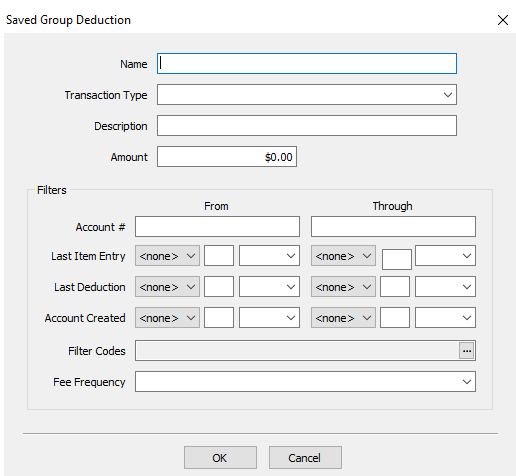
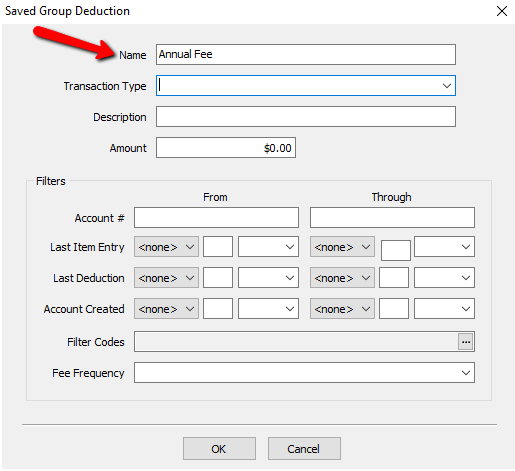
- Name : Enter the name for the Group Deduction.
- Transaction Type : Select the dropdown and choose a Transaction Type to be associated with the Group Deduction. For more information, see Transaction Types.
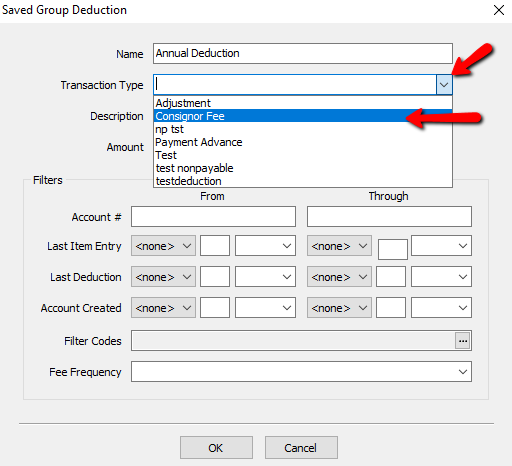
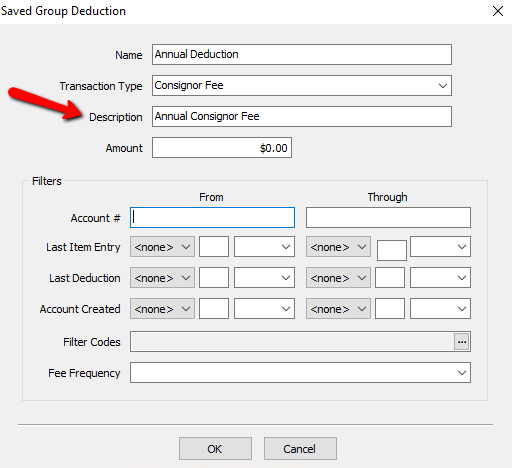
- Description : Enter in a small description to tell you what this Group Deduction is for. This will appear on the Transactions Tab of the account.
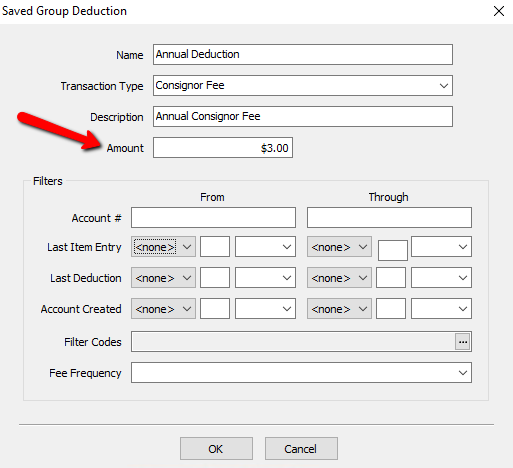
- Amount : The amount that will be deducted when the Group Deduction is applied.


Group Deduction Filters
The Group Deduction Filters help you to apply deductions to specific accounts. These are not mandatory to use, and you can use as many or as little of them as you need.
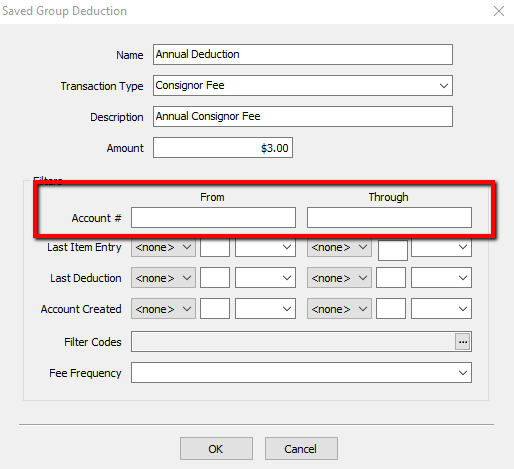
- Account # : Use this filter if you want to select a block of accounts. Enter in the beginning account in the From field, and the ending account in the Through field.
- Last Item Entry : Use this filter if you want to select the last time an item was entered. Select ‘Today’, to look for items entered on today’s date, or ‘Past’, to look for items previously entered.
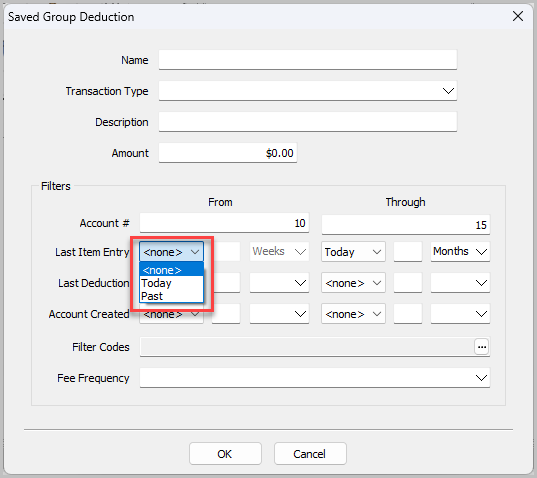
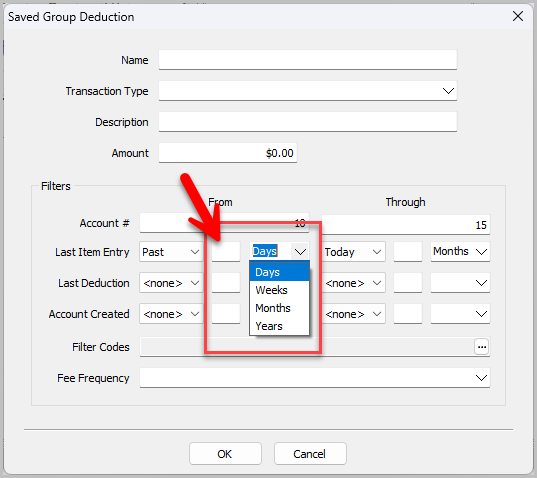
With ‘Past’ selected, you can assign a number to the dropdown options ‘Days’, ‘Weeks’, ‘Months’, ‘Years’ to indicate how far back you would like to deduct items entered for:
- Last Deduction : Use this filter if you want to select the last time a deduction was made. Select ‘Today’, to look for deductions done on today’s date, or ‘Past’, to look for deductions previously done.
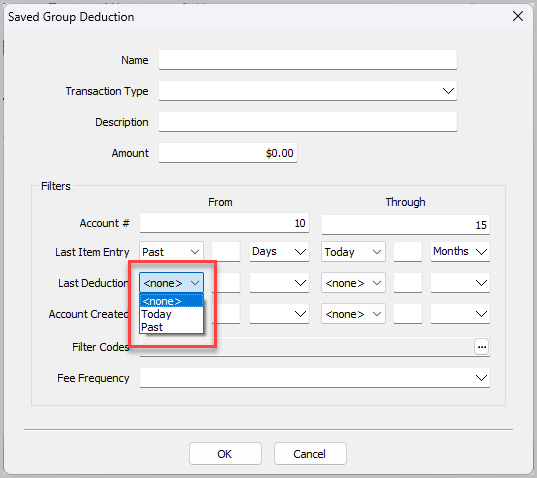
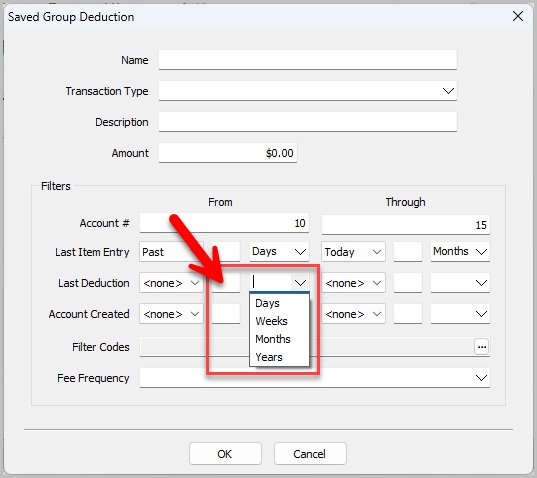
With ‘Past’ selected, you can assign a number to the dropdown options ‘Days’, ‘Weeks’, ‘Months’, ‘Years’ to indicate how far back you would like to find deductions made:
- Account Created : Use this filter if you want to select the last time an account was created. Select ‘Today’, to look for accounts created on today’s date, or ‘Past’, to look for accounts previously created:
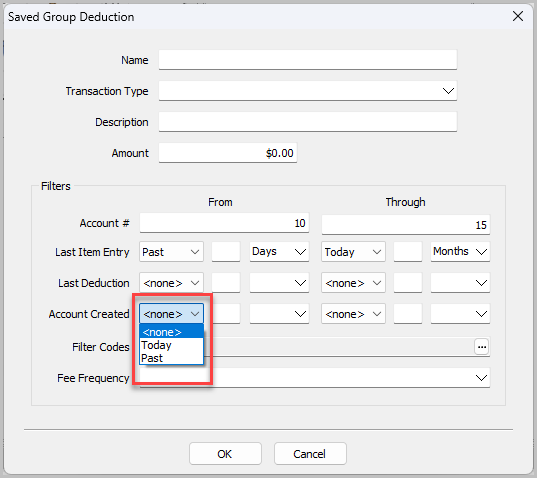
With ‘Past’ selected, you can assign a number to the dropdown options ‘Days’, ‘Weeks’, ‘Months’, ‘Years’ to indicate how far back you would like to find accounts created:
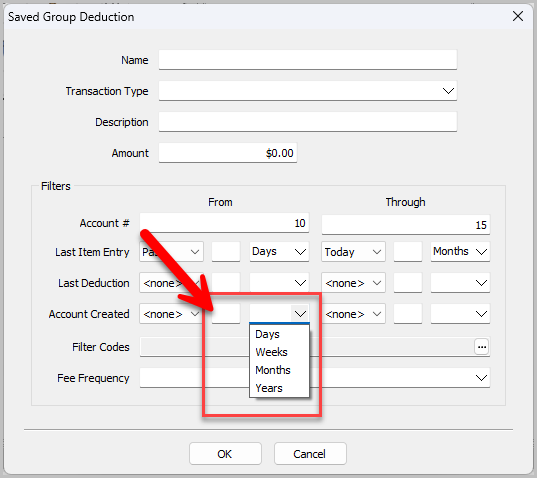
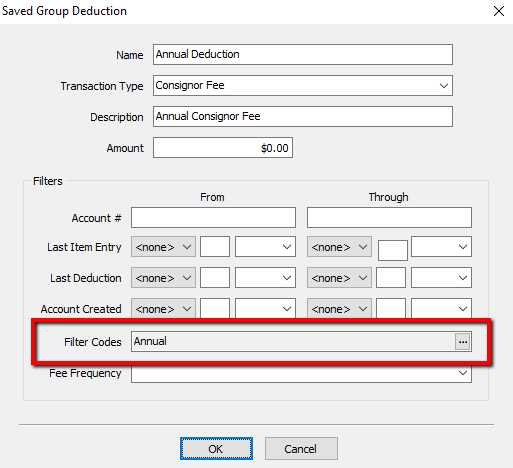
- Filter Codes : Select the Search Button for the Filter Codes to select a code.
The Select Filter Codes Dialogue Box will open.
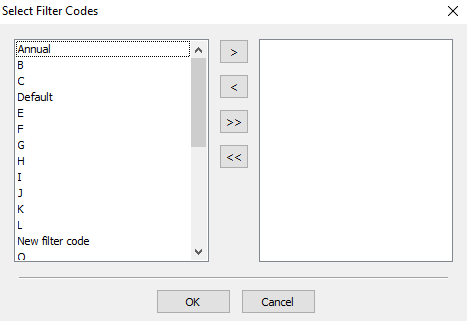
Highlight and press the left or right arrows to move the filter code or codes to the left or the right of the screen. Pressing the double arrow buttons will move all the codes left or right. Once you make your selection, select the Ok button.
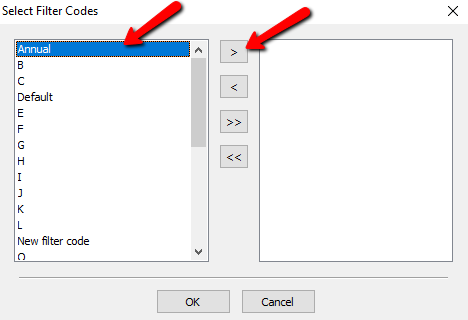
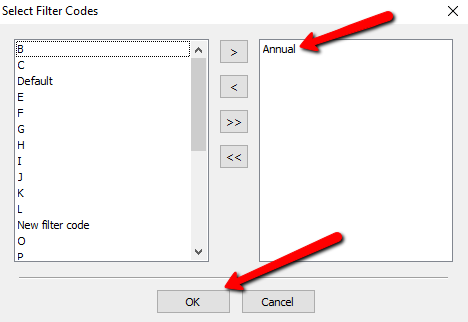
You should see your selected filter code(s).
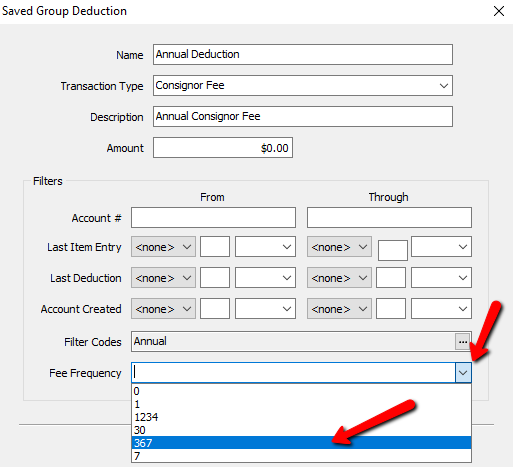
- Fee Frequency : Select the Dropdown for Fee Frequency and select the frequency you wish to use.


- Select the OK button at the bottom when done.
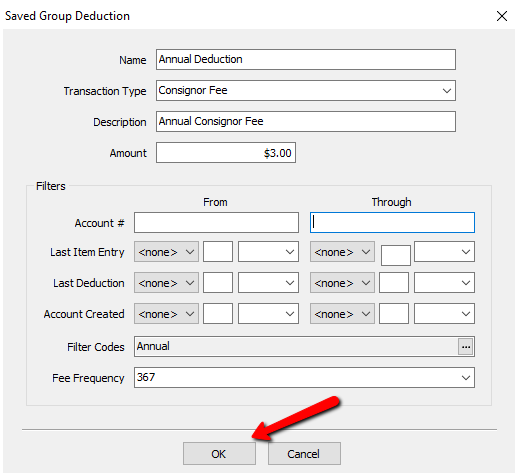

You should see your newly created group deduction on the Saved Group Deductions Dialogue Screen.

Next Article In Section
Click the following link to move to the next article in this section:
Item Dispositions