Mass Account ACH Payouts
You must first ensure that everyone has their Payment Account set to your ResaleWallet:Bank Account option. Then, you have to make sure that everyone you are paying out has their Digital Payout ID filled in with the email they wish to receive their ACH Payout at
Once this is done, you can proceed with the following steps:
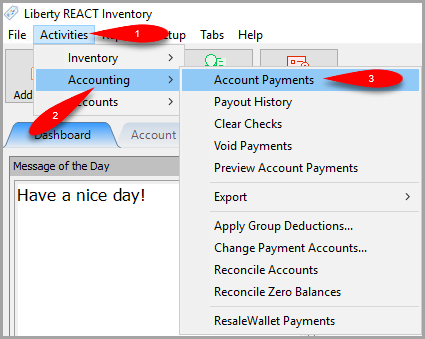
- Open the Liberty REACT Inventory Module and then click on Activities > Accounting > Account Payments.
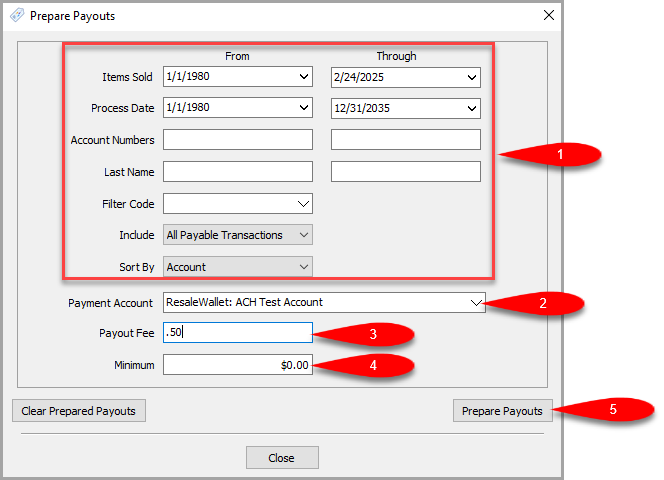
- Fill in your filter options for what period of time you wish to do a mass payout for.
The Items Sold from and through fields tend to be the primary filter for most stores.
Make sure that the Payment Account is set to your ResaleWallet payment account and then set your Payout Fee and Minimum Payout.
Click the Prepare Payouts button when finished.
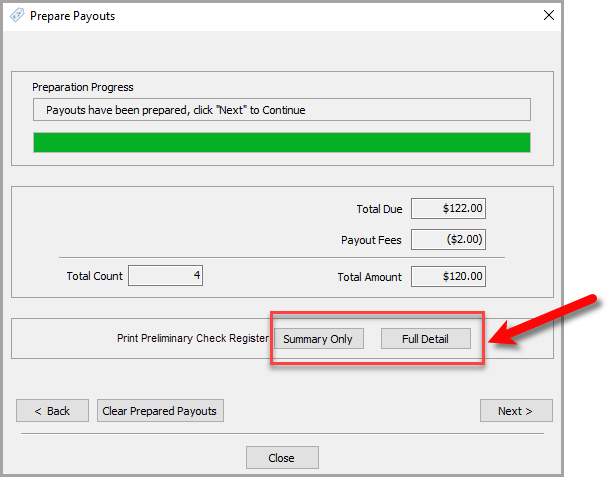
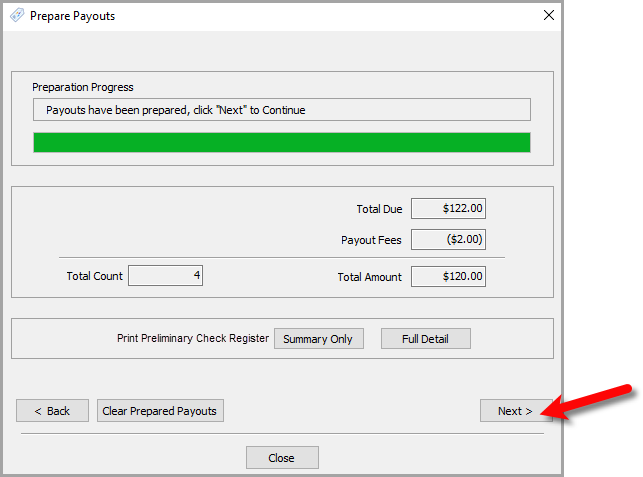
- The ACH Payouts will now be prepared.
You can now click either the Summary Only or Full Detail buttons to see the Preliminary Check Register.
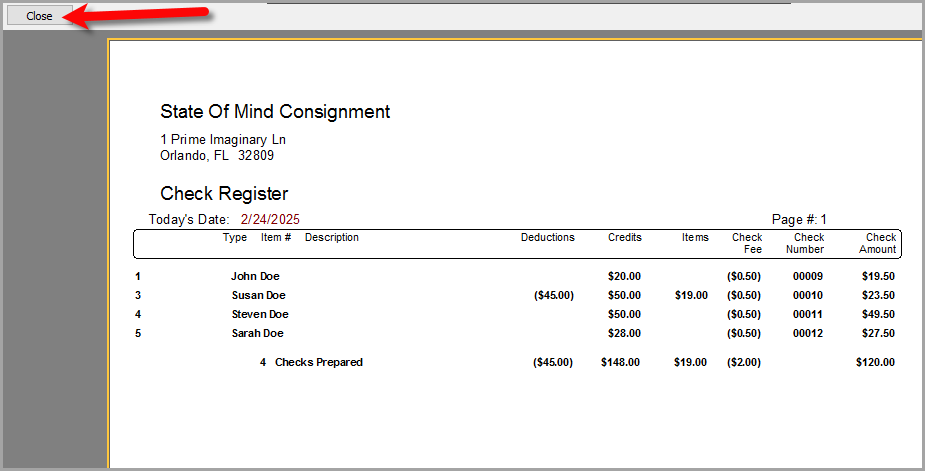
- You can choose to print the Preliminary Check Register from the report screen.
Click the Close button when you are finished.
- Click the Next > button.
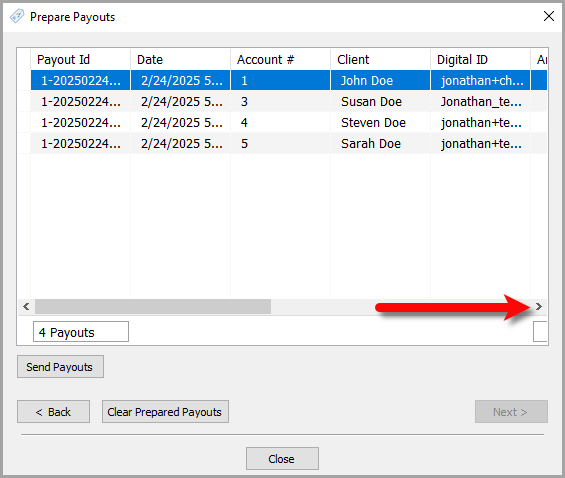
 k
k - From here, you can do a visual check of who is being paid out.
You can scroll to the right to see more details.
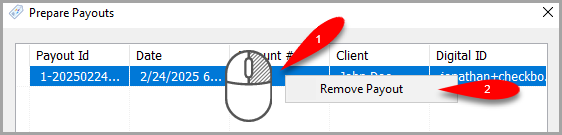
- You can also remove accounts you do not want to pay out by right clicking on the entry and then clicking Remove Payout.
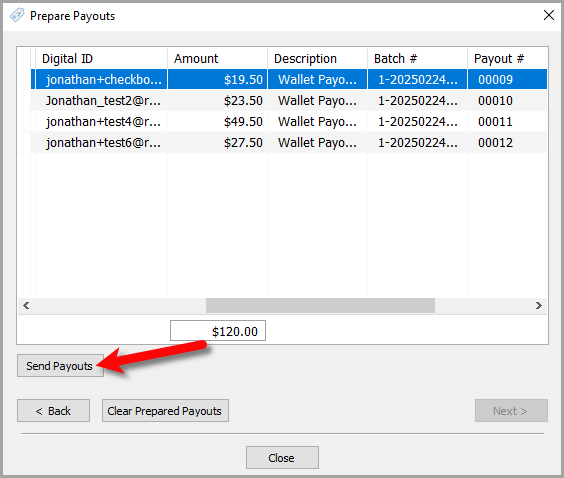
- Once you are finished, click the Send Payouts button.
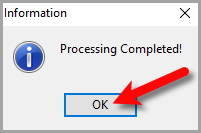
- You will see a Processing Complete dialog box when finished, click the OK button.
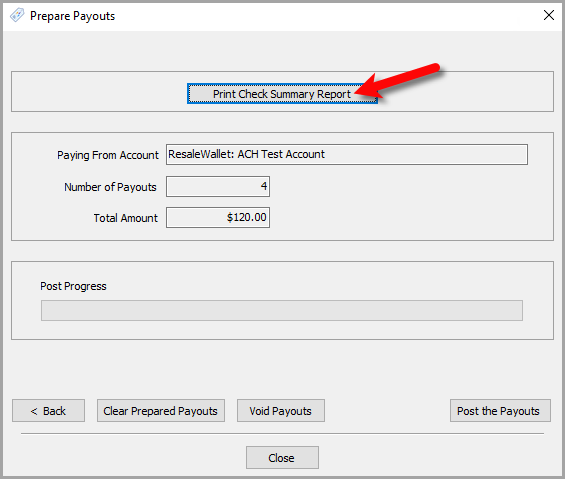
- On the final screen, you can click the Print Check Summary Report button to view the Final Check Register.
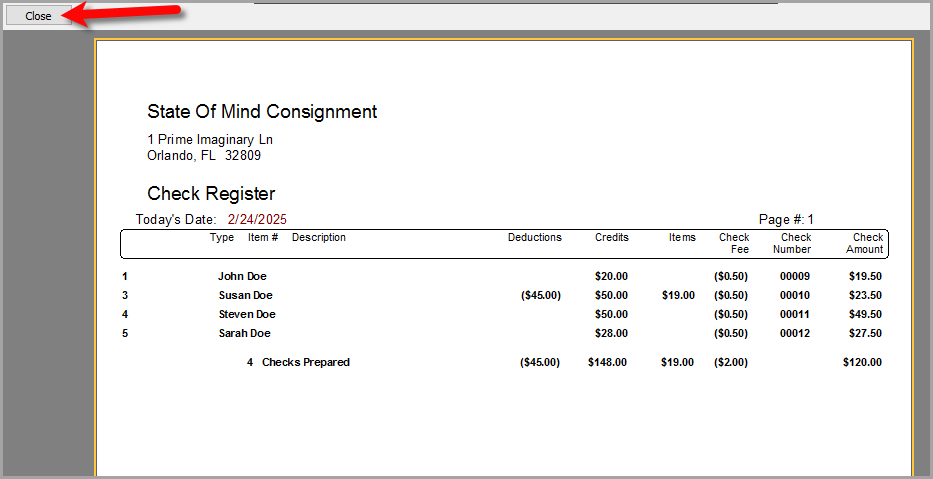
- You can print the Final Check Register from this report screen.
When you are finished, click the Close button.
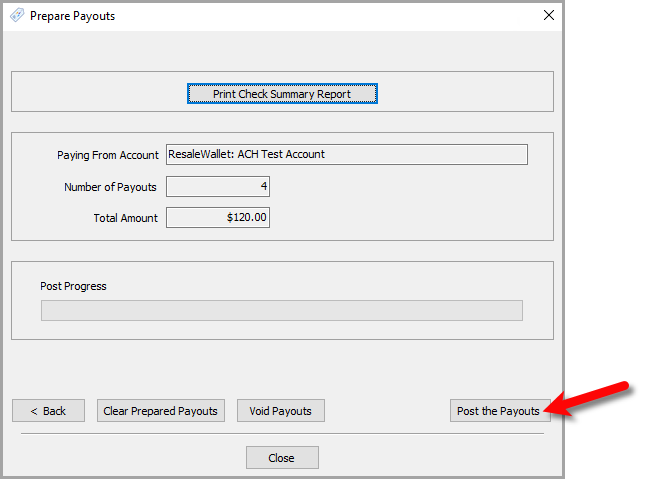
- Finally, click the Post the Payouts button.


All of your clients that were part of this payout process will now receive their Digital Payouts via the email assigned to their Digital Payout ID field on their account.
All of these same clients will have their account’s payable obligation reduced by the payout amount to show that they have been issued a Digital Payout.
Overall, this process is designed to save you a lot of time and effort than handing out or emailing paper checks.
Next Article In Section
Click the following link to move to the next article in this section:
How To Run Multiple Payouts
Related Topics
Mass Account ACH Payouts ResaleWallet ACH Payouts Overview Setting Up ResaleWallet Editing Your ResaleWallet Profile Information Setting Up Your Bank Account Setting Up A Liberty Account For ACH Payouts How To Do A Signature Capture For ACH Payouts Creating A Single ACH Payout Reversing A ResaleWallet ACH Payout In Liberty Viewing ResaleWallet Payout Status In Liberty ResaleWallet Payments Dashboard