Resale Rewards Setup
Setting up to use the Resale Rewards Plan
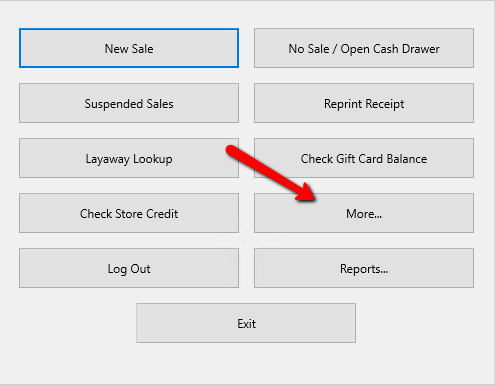
- From the Point Of Sale click on the More button.
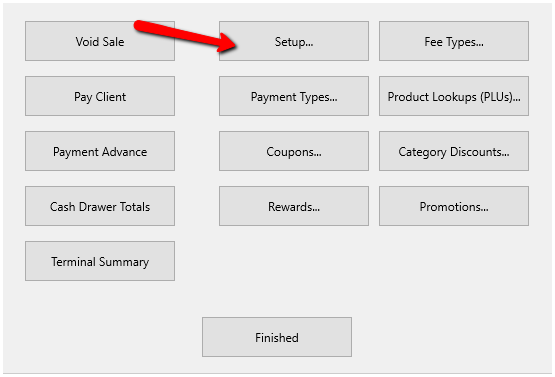
- Select the Setup button.
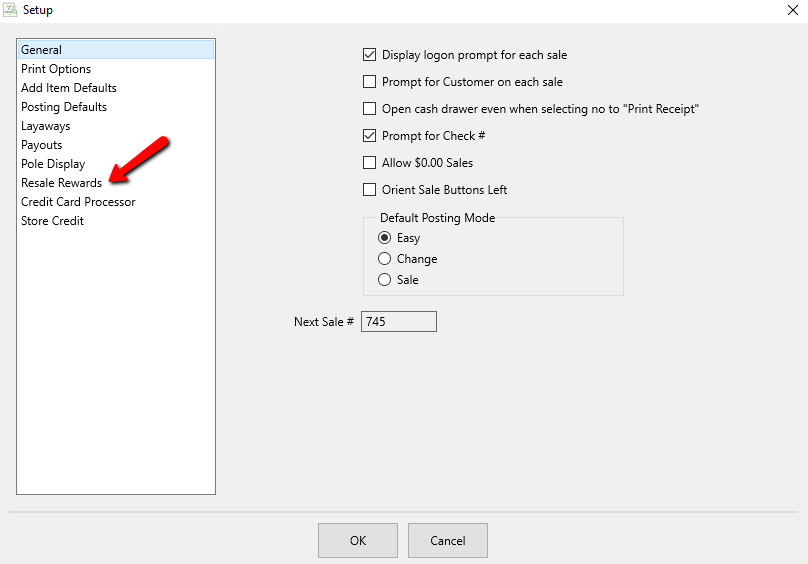
- Go to Resale Rewards.
The Resale Rewards setup screen will display.
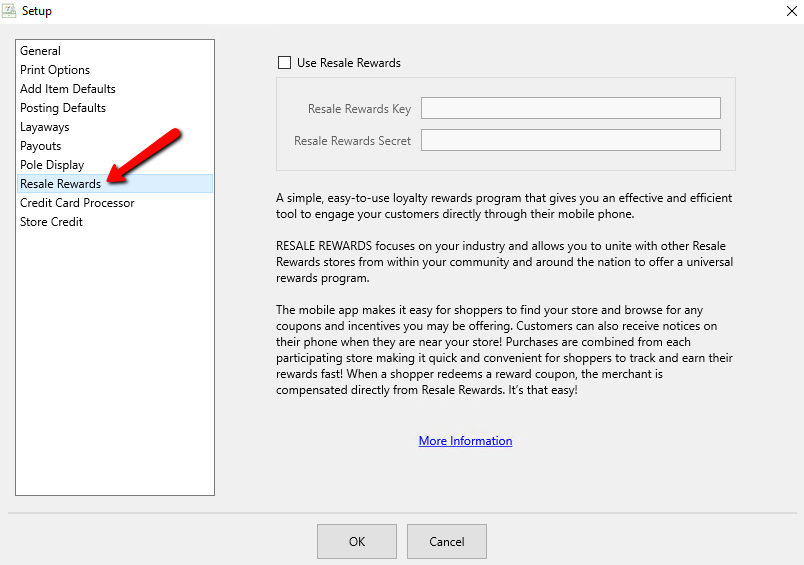


- Use Resale Rewards (Check Box) : Checking this off allows stores to setup and use the Resale Rewards System.
- Resale Rewards Key : Enter the Resale Rewards Key associated with the store account.
- Resale Rewards Secret : Enter the Resale Rewards Secret associated with the account.
Note: Checking off Use Resale Rewards affects what information the Maintain Rewards Button shows. When checked Maintain Rewards Button will display the different coupon settings for My Resale Rewards. When unchecked it will show the rewards plans offered in the Liberty Software. See Choose a Reward Plan System , Resale Rewards Setup and Set Up an In-Store Reward Plan for more information on rewards plans.
Click the OK button when completed.

Setup The Resale rewards Coupons
Once the POS has been configure to use the Resale Rewards Program, the coupons will need to be configured.
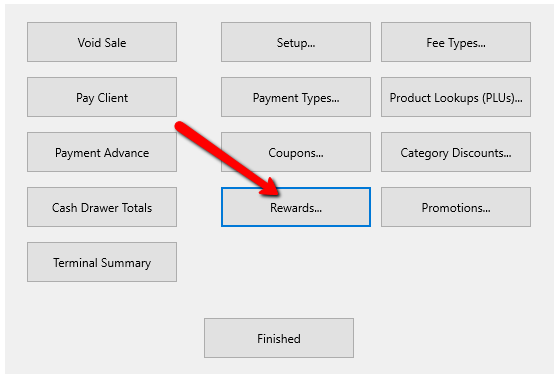
- Click on the Rewards button.
The Maintain Rewards dialogue box will display.
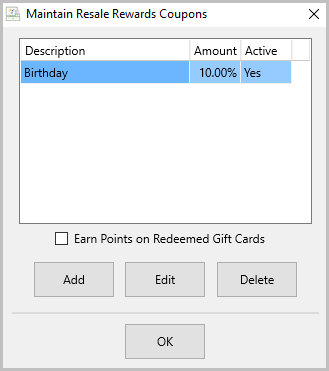
- Add button : Allows you to add new coupon.
- Edit button : Allows you to edit an existing coupon.
- Delete button : Allows you to delete an existing coupon.
- Earn Points on Redeemed Gift Cards : You can check this checkbox on
and off to allow customers or disallow to earn points on Gift Cards.
Note: You can not delete a coupon that has been used.
Selecting the Add button or the Edit button will display the details of a Coupon.
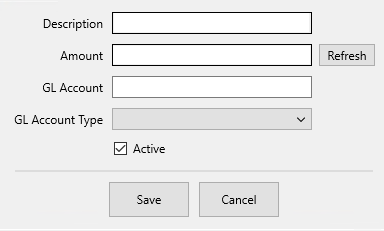
- Description : Enter in the description of the coupon.
- Amount : Enter the amount you wish to discount.
- Refresh Button : Use to refresh the Amount.
- GL Account : User for Quickbooks Link. Enter in the General Ledger account.
- GL Account Type : Select the type of GL Account that will be used.
- Active (Check Box) : Select this box if you want the coupon to be active.
- Select the Save button when done making modifications.

- Select the OK button when done with the Rewards Plan Setup.


Next Article In Section
Click the following link to move to the next article in this section:
Handling Item Fees in the POS