Purchases by Customer Report
Displays purchases for each customer. Includes the number of purchases, average purchase amount, and average item amount.

When to Use
This report is the best way to identify your best customers.
How To Get To This Report
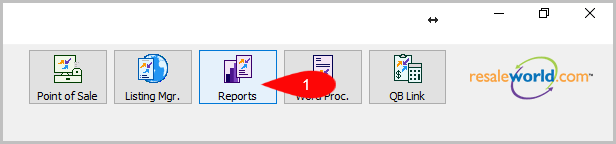
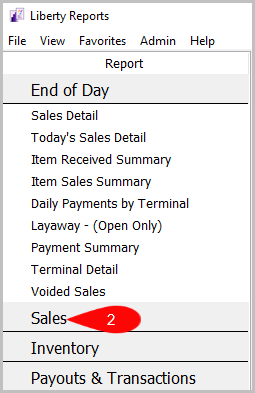
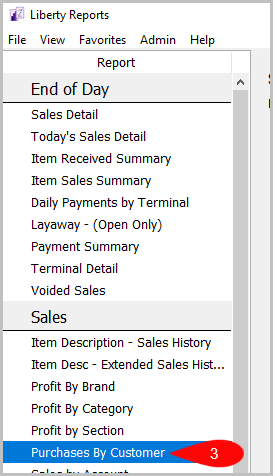
Reports > Sales > Purchases By Customer
- Click on Reports
- Then click on Sales
- After that, click on Purchases By Customer


How To Add Criteria
1. Click on the Add More Criteria button.
 2. Select the criteria you want to add and then press OK.

Criteria Choices
- Account Added By
- Account Numbers
- Account Type
- Active Account?
- Brand
- Category 1
- Category 2
- Category 3
- Color
- Cost/Net
- Custom 1
- Custom 2
- Custom 3
- Custom 4
- Custom 5
- Customer Account
- Date Sold Posted
- Discount Type
- Filter Code
- Item Added B
- Price Code
- Return
- Sales Records
- Size
- Taxation Type
- Terminal ID
- Terminal Location
- Total Purchases
Next Article In Section
Click the following link to move to the next article in this section:
Purchases by Zip/Postal Code Report
Related Topics
Purchases by Customer Report Selecting the Right Report Item Description with Extended History Item Description with Sales History Profit by Brand Report Profit by Category Report Profit by Section Report Purchases by Zip/Postal Code Report Sales by Account Report Sales by Category Report Sales by Price Code Report