Payment Summary Report
Reports the details of POS transactions with an emphasis on payment type information.
When to Use

This report is the fastest way to find a breakdown of your payments received over a given time frame. It is also useful for tracking down a specific payment.
How To Get To This Report
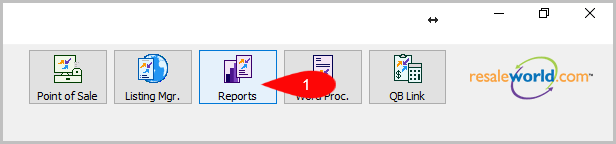
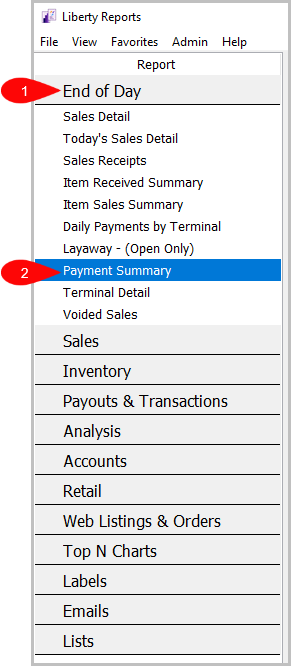
Reports > End of Day > Payment Summary
- Click on Reports
- Click on End of Day to expand it if it isn’t already.
Then click on Payment Summary.


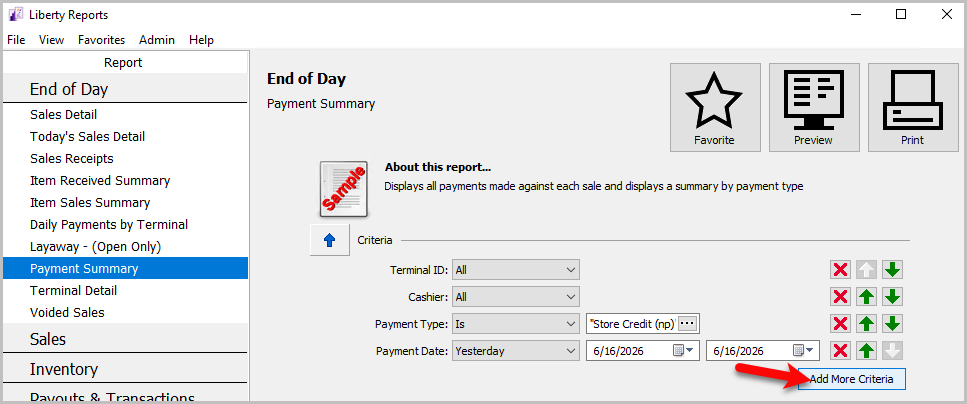
How To Add Criteria
- Click on the Add More Criteria button.
- Select the criteria you want to add and then press OK.
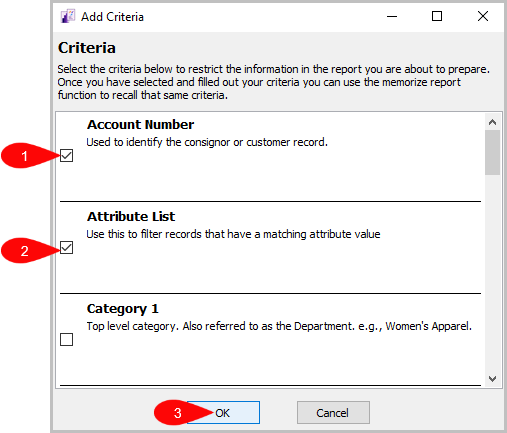


Criteria Choices
- Terminal Location
- Cashier
- Customer Account
- Terminal ID
- Payment Type
- Sales Status
- Payment Date
- Payment Amount
Next Article In Section
Click the following link to move to the next article in this section:
Sales Detail Report