Printing Letters From Accounts
Letters can be printed from accounts.
How To Print A Letter From An Account
- When the account is open, select the Letters button to the left of the account details.
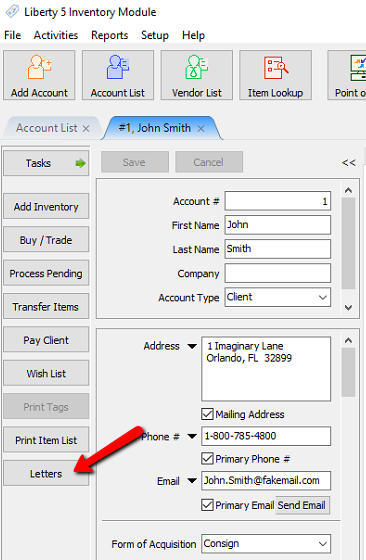
The Letters dialog box will open.
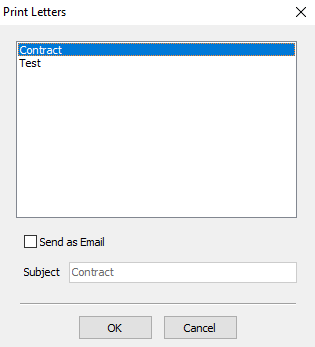
- Highlight the Letter and select the OK button to print the Letter.
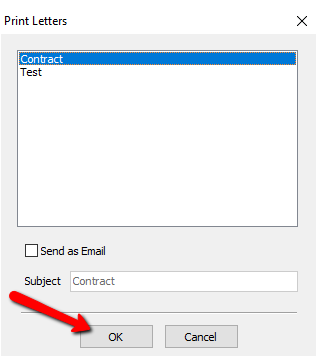


If you wish to email the letter instead, check off the “Send as Email” Check Box. If you wish, you can change the Subject. Press the OK button when done.

Next Article In Section
Click the following link to move to the next article in this section:
Printing Items Purchased By History
Related Topics
Printing Letters From Accounts Printing or Emailing A Letter Using The Publishing Wizard Printing a Donor Receipt Printing Or Emailing An Inventory List Printing Payout Detail Printing a Pick List Printing Transaction History Printing Items Purchased By History Cancel Check Printing Printing Checks Restart Check Printing