Credit/Debit a Client Account
If the need arises to add or deduct money from a client account this can be done from the account Transaction tab.
There are two kinds of money within the Liberty program that you can work with: Payable and Non-Payable (these types are explained as follows).
Payable money - These are funds that will come out on a client payout (consignor check) or pay advance. This money can be cashed out and used for whatever the client desires.
Non-Payable money - These funds will not come out on any type of payment to the client. These funds can only be used in the Point of Sale to purchase items and/ or pay fees. They are more of a true store credit only money.
Note: On the bottom of the Transaction Tab Liberty keeps track of both types of monies {see below}. Total Owed shows all monies owed to a client both Payable and Non-Payable. Total Payable only shows monies that are payable and can be included in a payout/pay advance. Below you will see that total owed shows $20 and total payable show $10. By seeing this you can see the total available balance in store credit that can be used in POS is $20. $10 payable money and $10 non-payable.)

- Select the Transactions tab.
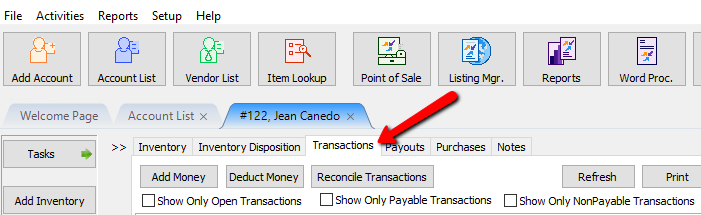
- On the Transactions tab you will see both the Add Money and Deduct Money buttons on the top menu.
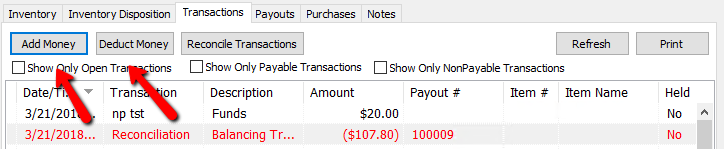
- Select the action you wish to perform by clicking either the Add Money or Deduct Money icon. The following window will appear.
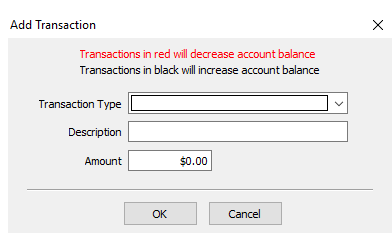


Warning! It is recommended to always read each screen carefully to avoid mistakes.
- In the Transaction Type drop-down menu select the transaction you wish to preform.
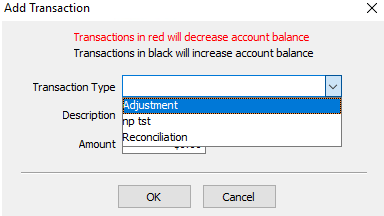
- Different transaction types are required to affect payable or non-payable money. By default only Payable Transaction Types will appear in the Add/Deduct options. To affect Non-Payable Money, please see Set Up Transaction Types.
- In the Description field you can type in the reason for the credit/debit.
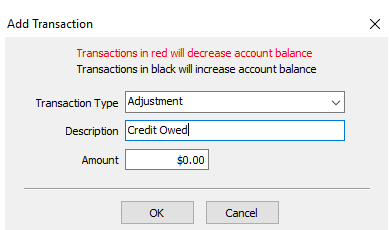
- In the Amount field you can enter the dollar amount of the transaction.
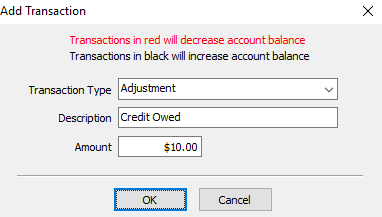
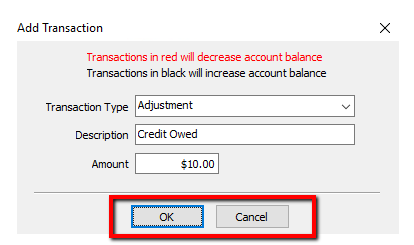
- Click the OK button to perform the action. Click Cancel to close without performing the transaction.
- The transaction will then appear in the account's Transactions tab as shown below.



Next Article In Section
Click the following link to move to the next article in this section:
Combine/Reconcile open Transactions
Related Topics
Credit/Debit a Client Account Determine Amount Payable to an Account Holder Assessing Fees to Accounts and Items Change Payment Account for Multiple Accounts How to setup check fees How To Set A Check Address Offset Clear Checks Combine/Reconcile open Transactions How to Expire a Posted Payment Payment Advance