Combine/Reconcile open Transactions
In some situations an account may have a very large number of open Transactions listed; sometimes too large and/or too complicated to view easily. Use the Reconcile Transactions routine to combine multiple open transactions into one transaction.
To Combine Transactions
- Select the Transactions tab.
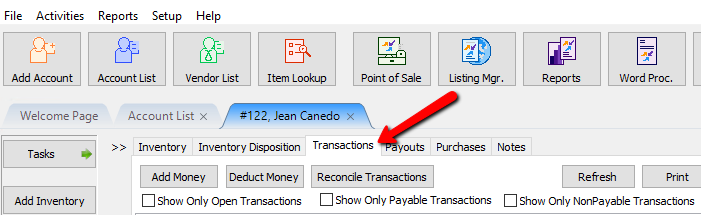
- Select the Reconcile Transactions button (located at the top of the screen). The Confirm Reconcile Transactions dialog will display .
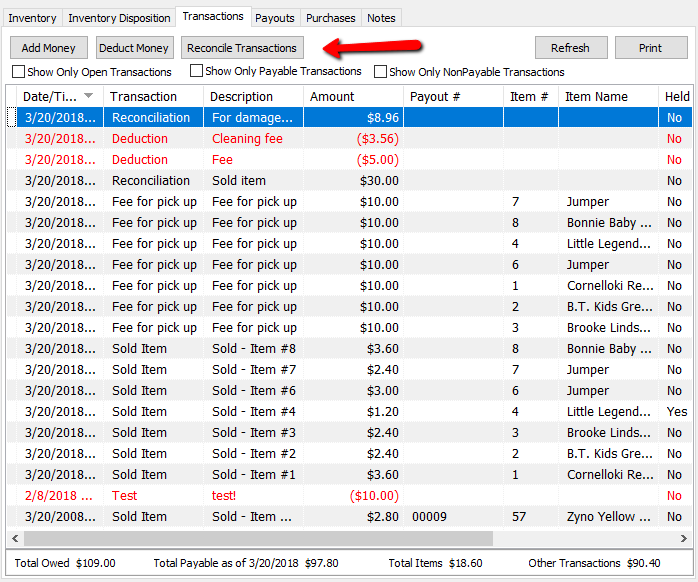
This is what the transactions will look like after the reconcile. You will notice generated payout number for all the transactions that were closed where in the previous image, there were only payout numbers for transactions that had already been closed.
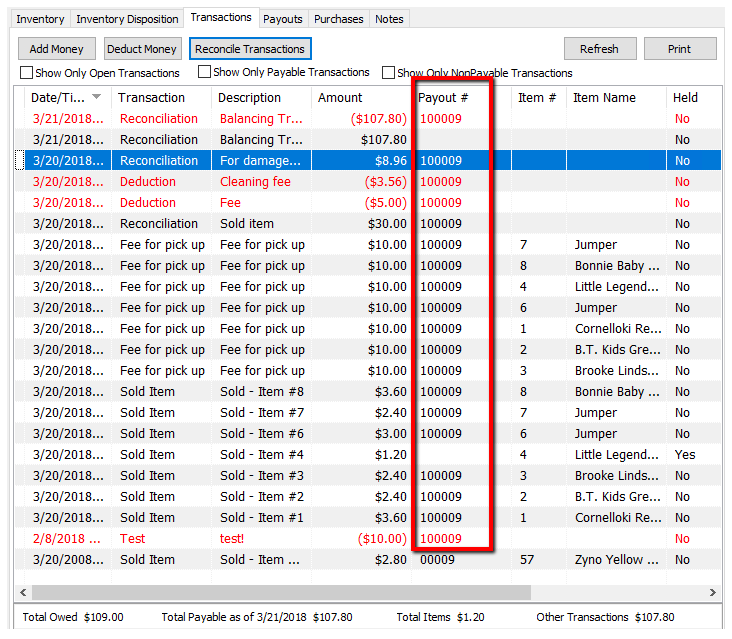
A few things to be aware of when reconciling transactions.- Transactions on held, will stay on hold and not be closed out.
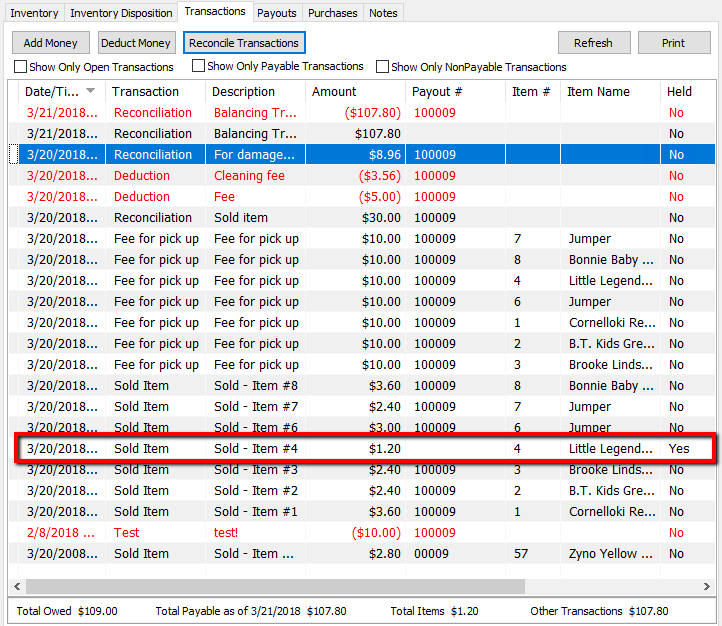
- When liberty reconciles the transactions, it goes through the whole account and adds up all positive transactions, then deducts any negative transactions. It closes the transactions out and assigns a payout number. Once it has a total, it creates one large deduction from the account for the total amount, and then re-adds this amount back to the account as 100% payable money.
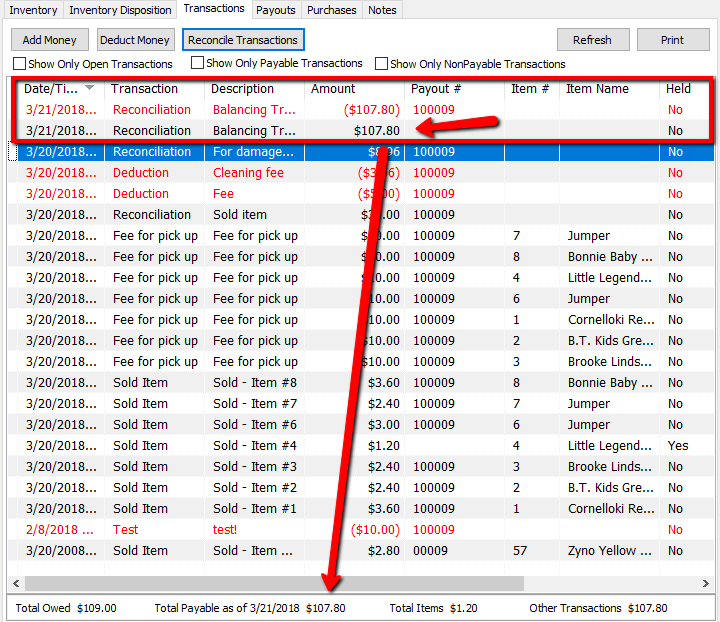
- Any Non-Payable transactions will be closed and deducted from the account, and re-added as Payable funds.


Next Article In Section
Click the following link to move to the next article in this section:
Determine Amount Payable to an Account Holder
Related Topics
Combine/Reconcile open Transactions View Transaction History Determine Amount Payable to an Account Holder Assessing Fees to Accounts and Items Change Payment Account for Multiple Accounts How to setup check fees How To Set A Check Address Offset Clear Checks Credit/Debit a Client Account How to Expire a Posted Payment