Determine Amount Payable to an Account Holder
There are several methods for determining how much an Account Holder is owed. The easiest is to look at the bottom of the Transaction window.
To Determine The Amount Due An Account Holder
- Click on the Transaction Tab.
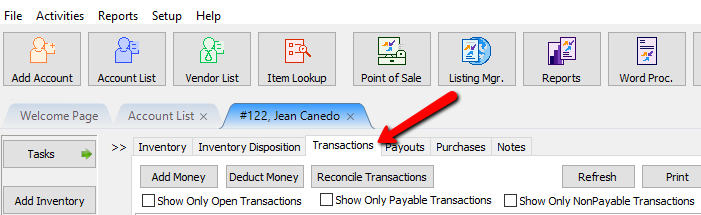
- At the bottom of the window are two figures:
- Total Owed : Shows the gross amount payable including non-payable credit.
- Total Payable as of (date) : Shows the net amount due after deductions, credits, and any Pay Delays are taken into account.


Note: Total Owed may be more then Total Payable especially if there is Non-Payable Store Credit on the account. For more on Non-Payable Store Credit see Add a Credit/Debit to a Client Account.
To Determine Amount Due An Account Holder In Reports
- In Reports, select Payouts > Accounts Payable Report. See Liberty Reports Overview for more information on generating reports.
Next Article In Section
Click the following link to move to the next article in this section:
How to setup check fees
Related Topics
Determine Amount Payable to an Account Holder View Transaction History Assessing Fees to Accounts and Items Change Payment Account for Multiple Accounts How to setup check fees How To Set A Check Address Offset Clear Checks Combine/Reconcile open Transactions Credit/Debit a Client Account How to Expire a Posted Payment